Table of Contents
- What Is a Customer Experience Automation Platform?
- Why Multichannel Support Can't Run on Manual Effort Anymore
- The Channels That Actually Matter (and How Automation Works on Each)
- The Unified Inbox: Why It Changes Everything
- AI Chatbots: The First Line of Automated Support
- Messaging Campaigns: Proactive, Not Just Reactive
- Social Media Automation: Turning Comments Into Conversations
- How to Evaluate a Customer Experience Automation Platform
- How QuickConnect Handles Multichannel CX Automation
Your customers aren’t waiting on one channel anymore. They will text you on WhatsApp at 9 AM, leave a comment on an Instagram ad by noon, and send you an email if you don’t reply by evening. Each of those interactions establishes an expectation: a quick, coherent response, a response that runs seamlessly with the previous one and continues it.
This is the way most businesses deal with it, using duct tape. One tool for social DMs, another for email tickets, a third for WhatsApp, maybe a chatbot widget bolted onto the website. This results in agents toggling between five tabs.
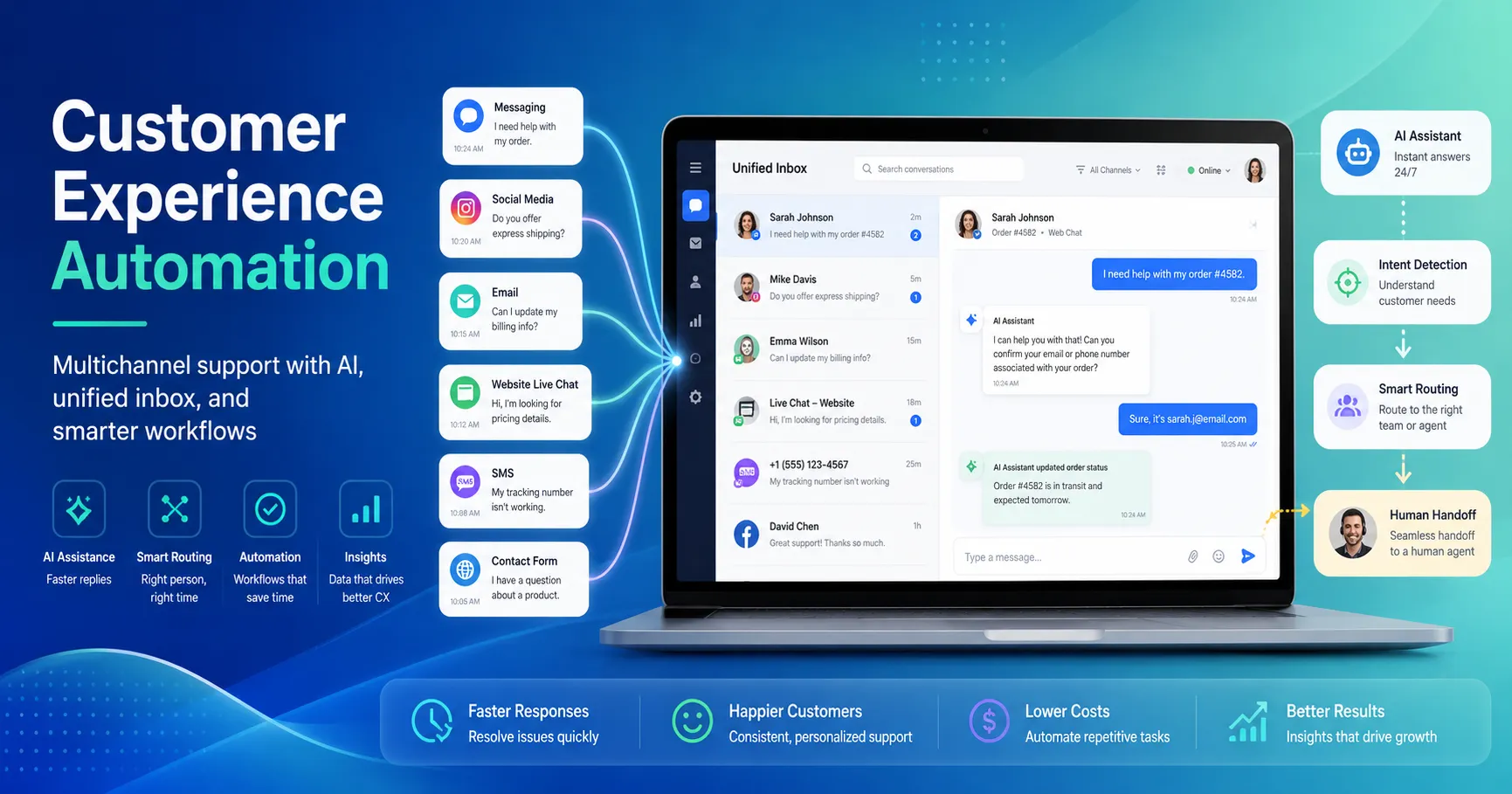
A customer experience automation platform addresses this by bringing these channels together through a unified inbox, AI-powered automation, and a single campaign engine, giving teams one place to manage customer conversations.
What Is a Customer Experience Automation Platform?
A customer experience automation platform is software that helps businesses manage and automate customer conversations across multiple channels from one system.
It typically combines a unified inbox, AI chatbots, automated routing and human handoff, campaign tools, and analytics.
Unlike a traditional help desk that primarily organizes support tickets, a CX automation platform focuses on managing and automating customer conversations across channels.
For a deeper explanation of customer experience automation itself, read our What Is Customer Experience Automation? guide.
Why Multichannel Support Can’t Run on Manual Effort Anymore
Customers choose how they want to contact a business. As the number of communication channels grows, manually checking WhatsApp, email, Instagram, Messenger, live chat, and other platforms becomes difficult to manage.
Three problems appear quickly: customer conversations become fragmented, agents spend more time switching between tools, and messages are easier to miss.
Customers Pick the Channel, Not You
Different customers prefer different channels depending on their location, habits, and purpose. Businesses therefore need to meet customers where they already communicate rather than forcing everyone into one channel.
Context Breaks When Channels Are Siloed
Imagine a customer asking about a product on Instagram and later contacting the business on WhatsApp to complete the purchase.
If those channels are managed separately, the second agent may have no context and ask the customer to repeat the conversation.
A unified platform helps keep customer interactions accessible to the team, creating a smoother experience across channels.
Agent Work Becomes Harder as Channels Increase
Every additional communication tool creates another place agents need to monitor.
Centralizing conversations reduces unnecessary switching between applications and makes it easier for teams to route, prioritize, and respond to customer requests.
The Channels That Actually Matter (and How Automation Works on Each)
Not all channels are equal. Here’s a practical breakdown of the channels a CXA platform should cover and what automation can look like on each. If you want to see these ideas applied as complete workflows, our 11 customer experience automation examples cover chatbot support, lead qualification, social messaging, order updates, routing, follow-ups, and human escalation
WhatsApp Business API
WhatsApp is widely used across Asia, Latin America, Africa, and parts of Europe. For businesses operating in these markets, it can be an important channel for customer communication, support, and engagement.
What automation enables:
- Auto-reply to incoming enquiries (order status, store hours, product enquiries)
- AI Chatbot interactions capturing leads and providing product recommendations before any human agent starts handling a case.
- Automated cart recovery messages that re-engage customers who leave before completing a purchase.
- Announcements of promotions, flash sales, and reminders about events made via broadcast.
- Check out the notification types: Transactional alerts, such as OTPs, shipping notifications, appointment confirmations, etc.
This is powered by WhatsApp Business API (not the free WhatsApp Business app). This API can be integrated with a CXA platform to manage all WhatsApp conversations in a single place with all other channels.
SMS
SMS is delivered to every phone, no download of an app, no need for an internet connection. SMS has no equal when it comes to delivering messages that are time-sensitive, for markets with low smartphone penetration, or transactional messages.
What automation enables:
- One-time and verification codes sent via API.
- Remind and notify people about appointments and deliveries.
- When a WhatsApp or Viber message has not been delivered, it automatically sends an SMS to ensure delivery of the message to the customer (fallback messaging).
- Customized promotions (name, order number, discount code)
Smart fallback messaging can help improve delivery when a message fails on WhatsApp or Viber. The platform can automatically retry the message through SMS, giving businesses another way to reach the customer without manual resending.
Viber
Viber has a strong presence in certain markets such as Myanmar, Greece, Philippines, Sri Lanka, Nepal, and some Eastern European countries. It is the main messaging application in these areas, and businesses that don’t consider it are missing a huge audience of users.
What automation enables:
- Rich media messages with images, buttons, and calls to action.
- Automated welcome flows for new subscribers.
- Campaign broadcasts across supported channels such as Viber, WhatsApp, and SMS.
- Customer support conversations routed to the unified inbox.
Facebook Messenger & Page Comments
Facebook remains the largest social platform globally. For businesses running Facebook Ads, Messenger is where conversion happens, a prospect sees your ad, clicks “Send Message,” and expects an immediate reply.
What automation enables:
- Instant auto-replies to Messenger inquiries from ads
- Comment-to-DM automation, when someone comments on a Facebook post or ad, the system automatically sends them a private message with a promo code, product link, or lead capture form
- AI chatbot conversations for product discovery and FAQ handling
- Seamless handoff to human agents in the unified inbox when the bot hits its limits
Instagram DMs & Post Comments
D2C brands, restaurants, salons, fashion labels, and lifestyle businesses often use Instagram as an important customer engagement and sales channel. When a potential customer comments “Price?” or asks whether a product is available, responding quickly can turn that interaction into a sales conversation.
What automation enables:
- Auto-reply to post and reel comments with DMs containing product details, pricing, or booking links
- Keyword-triggered DM flows, a user comments a specific word, and the system initiates an automated conversation
- Lead capture directly inside Instagram DMs
- Full conversation history carried into the unified inbox so agents see every past interaction
Website Live Chat
It’s the one channel you have 100% control over on your website. By engaging in a timely live chat when the user is ready to buy, you can convert a passive browser into a qualified lead or save a cart from abandonment.
What automation enables:
- Proactive chat triggers – based on visitor activity (time on page, scroll depth, exit intent, cart value)
- AI chatbot for the first response to common questions instantly.
- Pre-chat forms collecting names, emails, and query type prior to routing to the appropriate agent
- For complex support situations, real-time co-browse or share screenshots.
- After-hours routing – AI responds to after-hours questions, people respond during business hours
Email isn’t going anywhere. For formal communication, invoices, detailed support threads, documentation, onboarding sequences, it remains the standard. The key is making sure email conversations live in the same system as every other channel.
What automation enables:
- Auto-categorization and tagging of incoming emails by topic or urgency
- AI-suggested draft responses for agents to review and send
- Automated acknowledgment replies (“We’ve received your message and will respond within 2 hours”)
- Email integrated into the same unified inbox, so an agent can see a customer’s WhatsApp conversation and email thread side by side
The Unified Inbox: Why It Changes Everything
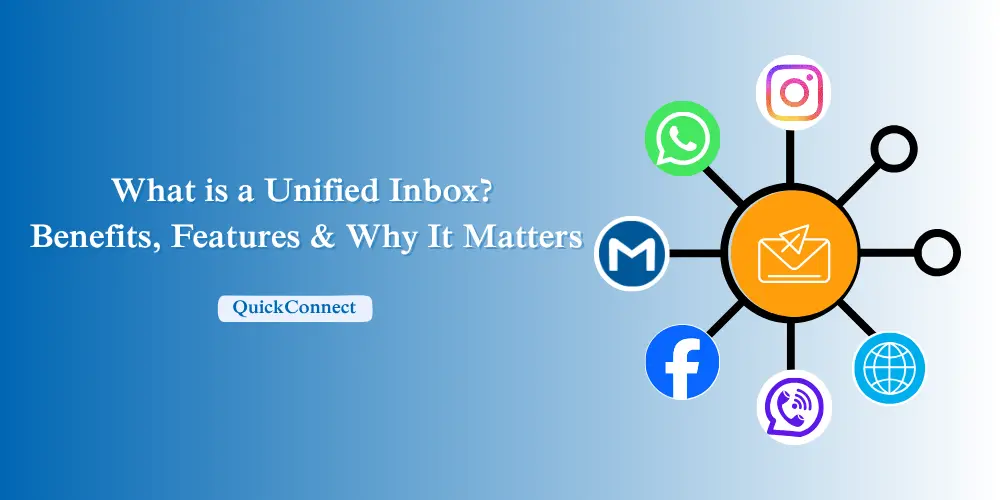
It is convenient to have individual channel automation. However, the true transition in operation comes when all channels are funnelled into a single inbox.
The main idea of a unified inbox is:
- One customer, one thread. If a customer sends a message on WhatsApp, then an email message, then live chat, all three messages show up in the same customer profile. Agents have a record of all information without requiring the customer to provide any information again.
- Smart routing and assignment. Available agents are automatically assigned incoming conversations according to workload, skill set or rules. No more missed messages in a queue.
- Internal collaboration. Escalate issues, leave notes within internal conversations, and tag teammates – all in one place. You don’t need to use a slack thread.
- AI-assisted responses. The system provides suggestions for draft replies according to the context of the conversation and knowledge base. Review and edit by agents and send. This reduces the average handling time while maintaining high-quality service.
- Mobile access. Your support doesn’t end when agents are away at work. Mobile push notifications ensure that they respond in real-time even while on the move.
The value of unified customer data is measurable. HubSpot’s 2024 State of Service report found that CX teams with unified data were 225% more likely to say their customers receive a personalised experience and 48% more likely to say their service strategy was effective.
AI Chatbots: The First Line of Automated Support
A CXA platform without AI chatbots is just a fancy inbox. The chatbot is what turns the platform from a routing tool into an automation engine. But there’s a meaningful difference between the keyword-matching bots from 2018 and what modern AI chatbots and conversational AI can do.
What a Modern AI Chatbot Handles
- FAQ resolution: Trained on your knowledge base, product catalog, and past conversations. When a customer asks “What’s your return policy?” the bot doesn’t just match the keyword “return” it understands the intent and delivers the specific policy, including any conditions or exceptions.
- Product recommendations: Based on what the customer is browsing or asking about, the bot suggests relevant products with images, prices, and purchase links.
- Lead qualification: The bot asks a structured sequence of questions (budget, timeline, company size) and scores the lead before routing to sales.
- Order status and tracking: Connected to your backend systems via API, the bot pulls real-time order information and delivers it instantly.
- Multilingual support: Modern NLU handles multiple languages, including mixed-language inputs (a customer switching between English and Nepali mid-sentence, for example).
When automating customer support, it’s also important to make sure chatbot responses don’t sound overly robotic or repetitive. Reviewing The Top 15 Flagged Phrase Patterns can help identify wording patterns that may make AI-generated responses feel less natural, giving teams useful ideas for refining chatbot conversations and keeping automated interactions more human.
Gartner predicts that by 2029, agentic AI will autonomously resolve 80% of common customer service issues without human intervention. However, 87% of consumers still want to have an easy way to talk to a person if necessary.
When a conversation goes beyond the bot’s capabilities because of the complexity of the request, customer sentiment, or an explicit request for human assistance—a well-designed CXA platform should transfer the conversation to a human agent while preserving the relevant context.
The customer does not have to start again; the agent doesn’t say “How can I help you?” if they can see the entire thread.
Messaging Campaigns: Proactive, Not Just Reactive
Most support tools are reactive; they are there when a customer contacts them. A CXA platform does just that by connecting you with your customers first, over the channels they read.
What messaging campaigns can include:
- Multi-channel broadcasts: Launch a single campaign across WhatsApp, SMS, and Viber simultaneously. One message, three channels, one dashboard to track performance.
- Smart fallback delivery: This is where things get interesting. If a WhatsApp message fails to deliver (the customer doesn’t have WhatsApp, or they’re offline), the platform automatically sends the same message via SMS. No manual intervention, no missed delivery. This provides another delivery path when the original channel fails, increasing the likelihood that the message reaches the customer.
- Rich media and interactivity: Send images, videos, clickable buttons, and personalized variables (customer name, order ID, discount code). These aren’t plain-text blasts, they’re branded, interactive experiences.
- Campaign analytics: Track delivery rates, open rates, click-through rates, and conversions, broken down by channel. See exactly which channel performs best for which type of message.
Why this matters for CX
Proactive, AI-powered customer engagement can create measurable business value when implemented effectively. McKinsey reports that AI-powered “next best experience” approaches can increase customer satisfaction by 15–20%, increase revenue by 5–8%, and reduce cost to serve by 20–30%.
Social Media Automation: Turning Comments Into Conversations
Social media is the most public and most neglected customer engagement channel. A comment on an Instagram post or a Facebook ad reply is visible to thousands of people. Leaving it unanswered doesn’t just lose one customer; it signals to every other viewer that you don’t respond.
Comment-to-DM workflows
Here’s the automation that can turn high-intent customer messages into leads:
- A customer comments on your Instagram post or Facebook ad (e.g., “How much?” or “Is this available?”).
- The platform automatically replies to the comment publicly (“Check your DMs!”) and simultaneously sends a private message with product details, pricing, or a promo code.
- If the customer engages with the DM, the AI chatbot takes over, answering questions, sharing links, or capturing lead information.
- If the conversation requires human help, it’s routed to the unified inbox with full context.
This turns every organic comment and ad interaction into a private sales conversation, automatically.
Scheduled posting
Some CXA platforms also include social media post scheduling, letting you plan and publish content across Facebook and Instagram directly from the same dashboard. It’s not a replacement for a full social media management tool, but it reduces the number of apps your team needs to juggle.
How to Evaluate a Customer Experience Automation Platform
Not every platform that claims multichannel actually delivers it. Here’s what to look for and what to watch out for.
Must-Have Capabilities
| Capability | What to Look For | Red Flag |
| Channel coverage | Native support for WhatsApp API, SMS, Viber, Facebook, Instagram, live chat, and email | “We integrate with WhatsApp” (via a third-party connector, not native) |
| Unified inbox | Single view with full conversation history across channels, per customer | Separate inboxes per channel that don’t share context |
| AI chatbot | Trainable on your knowledge base, with intent recognition and human handoff | Keyword-only bots with no NLU layer |
| Campaign engine | Multi-channel broadcast with fallback delivery and analytics | SMS-only or email-only campaign tools |
| Automation workflows | Comment-to-DM, keyword triggers, auto-assignment, business-hour rules | Manual-only routing and assignment |
| API access | RESTful API for OTPs, transactional alerts, and CRM integration | No API, or API limited to enterprise tiers |
| Mobile app | Full inbox access on mobile with push notifications | Web-only, no mobile support |
Questions to Ask Before You Buy
- How many channels are natively supported? There’s a difference between native integration (built into the platform) and third-party connectors (which add latency, cost, and points of failure).
- Does the inbox unify customer identity across channels? If a customer messages on WhatsApp and later on Instagram, does the platform recognize them as the same person?
- Can the AI bot be trained on my own data? Generic bots that can’t learn your product catalog, FAQ, or brand voice won’t deliver useful automation.
- Is there a smart fallback for campaign delivery? If a message fails on one channel, does it automatically retry on another?
- What’s the pricing model? Per-seat, per-resolution, or flat? Some platforms charge per AI resolution ($0.99 each on Intercom, for instance), which can become expensive at scale.
How QuickConnect Handles Multichannel CX Automation
QuickConnect is built as a unified platform for multichannel customer engagement, with five core products and features under one subscription:
1. Multi-Channel Unified Inbox
All your WhatsApp, SMS, Viber, Facebook Messenger, Instagram DMs, live chat, and email conversations are consolidated into one dashboard. Agents have access to all the conversation history of each customer, whether the message is from a web, mobile, or social channel. Auto-assignment distributes conversations according to the workload and availability of the agents. The team will stay on the same page without introducing an additional communication medium with internal notes and tagging.
2. AI Chatbot
QuickConnect’s AI bot is trained with your company’s FAQ documents, product catalogs, and past conversations. It employs NLP and NLU to comprehend intent, context, and different phrasing, not just keywords. The bot can make product suggestions, qualify leads, and respond to typical support inquiries at any time. When human judgment is needed, the conversation can be escalated to a live agent with the relevant context preserved.
3. Campaign Management
Send, schedule and create campaigns through WhatsApp, SMS and Viber from a single screen. Smart fallback system identifies delivery failures on WhatsApp or Viber and automatically sends an SMS to ensure the message has been delivered to the customer. Rich media (images, buttons, personalized variables) are supported in campaigns, which have analytics tracking delivery, opens and click-throughs per channel.
4. DM & Comment Automation
Automate comments on Instagram and Facebook posts and ads to private DM conversations. Personalized responses, promo codes and product links are sent automatically in the system, making public interactions private sales conversations. Instagram automation workflows can be triggered by keywords that are specified by the customer.
5. Live Chat & Customer Support
An AI-powered proactive live chat widget on your website can use customisable triggers, pre-chat forms and AI-first responses. The AI bot will take care of after-hours inquiries while business hours will send messages to available agents. The live chat widget integrates into the same unified inbox, allowing agents to handle website visitors, WhatsApp, email or social interactions on a single platform.