Table of Contents
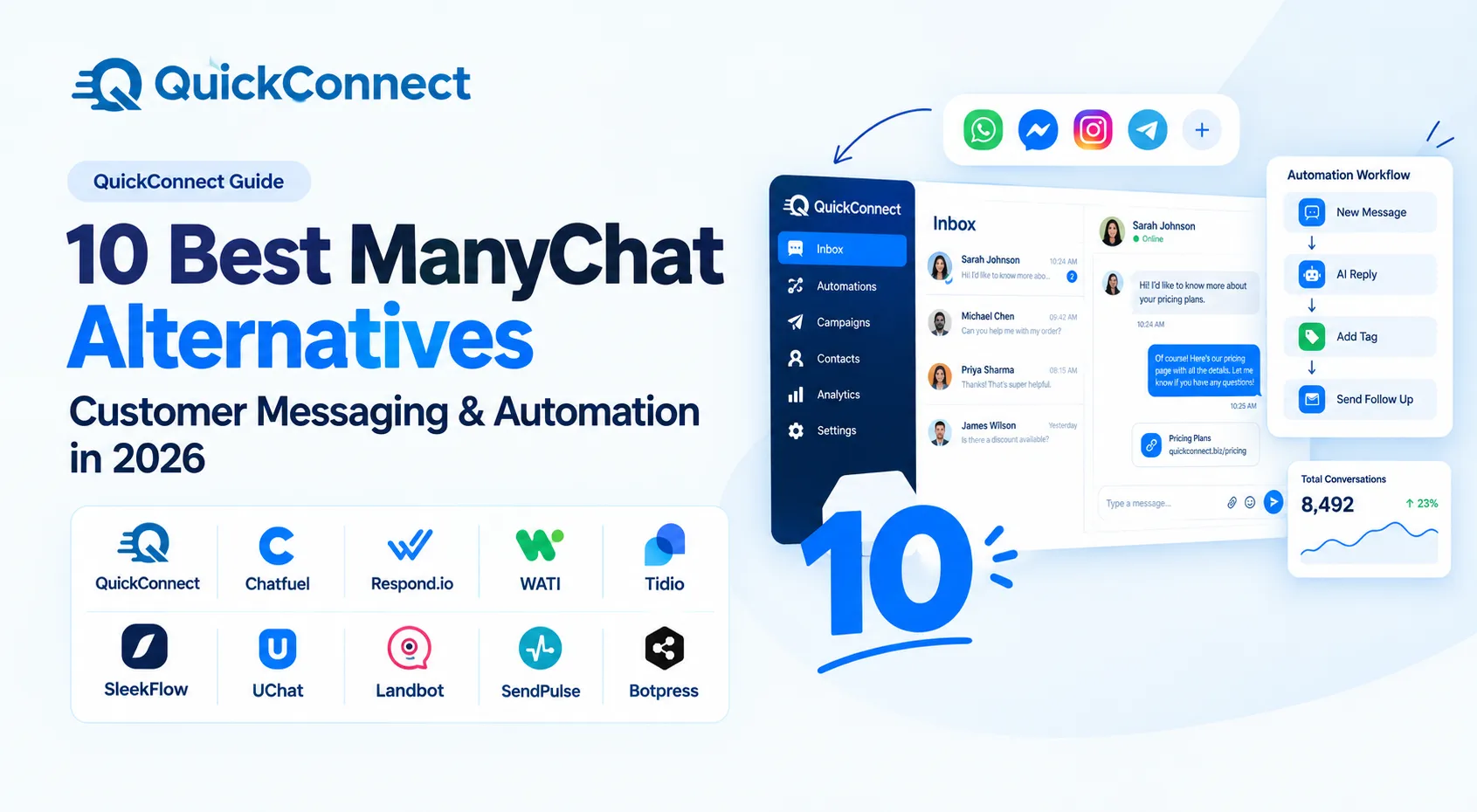
- Quick Comparison Table
- How to Choose a ManyChat Alternative
- 1. QuickConnect - Best for Multi-Channel Customer Messaging and Automation
- 2. Chatfuel - Best for Meta Platform Automation
- 3. Respond.io - Best for High-Volume Sales and Support Teams
- 4. WATI - Best for WhatsApp-First Teams
- 5. Tidio - Best for Website Live Chat and AI Support
- 6. SleekFlow - Best for Social Commerce and In-Chat Sales
- 7. UChat - Best for Advanced Multi-Channel Chatbot Workflows
- 8. Landbot - Best for No-Code Conversational Flows
- 9. SendPulse - Best for Budget-Friendly Multi-Channel Marketing
- 10. Botpress - Best for Developer-Built AI Chatbot Experiences
- Bottom Line: Which ManyChat Alternative Fits Your Business?
ManyChat works well for Instagram DM automation and Facebook Messenger bots. Thousands of businesses use it, and the free plan makes it easy to start. But it is not the right tool for everyone, and more teams are looking for something different.
The most common reasons people are switching from ManyChat:
- High price.
- The free plan is nearly useless now.
- WhatsApp support is limited.
- No unified inbox for support teams.
- AI is basic
None of these are dealbreakers for every business. If you run Instagram DM funnels and your contact list stays under a few thousand, ManyChat is still a solid choice. This guide is for teams that have hit those limits and need a tool that fits where ManyChat does not.
Quick Comparison Table
Use this table to narrow your shortlist first. Each platform is positioned by what it genuinely does best — not ranked by a score we made up.
| SN | Platform | Best For | Channels | Pricing Model | Key Differentiator |
| 1 | QuickConnect | Multi-channel messaging + AI | WhatsApp, Instagram, Messenger, Viber, SMS, email, web chat | Free trial + Custom quote | AI trained on your own knowledge base; unified inbox across 7+ channels |
| 2 | Chatfuel | Meta platform automation | Messenger, Instagram, WhatsApp | $20–$100/month | Official Meta partner; Fuely AI sales agent |
| 3 | Respond.io | High-volume sales/support teams | WhatsApp, Messenger, Instagram, Telegram, LINE, Viber, SMS, email, web chat | $99–$349/month + Custom Enterprise | Advanced workflow builder; contact lifecycle management |
| 4 | WATI | WhatsApp-first teams | WhatsApp (primary) | $49–$249/month | Purpose-built for WhatsApp; KnowBot AI |
| 5 | Tidio | Website live chat + AI support | Web chat, email, Messenger, Instagram | $29–$300/month + Custom Premium | Lyro AI resolves routine queries; 5-minute widget install |
| 6 | SleekFlow | Social commerce | WhatsApp, Messenger, Instagram, Telegram, LINE, WeChat, SMS, web chat | $139–$349/month + Custom Enterprise | In-chat payment links; messaging-led sales |
| 7 | UChat | Advanced chatbot workflows | 13+ channels including Messenger, Instagram, WhatsApp, Telegram, Viber, LINE | Free + $15–$199/month | Build once, deploy to 13+ channels from one flow |
| 8 | Landbot | No-code conversational flows | Web chat, WhatsApp, Messenger | Free + $45–$110/month + Custom Business | Most intuitive drag-and-drop builder; A/B testing for flows |
| 9 | SendPulse | Budget multi-channel marketing | Messenger, Instagram, WhatsApp, Telegram, SMS, email, Viber, web push | $12–$14.40/month + Custom Enterprise | All-in-one marketing at a fraction of the price |
| 10 | Botpress | Developer-built AI chatbots | Web chat, WhatsApp, Messenger, Instagram, Telegram, SMS, Slack, Teams | Free + $150–$750/month + Custom Enterprise | Native LLM integration with RAG; full code-level control |
How to Choose a ManyChat Alternative
Before reading through each tool, clarify three things. This will save you from testing five platforms when only one or two actually fit.
1. Which Channels Do Your Customers Actually Use?
- If 90% of your conversations happen on Instagram and Messenger, tools like Chatfuel or even staying with ManyChat make sense. If WhatsApp is your main channel, look at Wati or QuickConnect. If your customers reach you on four or five different channels, you need a platform with a real unified inbox.
2. Do You Need Bots, Humans, or Both?
- Some platforms are bot builders. They automate conversations but are not designed for human agents to jump in. Others are team inbox tools that happen to have a bot on top. The distinction matters. If you run a support team, you need agent assignment, routing, internal notes, and performance tracking. If you run marketing funnels, you care more about flow builders, broadcasts, and conversion triggers.
3. How Fast Is Your Contact List Growing?
- Contact-based pricing (like ManyChat Pro) gets expensive quickly. If your list doubles every six months, look at platforms that charge per seat, per conversation, or offer flat-rate plans. Check the pricing model before the features.
1. QuickConnect – Best for Multi-Channel Customer Messaging and Automation
Best For: Teams that handle customer conversations across WhatsApp, Instagram, Facebook Messenger, Viber, SMS, and web chat from a single dashboard and want AI handling the routine questions.
Why It Stands Out
QuickConnect is an AI-driven customer messaging platform. The AI chatbot is trained on your knowledge base, product catalogs, and support documentation. It isn’t only the keywords it matches; it can interpret the meaning, reply with questions related to your business, and transfer to human agents when necessary, retaining all of the conversation history.
The unified inbox combines all the conversations from WhatsApp, Instagram, Messenger, Viber, SMS, email, and the live website chat into one screen. On top of that, add no-code workflow automation, and you can create journeys for things like lead qualification, cart recovery, or support escalation and do it without a single line of code.
Key Features
- AI chatbot trained on your company data with intent detection
- Unified inbox across 7+ channels
- No-code visual workflow builder with trigger-based automation
- Automated human handoff with full conversation context
- Multi-channel fallback (auto-sends SMS if WhatsApp delivery fails)
Pricing
- Trial plan includes the unified inbox, AI chatbot, and basic workflow automation. Meta WhatsApp conversation charges apply separately.
- Paid tiers are available via custom quote.
Limitations
- Smaller integration ecosystem compared to mature platforms like Respond.io or WATI
Choose QuickConnect If
You need one platform to manage multiple messaging channels with AI built in without paying extra for AI as an add-on. Especially relevant if your customers message you on WhatsApp, Instagram, Viber, and web chat, and you want a single view of every conversation.
Skip QuickConnect If
You only need basic one-way WhatsApp broadcasting and do not plan to use multiple channels. A simpler, cheaper tool will serve you better.
2. Chatfuel – Best for Meta Platform Automation
Best For: Businesses focused on Facebook Messenger, Instagram DMs, and WhatsApp who want a dedicated Meta automation tool with AI sales capabilities.
Why It Stands Out
Chatfuel is an official Meta business partner. That partnership means reliable API access and platform stability, which matters if your business depends heavily on Meta channels. The Fuely AI feature acts as an AI sales agent; it can recommend products, answer customer questions, and push toward conversions inside Messenger and Instagram DMs.
Key Features
- Visual chatbot builder for Messenger, Instagram, and WhatsApp
- Fuely AI sales agent powered by ChatGPT
- Abandoned cart recovery flows
- Shopify integration for ecommerce
- Broadcast messaging and drip sequences
Pricing
- Business: US$20/month — billed monthly
- Agency S: US$100/month — billed monthly
Limitations
- Limited to the Meta ecosystem. No Viber, SMS, or standalone web chat.
- Conversation-based pricing gets expensive at volume.
- Fewer templates and a smaller community than ManyChat.
Choose Chatfuel If
Your business runs almost entirely on Facebook, Instagram, and WhatsApp, and you want an AI-powered sales agent built into the chat. The Meta partnership gives extra stability.
Skip Chatfuel If
You must have channels other than Meta or have your own team support inbox with agent assignment and SLA monitoring.
3. Respond.io – Best for High-Volume Sales and Support Teams
Best for: Mid to large teams with thousands of conversations across numerous channels, complex routing and workflows.
Why It Stands Out
One of the most powerful features is the workflow automation builder included with Respond.io. You’ll be able to create branching logic, auto-assignment rules, contact lifecycle stages, and AI-powered agents to triage conversations before a human even sees them. It also has more channels than most of its competitors, including LINE, WeChat, and Viber, as well as the more traditional channels.
Key Features
- Advanced workflow builder with if/then branching
- Respond AI Agent and AI Assist for agents
- Contact merge across channels (same customer, different platforms)
- Broadcast messaging across channels
- Manager dashboards and SLA monitoring
Pricing
- Starter: $99/month — billed monthly
- Growth: $199/month— billed monthly
- Advanced: $349/month— billed monthly
- Enterprise: Custom— billed monthly
Limitations
- No free plan. The $99/month starting price is steep for small businesses.
- Monthly active contacts (MAC) pricing can catch teams off guard.
- Workflow builder has a real learning curve.
- UI can feel overwhelming if your needs are simple.
Choose Respond.io If
You have 5+ agents in your sales or support team, with high volumes of conversations, and require advanced routing and automation across multiple channels.
Skip Respond.io If
Your team size is small, or you are a solopreneur. The depth of features, complexity, and pricing are geared toward larger operations.
4. WATI – Best for WhatsApp-First Teams
Best For: Businesses that run most or all of their customer communication on WhatsApp and want a reliable shared inbox, broadcast campaigns, and a WhatsApp-native AI chatbot.
Why It Stands Out
WATI is built from the ground up for WhatsApp. While other platforms add WhatsApp as a secondary channel, WATI makes it the center of everything: shared inbox, broadcast campaigns, chatbot builder, and template message management. The KnowBot AI feature trains on your business knowledge and handles routine WhatsApp conversations automatically.
Key Features
- WhatsApp shared inbox with multi-agent support
- No-code chatbot flow builder
- WhatsApp broadcast campaigns and template management
- KnowBot AI trained on your content
- Shopify, WooCommerce, and Zoho integrations
Pricing
- Growth: $49/month — billed monthly
- Pro: $99/month — billed monthly
- Business: $249/month — billed monthly
Limitations
- Almost entirely WhatsApp-focused. Very limited support for other channels.
- Marketing conversation limits can be restrictive for heavy broadcast users.
- Per-user add-on costs add up for larger teams.
- Green tick verification is not included — you apply separately.
Choose WATI If
WhatsApp is your primary customer channel, and you do not need much beyond it. WATI does one thing and does it well.
Skip WATI If
Your customers also reach you on Instagram, Viber, SMS, or web chat. WATI is not an omnichannel tool.
5. Tidio – Best for Website Live Chat and AI Support
Best For: Small-to-mid-sized businesses, especially ecommerce stores, that need website live chat with an AI layer that handles routine support questions.
Why It Stands Out
Tidio is one of the simplest live chat solutions to install. The widget is installed in about 5 minutes on Shopify, WordPress, WooCommerce, Wix, or Squarespace. The true appeal is Lyro AI, a conversational AI bot that can learn from your knowledge base and manage repetitive support requests without any human interaction. According to Tidio, Lyro can answer up to 70% of common questions.
Key Features
- Website live chat widget with visitor behavior tracking
- Lyro AI chatbot for automated support
- 35+ pre-built chatbot templates
- Cart abandonment and discount automation
- Multi-operator support with departments and routing
Pricing
- Starter: $29/month — billed monthly
- Growth: $59/month — billed monthly
- Plus: $300/month — billed monthly
- Premium: Custom
Limitations
- WhatsApp and social messaging are not the primary strength. Tidio is built around website chat.
- Lyro AI is a paid add-on, not included in base plans.
- Conversation limits on lower plans are restrictive for growing businesses.
- Higher tiers get very expensive.
Choose Tidio If
You primarily need website live chat with AI-powered support. If you run an ecommerce store on Shopify or WordPress and want a quick, effective setup, Tidio is hard to beat.
Skip Tidio If
You need strong WhatsApp or Instagram automation. Tidio is a website-first tool, not a social messaging platform.
6. SleekFlow – Best for Social Commerce and In-Chat Sales
Best For: Businesses that sell through messaging channels and want in-chat payment links, catalog browsing, and team inbox workflows for sales teams.
Why It Stands Out
SleekFlow is a combination of messaging automation and social commerce capabilities that most messaging automation vendors don’t have. The in-chat payment integration allows agents to share payment links in WhatsApp, Instagram, or Messenger, and the entire sales conversation, from the product question to the checkout process, takes place in one chat thread.
Key Features
- Omnichannel shared inbox (WhatsApp, Messenger, Instagram, Telegram, LINE, WeChat, SMS)
- In-chat payment links via Stripe and other gateways
- Shopping catalog integration
- SleekFlow AI (GPT-powered) for reply suggestions and automated responses
- Flow builder for multi-channel automation
Pricing
- Pro AI: $139/month — billed monthly
- Premium AI: $349/month — billed monthly
- Enterprise AI: Custom
Limitations
- Pro plan at $149/month is expensive compared to alternatives in this list.
- Free plan is very restrictive (100 contacts).
- AI features are only available on Pro and above.
- Stronger in Asia-Pacific markets; less established in North America and Europe.
Choose SleekFlow If
You sell through messaging and want the entire buying process, from discovery to payment, inside the chat. The commerce-focused features are where SleekFlow separates from general-purpose platforms.
Skip SleekFlow If
You are a budget-conscious team or only need basic chatbot automation. The pricing and feature set are designed for commerce-driven use cases.
7. UChat – Best for Advanced Multi-Channel Chatbot Workflows
Best For: Agencies and power users who build complex chatbot flows and need to deploy them across 13+ channels from one builder.
Why It Stands Out
UChat has nearly the widest range of channels of any other chatbot builder: Messenger, Instagram, WhatsApp, Telegram, Viber, LINE, Google Business Messages, SMS, web chat, Slack, and email. The true benefit is that you build one flow and deploy it across multiple channels without having to rebuild it every time.
Key Features
- Advanced visual flow builder with logic nodes
- Single-flow, multi-channel deployment (13+ channels)
- ChatGPT/OpenAI integration for AI conversations
- Ecommerce integrations (product catalogs, order tracking)
- Live chat handoff from bot to human
Pricing
- Free
- Pro: $15/month — billed monthly
- Partner Plan: $199/month — billed monthly
Limitations
- Per-bot pricing adds up quickly for agencies managing many clients.
- UI is functional but less polished than ManyChat or Tidio.
- Smaller community means fewer ready-made templates and tutorials.
- Some advanced features need technical skill to implement.
Choose UChat If
You are an agency or a technical team building chatbots across many channels. The breadth of channel support and single-flow deployment is the main draw.
Skip UChat If
You want a plug-and-play solution with minimal setup. UChat rewards users who invest time in building custom flows.
8. Landbot – Best for No-Code Conversational Flows
Best For: Marketing teams and lead generation-focused businesses that need interactive, visually polished conversational experiences on their website and WhatsApp.
Why It Stands Out
One of the most user-friendly drag-and-drop builders in this category is Landbot. The conversational flows are more interactive than a typical chatbot conversation, instead of a landing page. It has A/B testing for flows, which is rare, and you can test each of the different paths for conversions and view which one is converting better.
Key Features
- Drag-and-drop conversational flow builder
- A/B testing for conversation paths
- Lead capture and qualification forms as conversations
- WhatsApp bot builder (Pro plan and above)
- Human takeover capability
Pricing
- Free
- Starter: $45/month — billed monthly
- Professional: $110/month — billed monthly
- Business: Custom
Limitations
- WhatsApp is only available on Pro plan and above.
- Chat volume limits are low on Starter (500/month).
- No Instagram, no SMS, no Viber natively.
- More suited for lead capture than ongoing customer support.
- Pricing gets expensive at high volume.
Choose Landbot If
You care most about lead generation and want beautiful, interactive conversational experiences that replace static forms. The A/B testing for flows is a genuine edge.
Skip Landbot If
You need ongoing customer support, multi-channel messaging, or Instagram automation. Landbot is a lead gen tool, not a support platform.
9. SendPulse – Best for Budget-Friendly Multi-Channel Marketing
Best For: Small businesses and startups that need chatbots, email marketing, SMS, and push notifications in one affordable package.
Why It Stands Out
SendPulse is the cheapest multi-channel solution in this ranking. Combines email marketing, chatbots, SMS, Viber messaging, and web push notifications into a single solution. The free plan is generous as well, up to 10,000 email subscribers and basic chatbot features. SendPulse is a true “stretch” if cost is the biggest factor.
Key Features
- Chatbot builder for Messenger, Instagram, WhatsApp, and Telegram
- Email marketing with automation sequences
- SMS and Viber campaigns
- Web push notifications
- Landing page builder
- ChatGPT integration for chatbot conversations
Pricing
- Standard: $12/month — billed monthly
- Pro: $14.40/month — billed monthly
- Enterprise: Custom
Limitations
- Chatbot features are less sophisticated than dedicated chatbot platforms.
- WhatsApp functionality is more basic than WATI or Respond.io.
- AI capabilities are limited compared to purpose-built AI tools.
- Support response times can be slow on free and lower plans.
- The interface can feel cluttered because it packs so many features into one tool.
Choose SendPulse If
Budget is your top priority, and you want chatbots plus email plus SMS in one place without paying for three separate tools.
Skip SendPulse If
You need advanced conversational AI, complex chatbot logic, or a robust team support inbox. SendPulse trades depth for breadth.
10. Botpress – Best for Developer-Built AI Chatbot Experiences
Best For: Developers and technical teams that want full control over chatbot logic, LLM behavior, and conversation design.
Why It Stands Out
Botpress is the most technically well-equipped chatbot builder in this list. It provides native LLM integration (GPT, Claude, etc.), natively supports RAG (Retrieval-Augmented Generation), which enables grounding AI responses with your documents, and a dual interface with visual flow building and code editing capabilities. Buildera AI chatbot is the solution for creating a personalized AI chatbot that surpasses keyword matching.
Key Features
- Visual flow builder plus code editor (dual interface)
- Native LLM integration with hallucination guardrails
- RAG built-in — upload docs, websites, and PDFs as knowledge sources
- Multi-language support (100+ languages)
- Deploy to web chat, WhatsApp, Messenger, Instagram, Telegram, Slack, Teams, and SMS
Pricing
- Free
- Plus: $150/month — billed monthly
- Team: $750/month — billed monthly
- Enterprise: Custom
Limitations
- Steeper learning curve than no-code alternatives. You will need developer time.
- Not designed for live human agent support. It is a bot builder, not a team inbox or help desk.
- Message-based pricing can be hard to predict for high-volume use cases.
- Smaller template ecosystem than ManyChat or Tidio.
Choose Botpress If
You have developers on your team (or are one yourself) and want an AI chatbot with deep LLM integration, knowledge base grounding, and full customization. Botpress gives you more control than any other tool here.
Skip Botpress If
You do not have technical resources. Non-developers will struggle to get the most out of Botpress. You are also better off elsewhere if you need a shared inbox for human agents.
Bottom Line: Which ManyChat Alternative Fits Your Business?
There is no single best ManyChat alternative. There is only the right one for your situation. Here is how to narrow it down based on what you actually need:
| Your Situation | Best Fit |
| You need multi-channel messaging (WhatsApp + Instagram + Viber + web) with AI | QuickConnect |
| You run everything on Meta platforms (Messenger, Instagram, WhatsApp) | Chatfuel |
| You have a large sales/support team with complex routing needs | Respond.io |
| WhatsApp is your only important channel | WATI |
| You need website live chat with AI support for an ecommerce store | Tidio |
| You sell through messaging and need in-chat payments | SleekFlow |
| You are an agency building chatbots across 10+ channels | UChat |
| You want beautiful conversational lead capture on your website | Landbot |
| You are on a tight budget and need chatbots + email + SMS | SendPulse |
| You have developers and want a fully custom AI chatbot | Botpress |
If your team handles conversations across multiple channels and you want AI that actually knows your business, without paying for AI as a separate add-on, start with QuickConnect’s free plan and see if it fits before committing to a paid tool.