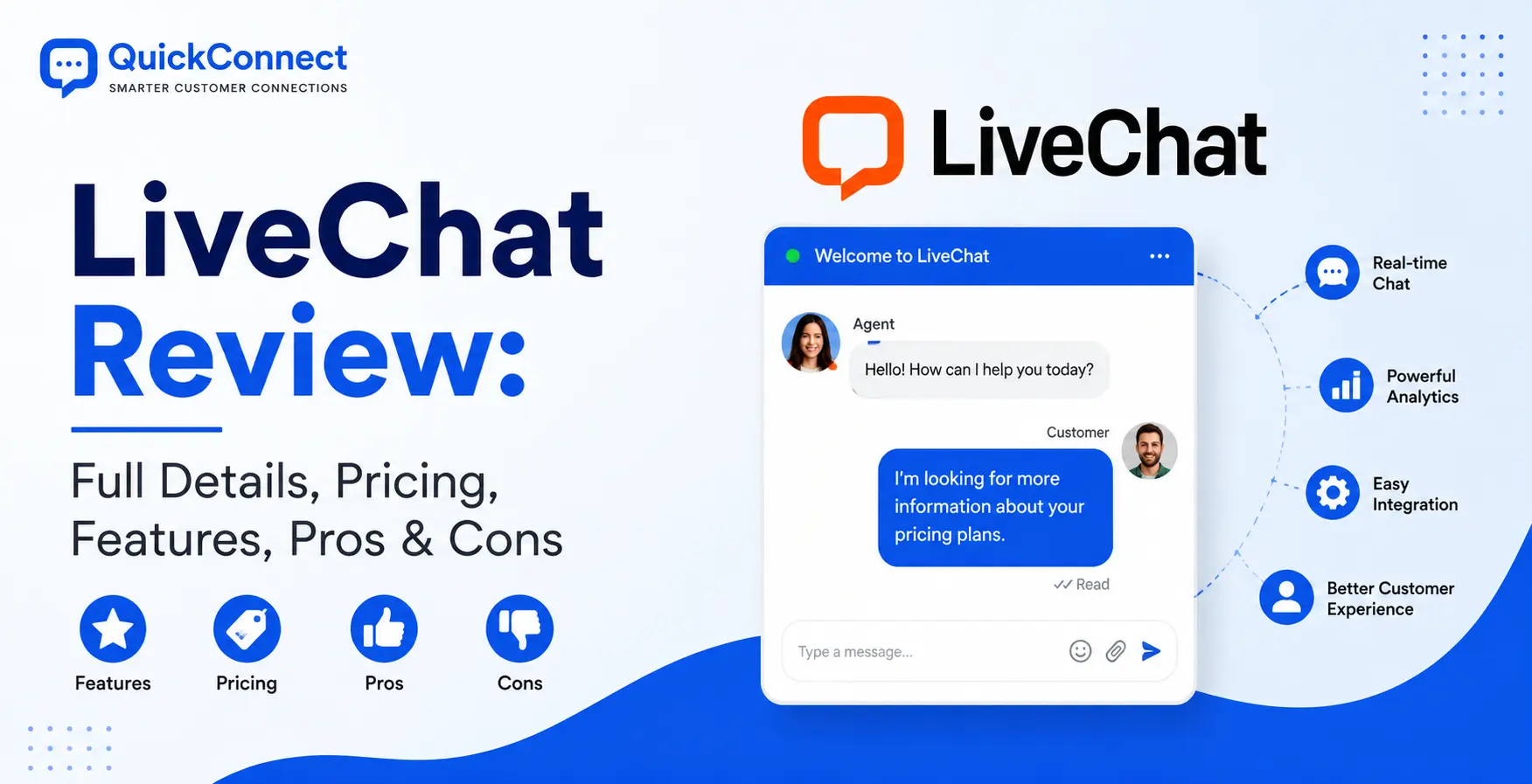
If you are evaluating live chat software, LiveChat has probably landed on your shortlist more than once. It has been around since 2002; it powers over 37,000 businesses across 150 countries, and it consistently ranks among the top-rated customer communication tools on every major review platform.
I have spent a significant amount of time testing LiveChat, setting up widgets, configuring agent workflows, pushing the reporting to its limits, and stress-testing integrations with tools like Shopify, HubSpot, and Slack.
This review is the result of that hands-on experience, combined with a careful look at what real users are saying about the platform. We will provide you with information on what it costs, where it genuinely excels, and where it falls short.
What is LiveChat?
LiveChat customer support software adds to the real-time communication features by integrating a customizable chat widget into a website. With this tool, visitors can initiate conversations with support or sales agents instantly without having to wait for traditional channels such as phone calls or emails.
The software’s back-end dashboard allows support staff to manage multiple chats, see visitor activity, and access previous conversations. It also has options to route chats to different agents based on their expertise, which will enhance the quality and efficiency of the chats.
The integration features are a strong asset, enabling LiveChat to integrate with customer relationship management (CRM) systems, help desk software, and marketing tools. Having all the customer information in one place allows the agents to create more personalized interactions. If you’re interested in which is the best customer service software, these integrations can also give you insights into how to streamline your workflow and customer interactions.
Another crucial part is automation, where bots take care of repetitive questions and filter out qualified leads before passing them on to human agents. This helps to ease the workload of support staff during periods of high demand and helps to reduce response time.
LiveChat unifies all the messages from websites, social media, and mobile apps into a single LiveChat inbox, helping to support different channels of communication. This single approach ensures uniformity on all platforms, smoothing out the overall customer journey.
Who is LiveChat best for?
Before I go on with the details, let me save you some time. If you fit into one or more of these categories, LiveChat will be a great choice for you:
- Ecommerce teams that require product cards, cart integration, and sales tracking within the chat window.
- For mid-sized support teams (5-25 agents) requiring robust routing, queue management, and agent performance reporting capabilities.For mid-sized support teams (5-25 agents) who require dependable routing, queue management, and agent performance reporting solutions.
- Businesses that are more concerned about the quality of the chat than the features it can offer. You just want the best possible live chat experience, and you’re okay with paying for extras.
- LiveChat integrates with platforms that many companies are already familiar with. LiveChat’s integration with Shopify, WordPress, and BigCommerce is well established and maintained.
LiveChat is not ideal for solopreneurs on a budget, teams wanting AI chatbots integrated into their product, or large enterprises with a need for a unified, omnichannel help desk from one provider.
How much does LiveChat Cost
LiveChat uses per-agent pricing, which means your costs scale linearly with your team size. There are four plans, and the pricing structure is straightforward, until you start adding up the real-world costs.
| Plan | Annual Billing (per agent/month) | Monthly Billing (per agent/month) | Best For |
| Starter | $19 | $25 | Testing the waters, solo operators |
| Team | $49 | $59 | Small-to-mid support teams |
| Business | $79 | $89 | Growing teams with advanced needs |
| Enterprise | Custom pricing | Custom pricing | Large organizations, HIPAA/compliance |
All plans come with a 14-day free trial that doesn’t require a credit card. That’s genuinely useful you can test the full platform without commitment.
LiveChat does not offer a free plan. The 14-day free trial is your only option for testing without paying. There are also no nonprofit discounts or student pricing.
LiveChat Features: A Detailed Breakdown
This is where LiveChat separates itself from cheaper alternatives. The feature set is deep, well-implemented, and clearly designed by a team that understands what support agents actually need during a conversation.
1. The Chat Widget
The chat widget is LiveChat’s calling card, and it’s earned that status. It loads fast, looks polished, and supports interactions that go well beyond plain text.
What makes it stand out:
- Full visual customization: change colors, position, logo, greeting messages, and even add custom CSS for pixel-perfect branding.
- Eye-catchers: animated attention-grabbing elements that draw visitors to the chat button without being obnoxious.
- Targeted greetings: Trigger personalized welcome messages based on visitor behavior (pages viewed, time on site, referring URL)
- Multi-language support: Set up your widget and greetings in over 45 languages, including right to left language like Arabic and Hebrew.
- Mobile responsive: The widget adapts clearly to mobile screens, which matters more than most teams realize.
The widget integrates natively with Shopify, WordPress, BigCommerce, Squarespace, Webflow, and most other popular platforms. Setup is typically a single code snippet or a one-click plugin install.
2. Agent Dashboard and Productivity Tools
Agents can customize their dashboards and access a variety of productivity tools. That’s where LiveChat really excels, I would say. The agent dashboard is not only functional, but it’s also designed with speed in mind.
Sneak Peek is the standout feature. Agents can see what visitors are typing before they hit send. This sounds minor, but in practice, it’s a game-changer. Your agent can start pulling up the relevant help article or product page while the customer is still composing their question. It saves seconds off every interaction, and those seconds compound across hundreds of daily chats.
Canned responses are well-implemented too. You create pre-written replies for common questions, tag them with hashtags, and agents can insert them with a quick keyboard shortcut. It’s not unique to LiveChat, but the execution is smooth, the search is fast, and agents can personalize the template before sending.
Other agent tools worth noting:
- Chat transfers: Pass conversations between agents or departments with full context preserved
- Visitor information panel: During a chat, agents see the visitor’s location, browser, OS, pages viewed, previous chat history, and any custom variables you’ve passed from your site
- Chat tags and internal notes: Categorize conversations for later analysis and leave private notes for other agents
- File sharing: Agents and visitors can exchange documents, images, PDFs, and other files directly in the chat
3. Multi-Channel Communication
LiveChat began as a website chat device, but now gathers chats from a number of channels into one inbox:
- Website chat widget (the core experience)
- Facebook Messenger
- WhatsApp Business
- Apple Messages for Business
- Instagram for Business
- SMS (through Twilio integration)
- Email (through the built-in ticketing system)
All incoming messages unified into one dashboard; agents will not have to switch between apps. However, while LiveChat’s channels are more widespread than those of other channel-based support tools like Zendesk or Freshdesk (which also support phone calls, community forums, and social media monitoring), it is not as comprehensive.
4. Chat Routing and Queue Management
Routers are necessary with teams that have more than one agent or department. LiveChat handles this well. You can route conversations based on:
- Agent groups (sales, support, billing, technical)
- Agent availability (only route to agents who are online)
- Round-robin or least-busy algorithms (distribute conversations evenly)
- Visitor data (on the Business plan – route based on URL, country, language, or custom properties)
The queuing system is also good. If all agents are occupied, the visitors are put on a waiting list and the waiting time is estimated. The queue message can also be customized, and Chat limits can be set per agent, preventing agent burnout. The Business plan also includes staffing prediction tools that will use past data to help you figure out staffing schedules for busy times.
5. Rich Messages and E-Commerce Tools
If you sell products online, this is where LiveChat gets genuinely exciting. Product cards enable agents to provide product images, descriptions, pricing, and “Add to Cart” buttons directly within the conversations.
When someone asks what they should do, your agent can have 3 products ready for them in a swipe through. The customer never leaves the chat window and clicks on “Add to Cart.” Slick and it converts.
Carousels take this one step further with more than one card that can be swiped in order to view collections of products or help topics. Moments are interactive full-screen places in chat. Consider appointment schedulers, payment links, or custom forms. They’re especially helpful when it comes to gathering structured data such as shipping addresses, order numbers, and the like, without disrupting the flow of conversation.
With sales tracking, you can tie sales to chat sessions and have solid ROI data to support your investment of time.
6. Reporting and Analytics
LiveChat’s reporting is one of its strongest features, and it’s a major reason why support managers choose this platform over cheaper alternatives.
The reports cover:
- Chat metrics – volume, first response time, average chat duration, satisfaction scores, tag breakdowns
- Agent performance – individual and team-level metrics for chat volume, response times, resolution rates, and customer ratings
- Customer insights – new vs. returning visitors, queue wait times, queue abandonment rates
- E-commerce analytics – sales attributed to chats, average order value, conversion tracking
- Data export – CSV exports for custom analysis, plus scheduled automated reports (daily, weekly, monthly)
On the Business and Enterprise plans, you get custom dashboards and more granular filtering. The real-time dashboard is particularly useful for support managers who need to monitor team performance during business hours.
7. Ticketing System
When messages are left outside of office hours, or when the situation is one that cannot be addressed during the chat, the conversation turns into a message in a ticket. Agents can use the same dashboard to assign, prioritize, tag, and track tickets.
My honest opinion: the ticketing system is good for the basic things, but it won’t be a replacement for a proper help desk. No SLA timers, no multi-level escalation workflows, and limited automation. If your team has a lot of email-based support, you’ll need to install HelpDesk (HelpDesk is Zendesk’s own ticketing system) or integrate with a system such as Zendesk or Freshdesk.
8. Team Management
LiveChat gives managers solid tools for organizing and supervising their support team:
- Agent roles: Assign permissions as Owner, Administrator, or Agent
- Groups: Organize agents into teams with priority levels (primary vs. backup agents)
- Chat supervision: Managers can silently observe live conversations and send private messages to agents that the customer can’t see
- Workload limits: Set maximum concurrent chats per agent to prevent overwhelm
- Work scheduling: Plan shifts and manage agent availability with built-in scheduling tools
9. Integrations and API
LiveChat’s marketplace includes over 200 integrations, and the most important ones are well-maintained:
- CRM: Salesforce, HubSpot, Pipedrive, LeadSquared
- E-commerce: Shopify, BigCommerce, WooCommerce
- Email marketing: Mailchimp, ActiveCampaign, Campaign Monitor
- Communication: Slack, Zoom, WhatsApp
- CMS: WordPress, Squarespace, Webflow, WHMCS
- Payments: Stripe (process payments inside the chat window)
- Analytics: Google Analytics, Tag Manager
For custom integrations, LiveChat provides well-documented REST APIs, webhooks, a JavaScript SDK, and developer documentation that’s actually useful. If your dev team needs to build something custom, the API surface is mature enough to support it.
LiveChat Pros: Where It Genuinely Excels
Let me be specific about what LiveChat does better than most of its competitors.
Best-in-class chat widget
The widget is fast, beautiful, and highly customizable. It supports rich messages that most competitors can’t match. First impressions matter in customer support, and LiveChat’s widget makes a great one.
Excellent agent productivity tools
Sneak peek, fast canned responses, seamless chat transfers, and a clean dashboard layout all contribute to faster response times. For teams where agent efficiency directly impacts revenue, this is a meaningful advantage.
Strong reporting suite
The analytics are more granular and more actionable than what you’ll find in most competing platforms at this price point. The ability to attribute revenue to chat conversations is particularly valuable for e-commerce teams.
Reliable uptime and performance
LiveChat reports 99.99% uptime, and in my testing, I never experienced a single outage or significant lag. The platform serves over 37,000 companies globally; it’s built for scale, and it shows.
E-Commerce Focus
Product cards, carousels, sales tracking, and native Shopify/BigCommerce integrations make LiveChat one of the best live chat tools for online stores.
Advanced Integration Ecosystem
200+ integrations, a well-documented API, and a growing marketplace mean LiveChat will likely play well with your existing tech stack.
LiveChat Cons: Where It Falls Short
I respect honesty in reviews, so here’s where LiveChat doesn’t deliver.
AI chatbot is a separate (Expensive) product
This is the biggest frustration for many buyers. LiveChat does not include an AI customer support chatbot. If you want automated conversations, you need to buy ChatBot by Text separately, and that starts at $52/month on top of your LiveChat subscription.
Per-agent pricing gets expensive fast
At $49 per agent per month (Team plan, billed annually), a 15-person support team pays $735 per month before any add-ons. For larger teams, some competitors offer flat-rate or conversation-based pricing that can be significantly more cost-effective.
No built-in knowledge base
Self-service is increasingly important in customer support. LiveChat doesn’t include a knowledge base builder. You’ll need to add KnowledgeBase by Text ($59/month) or use a third-party tool. Competitors like Intercom and Zendesk include this functionality in their core product.
No free plan
For small businesses and startups, the lack of a free tier is a real barrier. Competitors like Tawk.to offer fully-functional free live chat, and Tidio provides a generous free plan with basic AI chatbot capabilities.
How LiveChat Compares to Alternatives
Here’s how LiveChat stacks up against the tools you’re most likely comparing it to.
| Feature | LiveChat | Intercom | Zendesk | Tidio | QuickConnect |
| Starting Price | $19/agent/mo | $39/seat/mo | $19/agent/mo | Free (limited) | Free |
| AI Chatbot Included | ❌ (separate) | ✅ | ✅ (add-on) | ✅ | ✅ |
| Knowledge Base | ❌ (separate) | ✅ | ✅ | ✅ | ✅ |
| Chat Widget Quality | ⭐⭐⭐⭐⭐ | ⭐⭐⭐⭐ | ⭐⭐⭐ | ⭐⭐⭐ | ⭐⭐⭐⭐⭐ |
| Agent Tools | ⭐⭐⭐⭐⭐ | ⭐⭐⭐⭐ | ⭐⭐⭐⭐ | ⭐⭐⭐ | ⭐⭐ |
| Reporting | ⭐⭐⭐⭐⭐ | ⭐⭐⭐⭐ | ⭐⭐⭐⭐⭐ | ⭐⭐⭐ | ⭐⭐ |
| E-commerce Features | ⭐⭐⭐⭐⭐ | ⭐⭐⭐ | ⭐⭐⭐ | ⭐⭐⭐⭐ | ⭐⭐ |
| Phone Support | ❌ | ❌ | ✅ | ❌ | ❌ |
| Free Plan | ❌ | ❌ | ❌ | ✅ | ✅ |
LiveChat vs. Intercom
Intercom is wider: Live chat, AI chatbot, product tours, email campaigns, and a help center, all in one platform. LiveChat is more focused, as it is better at live chat but needs additional products for the rest of the things. Choose LiveChat if chat quality and agent efficiency are your top priorities. If you are looking for an integrated customer communication solution and are willing to pay for it, you should opt for Intercom.
LiveChat vs. Zendesk
Zendesk is a complete omnichannel support solution that includes chat, email, phone, social media, and community forums. LiveChat is particularly good on the chat part. If the main way you provide support is through chat, LiveChat will bring you an improved chat experience. For enterprise-level workflows, advanced email ticketing and phone support, Zendesk is a more comprehensive option.
LiveChat vs. Tidio
Tidio is the cheaper option that combines live chat and AI chatbot all under one roof, and for free! LiveChat may have a more refined experience and provide more powerful reporting, but Tidio provides you with the most functionality available per dollar, particularly if AI automation is a part of your workflow. Tidio may be a better financial option for small businesses and startups.
LiveChat vs. Tawk.to
Tawk.to is free. That’s the thing that makes it suck. For those businesses that simply require a live chat on their website without any monthly fees, Tawk.to is a low-maintenance chat widget with limited agent tools and reporting capabilities. If you are outgrowing Tawk.to capabilities and require professional tools, then it’s time for you to upgrade to LiveChat.
LiveChat vs. QuickConnect
QuickConnect is a new, AI-powered service that is different from LiveChat’s approach. LiveChat offers AI-powered chatbots, a unified inbox, a live chat widget, and multichannel social media automation (WhatsApp, Instagram, Facebook, Viber) as single products, whereas QuickConnect provides them all in one platform, with the full range of features available for free for now.
The handoff in QuickConnect from AI to human is seamless: Chatbots can respond to routine questions 24/7, and when they reach their limits, they escalate the conversation with all details intact to a human agent. Train the AI on your own business information, FAQs, product descriptions, and support material to ensure that it provides context-relevant answers, not just keyword-oriented responses.
QuickConnect is an attractive option for businesses that value AI-driven automation and support across multiple channels, including social media, without the fear of unexpected expenses. If you’re looking for the most sophisticated tools and analytics for dealing with agents, LiveChat is the more mature option and more expensive.
Should You Choose LiveChat? A Decision Framework
Here’s a simple way to think about it:
Choose LiveChat if:
- Live chat is your primary or most important support channel
- You have a team of 3–25 agents and need solid routing, reporting, and agent tools
- You sell products online and want in-chat product cards, carousels, and sales tracking
- Widget quality and customer-facing professionalism matter to your brand
- You’re willing to pay premium per-agent pricing for a best-in-class chat experience
Look elsewhere if:
- You need AI chatbot automation included in your core subscription
- You’re budget-constrained and need a free or low-cost solution
- You need a full omnichannel help desk (phone, email, forums) from one vendor
- You have a large team (25+ agents), and per-agent pricing would blow your budget
- You need a built-in knowledge base or self-service portal
Conclusion
LiveChat remains one of the best dedicated live chat platforms. The chat widget is polished, the agent tools are genuinely productivity-boosting, the reporting is strong, and the e-commerce features are excellent. It’s an advanced, reliable product built by a team that clearly understands what support agents need.
The per-agent pricing adds up quickly for growing teams. The decision to keep AI chatbots, knowledge bases, and advanced ticketing as separate products means your total cost can be significantly higher than what the base pricing suggests. And in an era where AI-powered automation is rapidly becoming table stakes, LiveChat’s reliance on manual agent-driven workflows is starting to feel like a strategic vulnerability.