Table of Contents
- Chatbot automation is broader than an AI chatbot
- The Trigger-to-Outcome Loop
- Where chatbot automation happens
- Seven useful chatbot automation workflows
- What should you automate first?
- How to build a chatbot automation workflow
- When chatbot automation should stop
- What a useful human handoff looks like
- Common chatbot automation failures
- Chatbot automation safety and trust
- How to measure chatbot automation
- What's different about chatbot automation in 2026?
- How QuickConnect supports chatbot automation
- Bringing it back to the loop
A customer comments “price?” under an Instagram product post. A basic automation fires back the same line it sends everyone: “Thanks for your interest! Check your DMs.” The customer opens the DM and finds a generic catalog link, with no idea which item it’s about.
A better version recognizes which product the comment was posted under, understands the person wants a price rather than a giveaway entry, and sends a DM with the actual price and description. It answers a follow-up about color from approved product information. When asked for a bulk discount outside what it’s approved to answer, the conversation moves to a person, with everything asked so far carried along.
That second version is chatbot automation: something happens, the system figures out what the person wants, checks information it’s allowed to use, decides what happens next, and someone tracks whether the outcome was good.
This guide breaks chatbot automation into a repeatable framework, explains where it applies, and covers what many guides skip: what to automate first, how to hand off conversations cleanly, and how to determine whether the automation is working.
Quick Answer: What Is Chatbot Automation?
Chatbot automation is the use of software and AI to handle selected conversations without a person responding manually each time. It can answer frequently asked questions, qualify leads, book appointments, provide order updates, and route complex requests to a human agent.
Businesses use chatbot automation to reduce response times, lower support costs, and engage customers 24/7 across websites, WhatsApp, Instagram, Messenger, and other communication channels.
Chatbot automation is broader than an AI chatbot
A chatbot is the interface a customer talks to. AI lets it understand flexible language. Automation decides what happens after something is understood. These aren’t fixed categories; most platforms blend several at once.
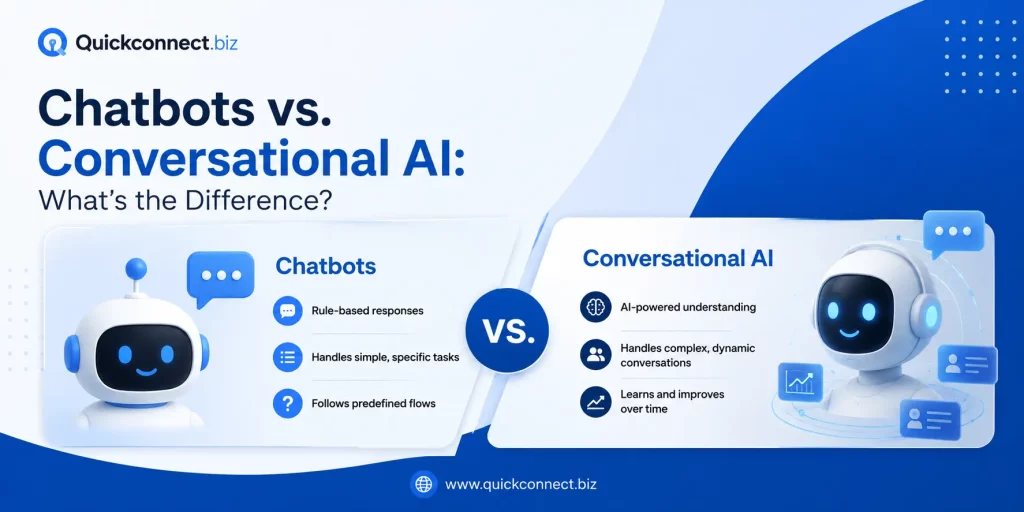
Although the terms are often used interchangeably, chatbots and conversational AI differ in how they understand language, maintain context, and manage complex conversations. See our detailed comparison of chatbots vs conversational AI for a clearer explanation.
| Term | Purpose | How it responds | Uses business knowledge? | Triggers a workflow? | Human help needed when? |
|---|---|---|---|---|---|
| Basic chatbot | Answer a narrow set of questions | Pre-written scripts | Rarely | Rarely | Almost immediately outside the script |
| Rule-based chatbot | Follow decision-tree logic | If/then branching | Only what’s built in | Sometimes | Input doesn’t match a rule |
| AI chatbot | Understand flexible language | Generates or retrieves a reply | Yes, if connected | Sometimes | Ambiguous or sensitive questions |
| AI customer-service chatbot | Resolve support questions | NLP + knowledge base + context | Yes | Sometimes | Complex or emotional cases |
| Conversational AI | Natural, multi-turn dialogue | Context-aware | Often | Depends | Depends |
| Chatbot automation | Run the full trigger-to-action system | Any of the above, plus routing | Yes, each step | Yes | Whenever the workflow hits its limit |
| AI agent | Multi-step tasks, more autonomy | Plans and executes | Yes, backend-connected | Yes, across steps | Judgment or approval needed |
| Live chat | Real-time conversation | Instant messaging | Depends | Depends | Agent unavailable |
For the mechanics of one type, see AI customer service chatbot. This guide covers the system deciding what an automated conversation does.
The Trigger-to-Outcome Loop
Most explanations stop at “a bot replies.” Here’s the framework, using the “price?” comment as the running example.
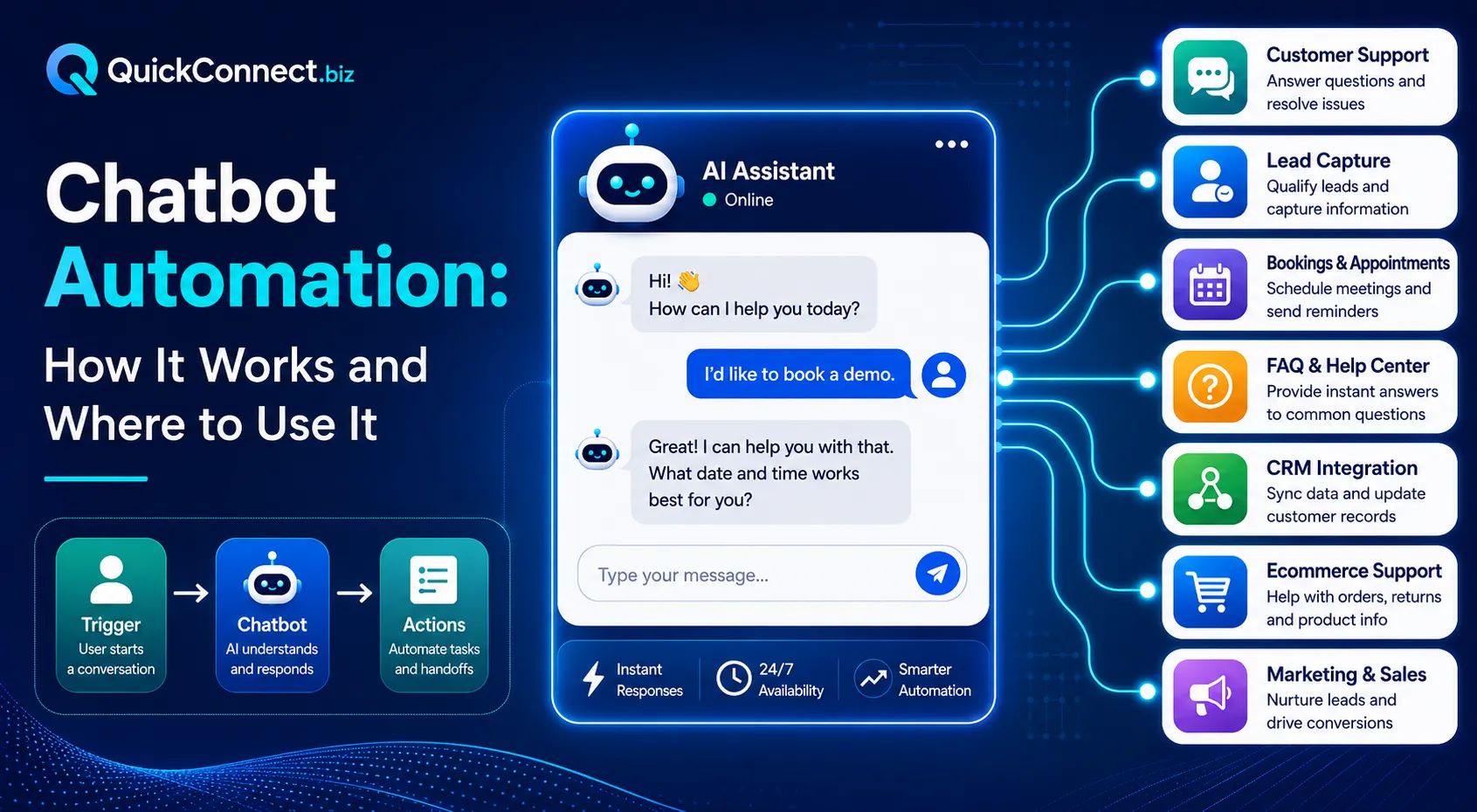
1. Trigger. An exact keyword (“price”), a similar-word match (“cost,” “rate”), an intent-based trigger (“is this in my budget?”), a behavioral trigger (opening chat), a time-based trigger (an after-hours reply), or an event (a campaign click). Our example: “price?” under a product post.
2. Understand. The system works out intent, context, and details like product name. A business sets the word “price,” but customers write “how much,” “rate please,” or “is this within my budget,” none containing “price.” Keyword-only systems miss these; intent-based systems catch them because they identify what the person wants, not a matching string.
3. Use trusted information. The system answers only from approved sources. FAQs, product info, pricing, policies, prior context.If the approved source does not contain the answer, the system should ask for clarification, acknowledge the gap, or hand the conversation to a person, never guess. Some platforms use retrieval-augmented generation (RAG): searching approved documents for a relevant passage before writing a reply, instead of answering from memory.
4. Respond, route, or assist. Sending an answer, sharing a link, delivering a code, collecting lead info, asking a follow-up, tagging or assigning the conversation, suggesting a reply for an agent, or transferring to a person.
5. Track the outcome. Often skipped, and the stage that decides whether it was worth building: did the person get a useful answer, click the link, provide details, need a human anyway, or repeat the question later?
| Stage | Question it answers | Example |
|---|---|---|
| Trigger | What started this? | Comment containing “price?” |
| Understand | What does the person want? | Pricing inquiry about that product |
| Use trusted information | What’s the approved answer? | Price and description from the knowledge base |
| Respond, route, or assist | What happens now? | Send a DM; stay ready for follow-ups |
| Track the outcome | Did it work? | Did they click the link or ask for a human? |
Where chatbot automation happens
| Channel | Common trigger | Useful automation | Human help needed when |
|---|---|---|---|
| Website live chat | Visitor opens the widget | FAQs, demo links | Negotiation, complaints |
| Instagram comments | Keyword/intent in a comment | Reply publicly or move to DM | Complaint or sensitive issue |
| Instagram DMs | Direct message | Product info, links, leads | Unusual or multi-part requests |
| Instagram Story replies | Reply within active window | A relevant follow-up DM | Beyond the Story’s offer |
| Facebook comments/Messenger | Comment or message | Product info, routing | Disputes, refunds |
| Message to a verified number | Order updates, FAQs | Complex order problems | |
| Viber | Message to a business account | Real-time replies, promos | Anything needing judgment |
| A common support pattern | Auto-acknowledge, routine answers | Legal, financial, emotional issues | |
| SMS/messaging campaigns | Reply to a campaign | Continue on the right channel | Anything unexpected |
Coverage varies by provider; confirm, don’t assume.
For a channel-specific example of these workflows, see how WhatsApp automation can handle FAQs, lead qualification, routing, and agent handoffs.
Seven useful chatbot automation workflows
- Product-price inquiry:
- Comment/DM about price → DM with price and description.
- Metric: click-through.
- Comment/DM about price → DM with price and description.
- Product discovery:
- Customer describes a need → suggest one or two matches, never a guaranteed fit.
- Metric: click-through.
- Customer describes a need → suggest one or two matches, never a guaranteed fit.
- Lead capture:
- Buying signal→ collect only the necessary fields, route to sales.
- Metric: lead-completion rate.
- Buying signal→ collect only the necessary fields, route to sales.
- FAQ support question:
- Repeated question → answer from an approved FAQ.
- Metric: repeat-question rate.
- Repeated question → answer from an approved FAQ.
- Campaign follow-up:
- Reply to a campaign → continue the conversation, route appropriately.
- Metric: conversion.
- Reply to a campaign → continue the conversation, route appropriately.
- Booking assistance:
- Availability question → approved info or a booking link, without claiming the bot books it.
- Metric: click-through.
- Availability question → approved info or a booking link, without claiming the bot books it.
- Human-support handoff:
- Any handoff condition is met → summarize context for the agent.
- Metric: agent time saved.
- Any handoff condition is met → summarize context for the agent.
What should you automate first?
Weigh frequency, repetition, whether a clear answer exists, business value, customer risk, need for empathy, exceptions, and ease of measuring success.
- Automate now: opening hours, product links, standard pricing, common FAQs.
- Automate with human backup: product recommendations, lead qualification, availability, delivery questions.
- Use AI to assist the employee: drafting replies, summarizing conversations, categorizing intent; the person still sends the message.
- Keep human-led: sensitive complaints, unusual refunds, legal threats, medical decisions, security issues, policy exceptions.
Rule of thumb: automate work that is frequent, predictable, low-risk, and backed by reliable information.
How to build a chatbot automation workflow
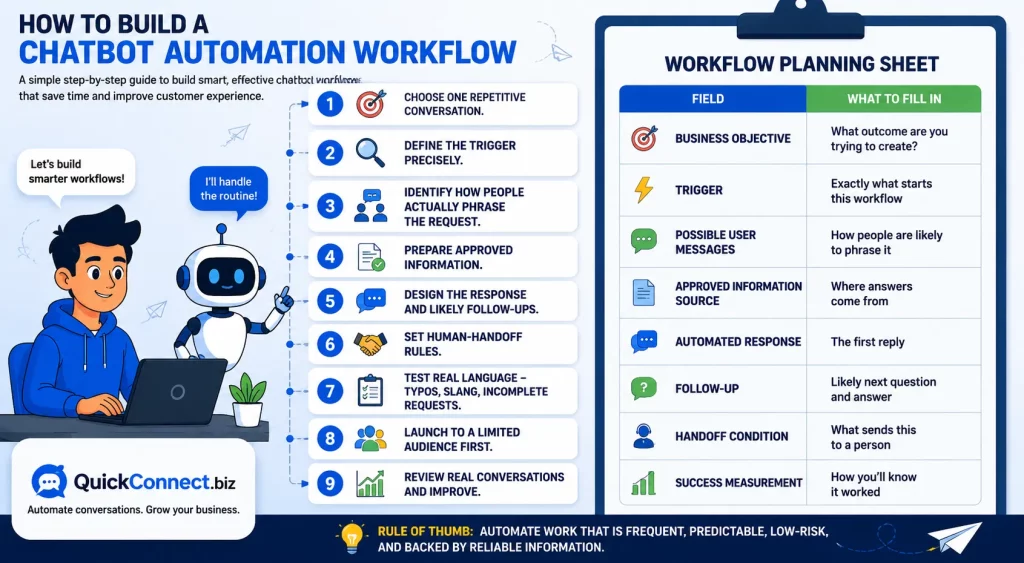
- Choose one repetitive conversation.
- Define the trigger precisely.
- Identify how people actually phrase the request.
- Prepare approved information.
- Design the response and likely follow-ups.
- Set human-handoff rules.
- Test real language typos, slang, incomplete requests.
- Launch to a limited audience first.
- Review real conversations and improve.
| Field | What to fill in |
|---|---|
| Business objective | What outcome are you trying to create? |
| Trigger | Exactly what starts this workflow |
| Possible user messages | How people are likely to phrase it |
| Approved information source | Where answers come from |
| Automated response | The first reply |
| Follow-up | Likely next question and answer |
| Handoff condition | What sends this to a person |
| Success measurement | How you’ll know it worked |
When chatbot automation should stop
Hand off when the customer asks for a person; the system can’t confidently understand the request; the approved source has no answer; information conflicts; the customer repeats a question or seems frustrated; the message involves a complaint or sensitive information; a policy exception is needed; or the action carries real financial, privacy, safety, or legal risk. Never hide the option to reach a person. Any short-term saving is unlikely to justify the resulting loss of customer trust.
For a closer look at support use cases, read about the role of AI chatbots in customer support. This guide focuses on the wider system that determines what an automated conversation does next.
What a useful human handoff looks like
A bad handoff drops “customer needs help” on an agent’s screen with no context, forcing the customer to repeat everything, often the moment mild annoyance becomes real frustration.
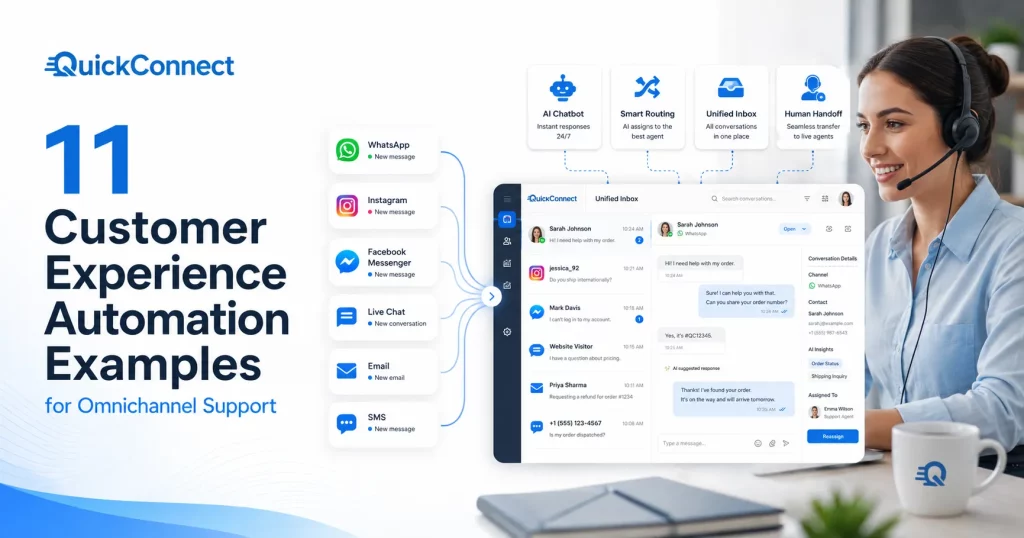
A useful handoff carries the original question, a summary, the relevant product, details already collected, responses already sent, and the reason for transfer. A unified inbox helps here; it keeps history visible across channels, so an agent isn’t starting from a blank screen.
Common chatbot automation failures
- Automating an unclear process just automates the disagreement. Fix the process first.
- Training on outdated information produces confidently wrong answers. Approved sources need an owner and a review schedule.
- Using exact-keyword-only triggers misses real phrasing like “cost” or “rate.”
- Sending a generic reply regardless of context feels like nobody was paying attention.
- Overstating what the bot understands erodes trust fast.
- Hiding human support just relocates frustration to a public review.
- Collecting unnecessary data adds risk with no benefit. Collect only what a task needs.
- Sending links without explanation gets them ignored. Explain a link before sending it.
- Launching too many automations at once makes problems hard to trace.
- Measuring volume instead of results hides whether anything actually got solved.
- Skipping tests for slang or mixed-language messages is risky. These break automations in production.
- Treating every comment as a sales pitch adds risk without adding value.
- Granting a bot more permissions than it needs carries the same risk, with no added value.
Chatbot automation safety and trust
Know which information sources your automation can use and who can edit them. Collect only the data a task needs, get consent where required, and disclose clearly when someone is talking to AI. Keep sensitive information such as payment details, health data, and identification numbers out of open chat channels, log what the automation says, and require human approval for anything with real financial or legal consequences.
One newer concern is prompt injection: hiding instructions inside a message to make an automation ignore its rules. The defense: never let automation take irreversible or sensitive actions purely because a message told it to. The OWASP GenAI Security Project and NIST AI Risk Management Framework are free references worth reviewing. None of this is a legal guarantee; treat it as a starting checklist, not a substitute for your own review.
How to measure chatbot automation
“The chatbot handled it” isn’t the same as “the problem got solved.” Track outcomes, not just completion counts.
| Metric | What it measures | Watch out for |
|---|---|---|
| Automation completion rate | % handled without handoff | Can hide poor answer quality |
| Useful-answer rate | % that actually resolved the need | Needs manual review |
| Human-handoff rate | % transferred to a person | Rising isn’t automatically bad |
| Repeat-question rate | % asking again | Some repeats are unrelated |
| Link click-through rate | % who click a shared link | May reflect audience, not the bot |
| Lead-completion rate | % of started flows that finish | Short forms inflate completion |
| Conversion rate | % resulting in a sale/booking | Many outside factors affect it |
| Response time | Speed of first reply | Fast but wrong still hurts trust |
| Customer satisfaction | Direct feedback score | Low survey response skews results |
| Incorrect-response rate | % of answers later found wrong | Needs deliberate auditing |
| Conversation abandonment | % dropped mid-flow | Some is self-resolution |
| Agent time saved | Reduction in repetitive-query time | Needs a clear baseline |
Set your own baseline in the first few weeks rather than comparing to an unverifiable industry number. See how to measure customer engagement metrics for more.
What’s different about chatbot automation in 2026?
A few years ago, most automations only worked if you typed the exact word they were listening for. That’s changing. Systems are better now at picking up what someone actually means, so “how much,” “cost,” and “price” all lead to the same answer. They’re also better at handling a follow-up question instead of resetting to square one.
Businesses are feeding their real FAQs and product details into these systems instead of relying on generic scripts. A common setup now is the bot drafting a reply and a person editing it before it sends, sitting somewhere between full automation and typing every message by hand. Automation also isn’t stuck to one channel anymore. The same setup can cover a comment, a DM, WhatsApp, and live chat together, with more thought going into exactly when a conversation should move to a person.
There’s more talk about AI agents too, which go a step further: a chatbot answers questions, an automation follows a workflow, and an AI agent can plan and carry out several steps with less checking in. That extra freedom isn’t automatically better. It just raises the importance of setting clear limits on what it’s allowed to do and checking the results. Businesses are paying closer attention to security and permissions now, and judging success by whether conversations actually solved something, not just by how many got automated.
How QuickConnect supports chatbot automation
QuickConnect’s AI Bot connects to Web, Instagram, Facebook, WhatsApp, and Viber, using AI-powered keyword and intent understanding so variations like “cost,” “rate,” and “how much” all reach the same response. Businesses upload their own FAQs and product details, and the bot draws answers from that approved information.
On Facebook and Instagram automation handles comment-to-DM flows, Story-reply automation, and follow-up questions, sharing product links or offers where relevant. When a conversation goes beyond what’s approved, human takeover moves it to an agent, and AI Assist can suggest a reply for review rather than sending unsupervised. Everything lands in a single Unified Inbox, so context carries across channels.
This won’t replace judgment on sensitive conversations, and no automation guarantees a sale or a perfect answer, but it’s a practical starting point for the workflows above.
Start with one repetitive customer conversation, build a clear workflow, and test it with QuickConnect.
Bringing it back to the loop
Successful chatbot automation isn’t measured by how many messages a bot sends. It’s measured by whether the right person receives the right information or next step, without unnecessary effort or unnecessary risk.
If you’re starting from zero, don’t try to automate everything at once. Choose one repetitive conversation, define its trigger, prepare the approved information behind it, set the rule for when it hands off to a person, and measure what actually happened before you expand to the next one.