What is Instagram Direct?
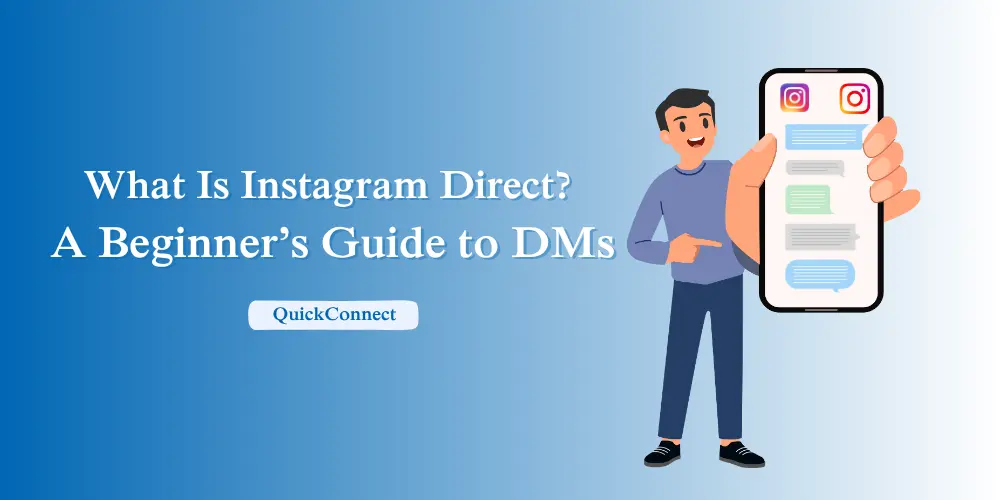
Instagram Direct, also called Instagram DMs, is Instagram’s private messaging feature. It lets users privately send text, photos, videos, voice messages, posts, Reels, links and group messages. Businesses can also use Instagram Direct to answer customer questions, provide support and manage sales conversations.
Instagram Direct works for both one-to-one and group conversations. Users can share Instagram posts and Reels, respond to Stories, make voice or video calls, and manage message requests from people they do not follow.
For businesses, Instagram DMs can become an important customer communication channel. Customers may use DMs to ask about prices, product availability, orders, or support. Managing these conversations effectively can help businesses respond faster and avoid missing potential leads.
In this guide, you will learn how Instagram DMs work, which features are available, where to find Instagram Direct, how to send messages, and how businesses can manage Instagram conversations more efficiently.
Key takeaways:
- Instagram DMs support text, media sharing, group conversations, calls, disappearing messages, and other messaging features.
- Businesses can use Instagram DMs for customer questions, support, sales conversations, and relationship building.
- Responding promptly, keeping conversations organized, and using Instagram’s messaging and safety tools can make DMs easier to manage.
Where Is Instagram Direct?
Instagram Direct is available inside Instagram through the Messages section.
On the Instagram mobile app, open Instagram and tap Messages to view your conversations. From there, you can open an existing chat or tap Compose to start a new message.
You can also access Instagram Direct on desktop by signing in to Instagram through a web browser and opening Messages. Your existing conversations and message requests can be managed from the inbox.
Messages from accounts you follow generally appear in your inbox, while messages from other accounts may appear as message requests, depending on your privacy settings.
What are Instagram Direct messages (DMs)?
Instagram Direct Messages, commonly called DMs, are private conversations within Instagram. Unlike public comments or likes, DMs are visible only to the people included in the conversation. They can include text, photos, videos, voice notes, GIFs, stickers, Reels, posts, Stories, links, and other supported content.
You can send:
- Text messages
- Photos and videos
- Voice notes
- GIFs and stickers
- Reels, posts, or Stories
- Locations and links
People use Instagram Direct for everyday conversations, sharing content, and communicating with businesses. For brands, DMs can also provide a direct channel for product questions, customer support, and sales inquiries. It is a multipurpose application, and Instagram is not only a social network but also a messaging service.
Core features of Instagram Direct
Instagram Direct includes a range of tools for private one-to-one and group conversations. Some of its main features include:
- One-on-one and group chats: You can message an individual or start a group conversation. Most Instagram group chats can include up to 250 people.
- Rich media support: On Instagram Direct, you will be able to share photos, videos, reels, stickers, emojis, and even snippets of music. This makes the conversations more lively compared to simple text messaging applications.
- Ephemeral messaging and vanish mode: Have something to say that is temporary? You have the option of sending disappearing photos and videos or vanish mode, where messages will disappear when viewed or when you exit the conversation. It is just the right thing to have fun and intimate moments.
- Voice and video calls: Voice calls and video calls with up to 8 people are also enabled on Instagram Direct. It is an easy substitute for other calling applications, particularly when talking to individuals whom you have met on Instagram.
- Content sharing: You can share Reels, posts, Stories, and other Instagram content directly through DMs, making it easy to start conversations around content you find interesting.
- Reactions and replies: In order to organize conversations, it is possible to react to messages using emojis or reply to specific ones. This comes in particularly handy during a group chat when things get busy or when you have to deal with a customer enquiry.
- Message translation: Real-time translation of messages by pressing a button on a message and then choosing the option of Translating the message. This makes it so easy to chat with other people who do not speak the same language as you.
- Scheduled messages: Instagram lets you schedule text messages to send later. Type your message, press and hold the Send button, choose the date and time, and confirm the scheduled message.
- Pinned messages: You can pin up to three messages within a chat so important information stays easy to find during a conversation.
- Music stickers: Use song stickers through the sticker tray to add music to your message. In your conversations, share your favourite tracks, and it makes your conversations a little more interactive.
- QR codes: Use QR codes to initiate a group chat or share them with others without any trouble. This also makes it easy to add more than one participant without having to do it manually.
Read More: What Is Instagram Automation?
Why use Instagram Direct?
Instagram Direct is useful because messaging is built into the same platform where people already discover posts, Stories, Reels, creators, and businesses. Users can move from viewing content to having a private conversation without leaving Instagram.
Here are the major reasons to use Instagram DMs:
Building personal connections
Direct messages provide a more private way to communicate than public comments or likes. People can continue conversations, share content, respond to Stories, and communicate directly with friends, followers, creators, or businesses.
Customer service and business engagement
Instagram DMs give businesses a direct channel to respond to customer questions, complaints, and feedback in a timely manner. Many situations are well suited to DMs because conversations can happen directly within the platform customers are already using.
Community building and exclusivity
Brands and creators often use DMs to share special updates, early offers, or behind-the-scenes content with their most engaged followers. This makes people feel valued and part of an exclusive inner circle. Such personalized experiences can boost loyalty and encourage stronger community connections.
Growth, networking, and collaboration
Beyond casual chats, DMs are also a tool for professional growth. Influencers and businesses use them to negotiate deals, coordinate collaborations, and maintain partnerships. By reaching out privately, opportunities for networking and brand expansion become more accessible and efficient.
How to Send a Direct Message
Sending an Instagram DM only takes a few steps. You can start a new conversation from the Messages section on either mobile or desktop.
On mobile
- Open the Instagram app.
- Tap Messages.
- Tap Compose to start a new conversation.
- Select one or more people.
- Type your message and tap Send.
On Desktop
- Open Instagram in your browser and sign in.
- Select Messages.
- Open an existing conversation or start a new one.
- Type your message and send it.
Best practices for using Instagram Direct
Using Instagram Direct effectively is mainly about responding clearly, staying organized, and using Instagram’s messaging and safety tools appropriately. Whether you use DMs personally or for business, a few simple practices can make conversations easier to manage.
Respond promptly and personally
Respond as promptly as practical and address the person’s actual question. For businesses, personalized responses can make conversations clearer and reduce unnecessary back-and-forth. When appropriate, use the customer’s name or refer directly to the question they asked.
Use a unified inbox for multiple channels
Managing conversations across multiple channels can become difficult for businesses. A unified inbox can help teams organize supported messaging channels in one workspace, reducing context switching and making it easier to keep track of customer conversations.
Use quick replies and saved responses
When you find yourself being asked the same questions repeatedly, you can use Quick Replies to simplify your schedule. They are canned answers that you can insert using a shortcut, saving you the bother of typing the same responses every time. This feature is especially helpful for Instagram DM automation, allowing you to stay efficient and maintain a professional tone while managing conversations seamlessly.
Protect yourself from spam or abuse
Unfortunately, not everything is positive in terms of interactions. Instagram provides the option to block or mute an offender or report unwanted, abusive, or spam messages. The tools of safety can guarantee that you have an impressive time and can afford to concentrate on conversations that are important.
Pin important messages
Important details can easily get buried in a long conversation. Instagram lets you pin up to three messages within a chat, making useful information easier to find later.
Keep conversations organized
Long chat threads can become difficult to follow. Reply to specific messages, use reactions where appropriate, and mute lower-priority conversations when needed. These tools can help you stay organized and avoid overlooking important information.
Conclusion
Instagram Direct gives people and businesses a private way to communicate within Instagram. Users can send messages, share content, make calls, and manage conversations, while businesses can use DMs for customer questions, support, sales inquiries, and relationship building.
If you’re new to Instagram Direct, start by learning where your messages and requests appear, how to send a DM, and how to keep important conversations organized. For businesses handling a larger volume of conversations, tools such as automation and unified inboxes can make message management more efficient.
Ready to Manage Instagram Conversations More Efficiently?
Use QuickConnect to automate repetitive Instagram replies, organize customer conversations, and transfer complex questions to your team.
Start Free with QuickConnect