Table of Contents
- What Is Customer Experience Automation (CXA)?
- How customer experience automation works
- Why CXA Matters: Key Benefits
- Examples of Customer Experience (CX) Automation
- Seven Essential Technologies Powering CX Automation
- Top CXA Metrics Every Business Should Track
- Customer Experience Automation Best Practices
- How to Implement CX Automation
- Automate Your Customer Experience with QuickConnect AI
Customer expectations are at a new high. Now, businesses must ensure that every customer and every touchpoint is treated as a special occasion and that they achieve this without overstressing their staff and overspending their budgets.
For organizations, customer experience automation (CXA) is becoming an important way to improve service efficiency while maintaining a consistent customer experience. Gartner predicts that by 2029, agentic AI will autonomously resolve 80% of common customer service issues without human intervention, leading to a 30% reduction in operational costs.
However, automation does not remove the need for human support. Verizon research found that 62% of consumers prefer direct human interaction when resolving customer service issues, highlighting why CX automation still needs a clear path to human assistance.
What Is Customer Experience Automation (CXA)?
Customer experience automation (CXA) is a methodology that leverages artificial intelligence (AI), machine learning, and data analytics to automate, personalize, and optimize interactions from first awareness through to post-purchase support and beyond.
As opposed to traditional automation, which emphasizes isolated, repetitive tasks, customer experience automation has a holistic, journey-centric approach. It integrates marketing, sales, and service functions into a single system that can:
- Anticipate customer needs before they arise.
- Personalize interactions based on real-time behavioral data as part of a broader customer engagement strategy.
- Orchestrate seamless handoffs between AI and human agents.
- Learn and improve continuously through feedback loops.
The idea of CXA is not to replace a human agent. It is about enabling them, so they can get on with the high-value, emotionally charged, long-term interactions that create relationships, and allow your team to concentrate on routine tasks.
CXA vs. Traditional Customer Service Automation
| Dimension | Traditional Automation | Customer Experience Automation (CXA) |
| Scope | Single tasks (e.g., auto-reply emails) | End-to-end customer journey |
| Intelligence | Rule-based, static | AI-driven, adaptive, and learning |
| Personalization | Generic | Contextual, data-driven, 1:1 |
| Channel Coverage | Siloed (email OR chat) | Omnichannel (unified across all channels) |
| Human Role | Fallback when automation fails | Strategic partner with AI |
| Goal | Cost reduction | Revenue growth + cost efficiency + satisfaction |
How customer experience automation works
Customer experience automation encompasses all customer touchpoints and empowers enterprises to provide quicker and better service during the customer journey.
Each interaction that is had between a customer and a business can either strengthen the relationship or erode it. These interactions can be streamlined with CXA, and experiences can be hyper-personalized and supported 24/7.
There are a few major elements to customer experience automation:
- AI-powered chatbots and other conversational AI can provide an engaging way to automate customer interactions, mimicking human-like activity and responses.
- Agent assistance: AI-powered tools can suggest responses, summarize conversations, and help agents adjust tone while assisting customers.
- Workflow optimisation: Workflow automation, such as Intelligent call routing, skills-based routing, and macro suggestions, optimises manual processes.
But it’s important to keep in mind that while accepting the benefits of automation for the sake of saying you do is a losing battle, you must make sure your CXA strategy is useful to the consumer. All businesses should know that the customer is always human, while many would say the customer is always right. Therefore, companies cannot get caught up in the whirl of technological advancements and overlook the provision of the service that customers will appreciate.
That is why it is vital to select the CXA software created for customer experience. For example, Zendesk AI can be trained on billions of customer interactions, which makes it understand customer thoughts and feelings on a deeper level. This is insight that will help it cope with even the most complicated of customer requests.
Why CXA Matters: Key Benefits
Here are the key benefits of customer experience automation:
1. Better customer satisfaction & loyalty
CXA is an essential tool for improving the customer experience by ensuring a faster response time and delivering a personalized experience and a seamless journey across all channels. Quickly resolve issues with AI agents, chatbots, and automated workflows, minimizing frustration and wait times.
2. All-day support availability
Common questions and problems can be resolved by these AI-powered chatbots and virtual assistants. These technologies enable your customers to seek assistance even beyond business hours, and make your brand more accessible internationally. This convenience can enhance customer satisfaction, no matter the time zone.
3. Streamlined customer journeys
By leveraging CXA, companies can create more user-friendly and efficient customer journeys. It helps eliminate friction in the customer journey by streamlining the process of routing customer interactions to the appropriate department or providing customers with the resources they need to find information on their own.
Customers can find answers more quickly and easily, resulting in improved customer experience.
4. Increased scalability
Handling customer interactions manually becomes more challenging as businesses expand. As demands continue to increase, automation tools can evolve to keep up with service quality levels, even when a company expands or faces surges in business.
5. Proactive and quicker problem solving
Businesses can predict customer problems and proactively respond to them using customer data and AI predictions, jumping ahead of customer expectations. Automation also helps in cutting down the resolution time as it gets the tickets to the relevant teams in real-time.
6. Consistency across channels
CXA ensures consistency across all communication channels, including email, social media, live chat, and phone, promoting trust and brand loyalty. This uniformity means that customers can expect an equal service experience, regardless of how they engage with the company.
7. Improved efficiency and cost savings
Repetitive functions such as data entry, routing, and customer follow-up can be automated, minimizing the need for manual effort. This efficiency can help businesses to reduce employee expenses and give human agents more time to handle complicated tasks.
Examples of Customer Experience (CX) Automation
Customer experience (CX) automation encompasses a wide range of capabilities that support both customer service agents handling inquiries and the managers overseeing support operations. Below are some of the most common applications of CX automation.
AI Agents and Chatbots
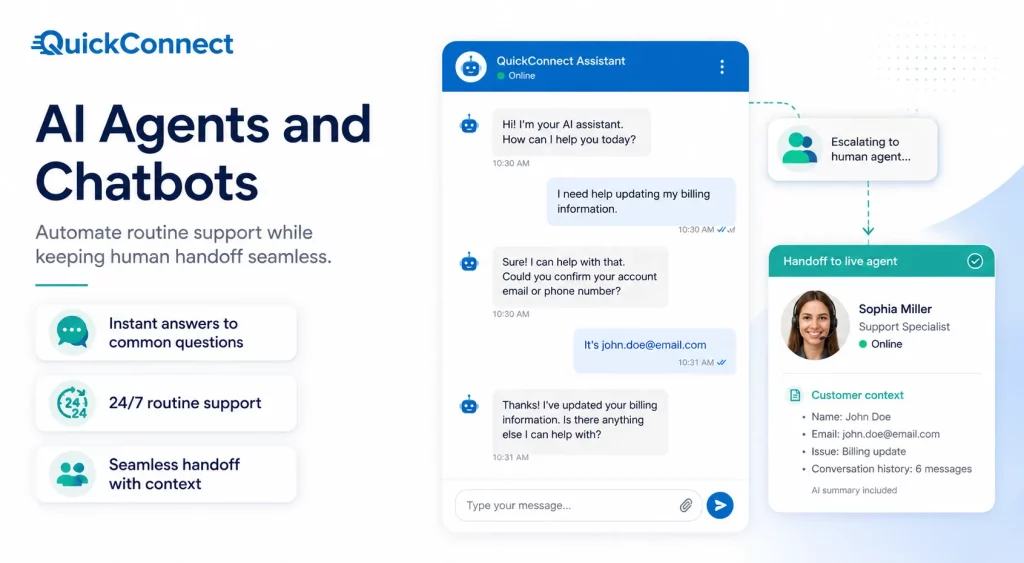
AI agents represent the next generation of automated customer support. Unlike traditional chatbots, they can understand context, handle more complex requests, and resolve a wide variety of customer issues, from password resets to technical troubleshooting.
When an issue requires human assistance, AI agents can seamlessly transfer the conversation to a live representative while preserving the full context, eliminating the need for customers to repeat themselves.
For example, AI agents can manage complex support tasks such as processing refunds, canceling orders, handling product returns, and much more. AI agents can learn from approved knowledge sources, past interactions, and feedback to improve how they respond to customer requests over time.
AI-Powered Quality Assurance
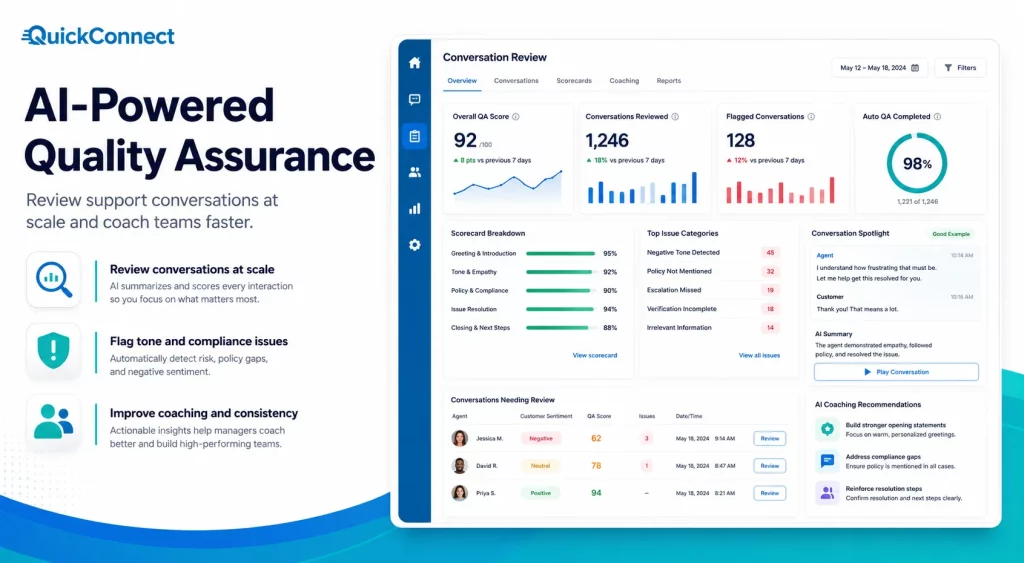
Customer service quality assurance (QA) involves reviewing customer interactions, identifying areas for improvement, and coaching agents to enhance service quality. AI significantly improves this process by automating conversation analysis and surfacing actionable insights.
AI-powered QA tools can analyze customer conversations at scale across channels such as email, live chat, social media, and AI-assisted interactions. Managers can define evaluation criteria such as tone, accuracy, compliance, or resolution quality and use automated analysis to identify conversations that may need review.
This enables faster coaching, more consistent service quality, and continuous process improvement.
AI-Powered Workforce Management
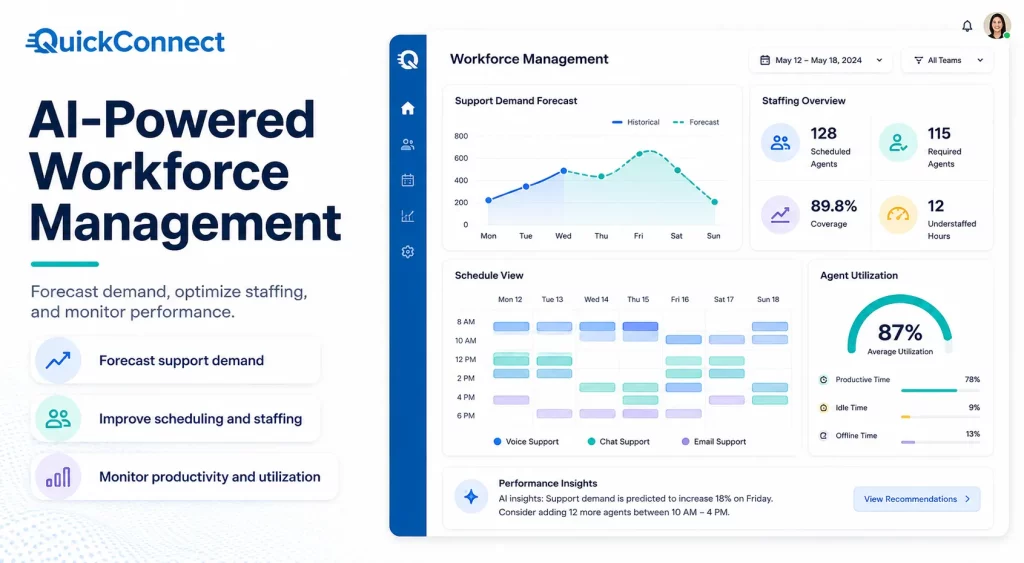
Workforce management (WFM) helps customer service leaders optimize staffing, improve productivity, and ensure compliance with labor regulations. AI-powered WFM solutions make these tasks more accurate and data-driven.
Tools analyze historical trends, peak support periods, and projected customer demand to generate accurate staffing forecasts. This helps organizations schedule the right number of agents to maintain quick response times while controlling labor costs.
Additionally, AI provides real-time visibility into agent performance, productivity, and utilization, enabling managers to make informed operational decisions.
AI-Powered Knowledge Bases
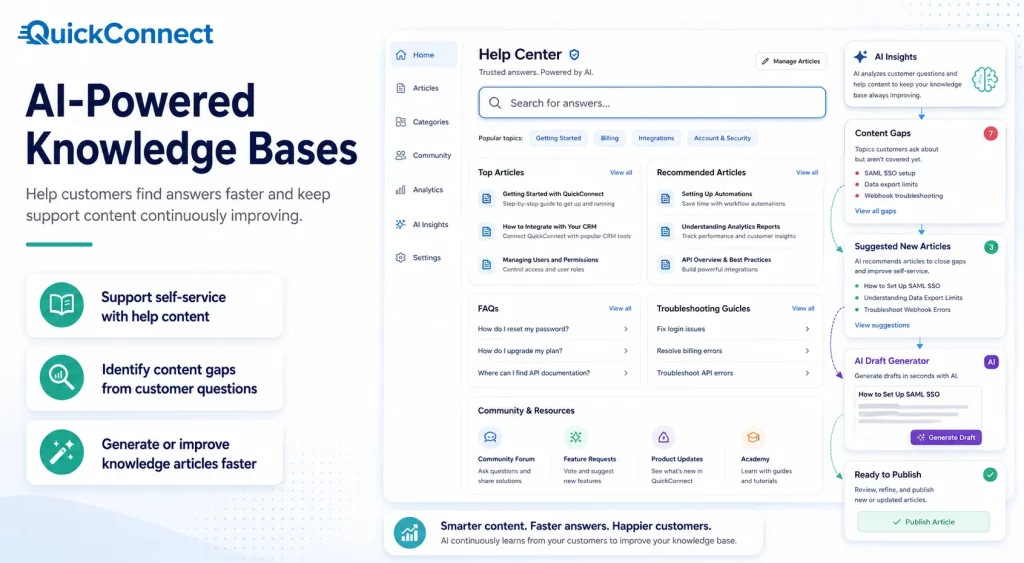
Knowledge bases provide customers with self-service resources such as help articles, FAQs, community forums, and troubleshooting guides, allowing them to resolve issues independently.
AI enhances knowledge management by identifying content gaps and recommending new articles based on recurring customer inquiries. For example, if support teams repeatedly receive questions about a topic that lacks documentation, AI can suggest creating a new help article to address the demand.
Generative AI also streamlines content creation by transforming a few key bullet points into complete, well-structured knowledge base articles. This makes it easier for organizations to expand and maintain comprehensive self-service resources while reducing the workload for support teams.
These are only a few ways automation can improve customer interactions. For more practical workflows across chatbots, WhatsApp, social messaging, routing, follow-ups, and human handoff, explore our customer experience automation examples
Seven Essential Technologies Powering CX Automation
Customer experience automation (CX) is revolutionizing the way businesses are interacting with their customers. Today’s CX platforms are used to handle more complex inquiries, optimize processes, and provide personalized interactions, going beyond simple automation of service requests. The following seven technologies are at the core of this transformation.
1. Conversational AI & Chatbots
The most visible aspect of CX automation is conversational AI. Chatbots and virtual assistants, which are fueled by natural language processing (NLP), can answer customer questions, from FAQs to order tracking, without requiring human intervention. These tools save agents from getting bogged down in repetitive queries, freeing them up to prioritize more complex conversations, and enable customers to receive assistance immediately.
In addition to just answering questions, conversational AI is also increasingly moving into the voice channel. AI-powered virtual assistants, chatbots, and intelligent IVR are no longer restricted to text-based chat windows, but extend the entire spectrum of ways customers can contact your company, serving as a base layer that the other six technologies are built on.
2. Artificial Intelligence & Predictive Analytics
AI is the thread that ties all the other CX automation capabilities together. From chatbots answering customer queries to sophisticated data analytics predicting customer needs, it transforms service from reactive to proactive. This predictive layer is the key to making it possible for companies to reach out to customers before they churn, and not after they churn.
The biggest benefit of this technology is personalization. Think of the way AI forecasts customer actions; suggests products for Amazon or playlists for Spotify; or conducts human-like conversations, all using customer data, machine learning, and NLP. If these are applied to service and not retail, then a support system can proactively solve problems, adjust support methods, and use the track record of customers without them having to repeat the same steps.
3. Robotic Process Automation (RPA)
AI takes care of the thinking aspect of CX, while RPA takes care of the repetitive execution. Software bots can handle repetitive, rules-based work that would otherwise be done by human staff, the kind of work that’s highly repetitive and time-consuming, like record updates or refund processing. This isn’t customer-facing automation per se, but rather is the kind of behind-the-scenes automation that keeps the back office moving fast enough to meet real-time CX expectations.
The power of RPA comes with the combination of workflow platforms. Process automation tools are used to automate the design, execution, monitoring and optimisation of workflows – so that customer service processes are smooth and efficient from start to finish. That doesn’t mean RPA is a one-off efficiency hack and quick fix; it’s woven into the workflow, and at each step bots and humans complete their tasks with ease.
4. Orchestration & Workflow Automation Platforms
The process of connecting individual automated actions to a coherent customer journey is called orchestration. A multi-agent orchestration is a key feature of effective platforms, which can automate multi-step processes in real time, making sure that the right action occurs at the right time. If this weren’t there, chatbots, RPA bots, and analytics tools wouldn’t be part of an integrated system.
In reality, orchestration establishes the overall strategy, data segmentation determines the audience, personalization adds a human touch, and automation provides it all at scale. This stacked model is what makes orchestration platforms one of the most important technologies on the list; all of the other technologies depend on orchestration platforms.
5. Omnichannel Integration
These days, customers don’t stay loyal to any one channel, and CX automation must reflect that. When multichannel integration is put in place, tools such as chatbots, self-service portals, and artificial intelligence systems function as effectively in email as in social media; customers can choose the channel that best fits their needs without compromising service.
The stakes are getting high here. Recent data reveals that nearly 3/4 of customers were reached over multiple channels in the last year, with a significant portion of those that interacted more than once: nothing drives customers crazier than having to repeat the same work at each handoff. Cleanly segueing from social media to email support is no longer a “nice to have,” but an expectation, and a good integration makes that seamless.
6. Speech & Voice Analytics
Voice continues to be a high-stakes channel in contact centers, and now analytics tools are gleaning insights from it in real time. These systems convert and analyze calls and mark sentiment changes, indicate compliance problems, and coach support agents, which makes a channel measurable and improvable.
This also applies to live support: real-time, AI-generated summaries provide better-than-human transfer capabilities while maintaining context. Voice interactions, which have been the most difficult channel to automate successfully, are now part of the same feedback loop as digital interactions, rather than outside it.
7. Customer Data Platforms (CDPs) & Ticketing/Routing Systems
With AI-driven ticketing systems, incoming tickets are automatically categorized by urgency, topic, or customer profile. It allows them to be directed to the appropriate team without any manual resources getting in the way, slowing down all other layers of automation.
This data also allows proactive services and not just reactive services. When integrated across multiple channels with solid data foundations, you can engage proactively with users through automated notifications, targeted assistance, and personalized content at every touchpoint. In other words, a CDP is not only storage, but it’s also what makes personalization, routing, and orchestration at scale possible.
Top CXA Metrics Every Business Should Track
Deflection and volume numbers look good on a dashboard but don’t tell you whether customers are actually satisfied. Track these instead:
| Metric | What it measures | Why it matters |
| First response time | How fast a customer gets any reply | Sets the tone for the whole interaction |
| Automated resolution rate | % of tickets AI resolves end-to-end, no human reply needed | The real efficiency number — distinct from deflection |
| Escalation rate | % of AI-handled conversations that need a human | Too low can mean AI is guessing rather than escalating appropriately |
| CSAT (customer satisfaction) | Post-interaction rating | Should hold steady or improve after automation, not drop |
| Conversion rate | % of automated interactions leading to a sale, signup, or booking | Ties automation directly to revenue, not just cost savings |
| Repeat contact rate | % of customers who contact support again about the same issue | A high automated resolution rate paired with high repeat contact suggests the AI is closing tickets without actually solving problems |
Customer Experience Automation Best Practices
Here are the best practices for customer experience automation:
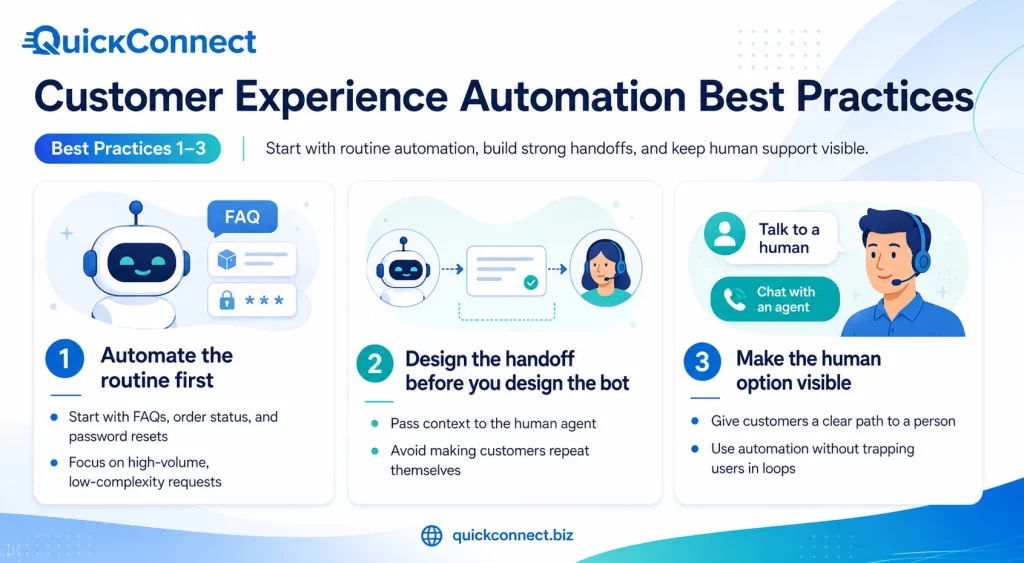
1. Automate the routine first
Don’t start with a judgment call; start with simple things, like order status, password resets, and business hours that can be done with high-volume, low complexity requests. These interactions have clear and predictable answers, and hence automation can be done rapidly and instills trust within the system.
Keep certain requests for later phases, when the foundation is established, as nuanced or emotional ones.
2. Design the handoff before you design the bot
Establish in advance what to do when AI cannot solve it: what context to pass to the human agent, and the speed of the handoff. When the automation escalates a customer’s issue, and the customer has to re-explain their issue, the automation has actively made the experience worse.
If the fast AI answer is not followed by a good handoff, it is like all that goodwill that was created was wasted.
3. Make the human option visible
As customers appreciate the ability to reach a person, concealing this feature may lead to a loss of the benefits of trust, far outweighed by any efficiency benefit. If a customer feels they are forced to remain in a bot loop, they are more likely to leave than those who are waiting for a human.
The fact that an exit path is clearly visible prompts more, not less, people to attempt self-service first.
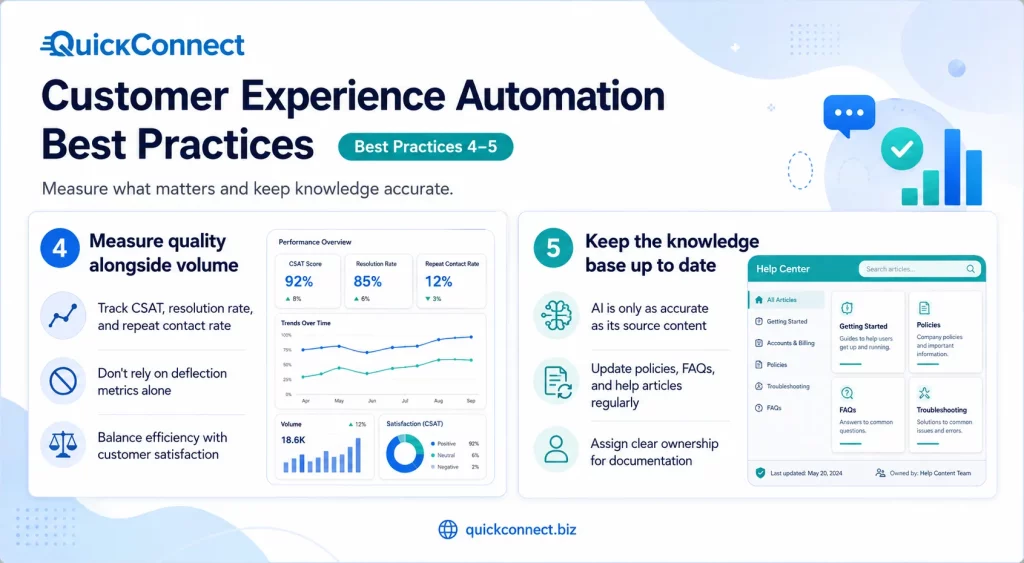
4. Measure quality alongside volume
When reviewing CSAT and repeat contact rate, it is important to do so in addition to resolution rate, not in place of it. Having a high resolution rate alone doesn’t mean that a bot is closing the ticket when the customer’s issue is not addressed.
In particular, repeat contact rate is a signal as to where automation is simply deflecting and not solving a problem.
5. Keep the knowledge base up to date
What AI agents say is as accurate as the content they have been trained on; outdated documentation leads to happy but wrong answers. A bot won’t give uncertainty when the information source isn’t up to date; it only replies wrong with confidence.
Give clear accountability for maintaining up-to-date documentation, not just for its creation.
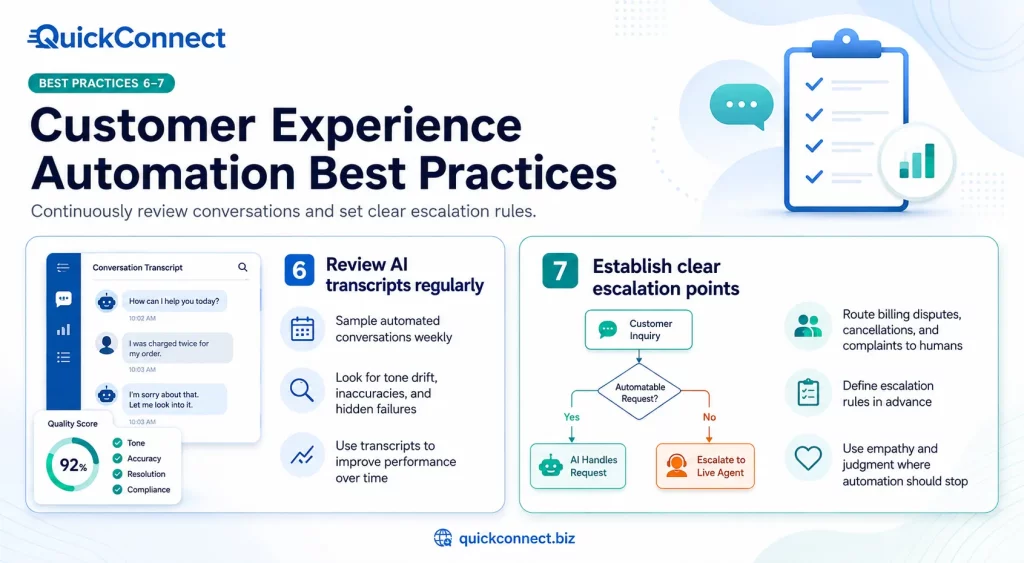
6. Review AI transcripts regularly
Review sample automated conversations weekly, not only escalated or complained about.
When things go wrong, and the customer experiences the problem and complains to the business, it is a failure the customer has noticed and responded to; silent failures have gone undetected.
The benefit of regular sampling is that any drift in tone, accuracy, or scope will not become apparent in the satisfaction scores.
7. Establish clear escalation points
Identify the topics that go directly to a person, such as billing disputes, cancellations, complaints, and more, instead of letting the AI try first. There are times when empathy and judgment outweigh speed, and a bot’s attempt may be more likely to cause frustration than alleviate it.
These rules should be set up in advance, which prevents firefighting in the wake of a poor automated interaction going viral.
How to Implement CX Automation
Once you know what you want to automate, the next step is to put a simple plan in place that makes the customer experience smoother without making it feel less personal.
1. Map the current journey.
Record all interactions (website, social DM, email, phone) and where the customer is currently ‘stuck’ or waits the longest. This map is no longer a map of where it’s easiest to build automation, but where it will have the greatest impact. If it is not in place, teams have a tendency to fix what works, rather than what is broken.
2. Identify automation-ready moments
Identify high volume/high repetition questions that have a known answer: order tracking, scheduling appointments, FAQ-ish questions. These moments are low ambiguity, so automated answers are likely to be correct, and customers are unlikely to escalate. Tackling them first yields early success, which makes it easier to invest in the full-scale roll-out of CXA.
3. Select a platform that integrates channels.
Scattered tools, a chatbot, and different email automations are the same experience that CXA is designed to replace. If no channels share data, customers get repeated across touchpoints – no point in automating them. A unified platform means that context is carried with the customer, rather than just the channel that they began on.
4. Pilot on one channel / one use case.
Establish automated resolution rate and CSAT before scaling to more. A narrow pilot can help minimize risk and help to distinguish between what is working and what needs tweaks. Once the metrics are stable, then it can be expanded to other channels or use cases.
5. Develop the escalation process before it becomes necessary.
Confirm handoffs maintain context prior to being live, not after the first complaint. Testing is an afterthought, so the first failure is a customer’s problem rather than a caught bug. Do not consider the escalation path a follow-up fix.
6: Train the AI from your own data.
Use actual ticket data and documentation instead of training on generic data. But generic training data yields generic, and often incorrect, answers, which are not necessarily accurate with your policies or products. The system learns from real historical data what customers are used to hearing, which is the correct language, edge cases, and tone.
7. Check and repeat every month
Don’t let it become a trend; monitor the metrics listed above to detect a slippage in the knowledge base, an increase in escalations, or a drop in CSAT. Automation is not a one-size-fits-all solution: Customers’ requirements and product information evolve rapidly. A monthly frequency helps identify small issues when they can be fixed easily, but before trust is lost.
Automate Your Customer Experience with QuickConnect AI
QuickConnect isn’t just about automation; it’s about making the transition to a human smooth and seamless. A typical interaction can be seen:
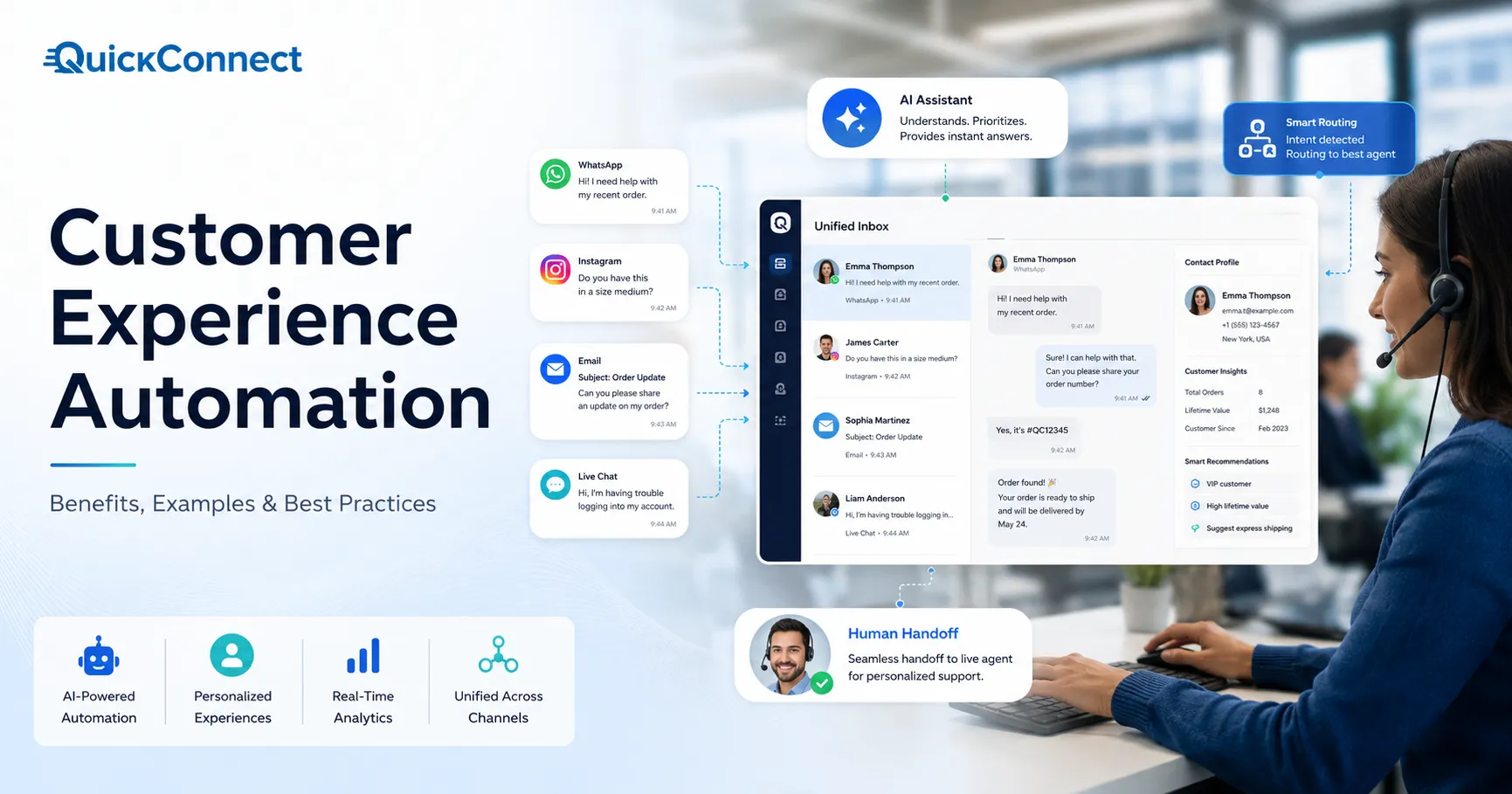
A customer comments on a company’s Instagram post with a question about the return policy. QuickConnect can automatically move the interaction into a DM, where AI can respond using the business’s approved knowledge. If the question becomes more complex or requires human assistance, the conversation can be transferred to a human agent with the relevant conversation context preserved.
It’s the same building blocks as above: routing, agent assist, and omnichannel continuity, but applied to a real business workflow instead of left abstract. QuickConnect brings AI-powered automation, workflow management, and customer conversations together to help teams respond faster while maintaining visibility into each interaction.