Table of Contents
- Why Customer Support Needed to Change
- What AI and Chatbots Actually Do in Support Today
- The Real Benefits, Beyond the Buzzwords
- AI vs. Human Agents: Where Each One Wins
- Where AI Support Still Falls Short
- How to Implement AI in Customer Support the Right Way
- What's Next for AI in Customer Support
- Final Thoughts
Customer support used to mean one thing: a person on the other end of a phone line, a queue number, and endless hold music. That model is breaking down fast. Today, most support conversations start with an AI chatbot, not a human agent. This shift is no longer a cost-cutting experiment. It’s how modern companies deliver faster answers, cut resolution times, and keep support teams focused on the problems that actually need a human touch.
In this guide, we’ll break down what AI and chatbots actually do in customer support today. We’ll cover where they genuinely help, where they don’t, and how a business can put them to work without turning support into a frustrating maze of “I don’t understand that” replies.
Why Customer Support Needed to Change
Support volume has grown faster than support teams can scale. Customers now expect an answer within minutes, at any hour, across chat, email, social media, and voice. They often switch between all four during the same issue. Hiring enough agents to match that expectation around the clock isn’t realistic for most businesses. It isn’t even what customers want. In fact, 61% of customers say they’d rather use self-service to resolve a simple issue than wait to speak with a live agent, according to Salesforce research.
That gap between rising expectations and limited human capacity is exactly where AI and chatbots stepped in. The goal isn’t to replace support teams. It’s to absorb the repetitive, predictable share of the workload so people can focus on what actually needs judgment.
What AI and Chatbots Actually Do in Support Today
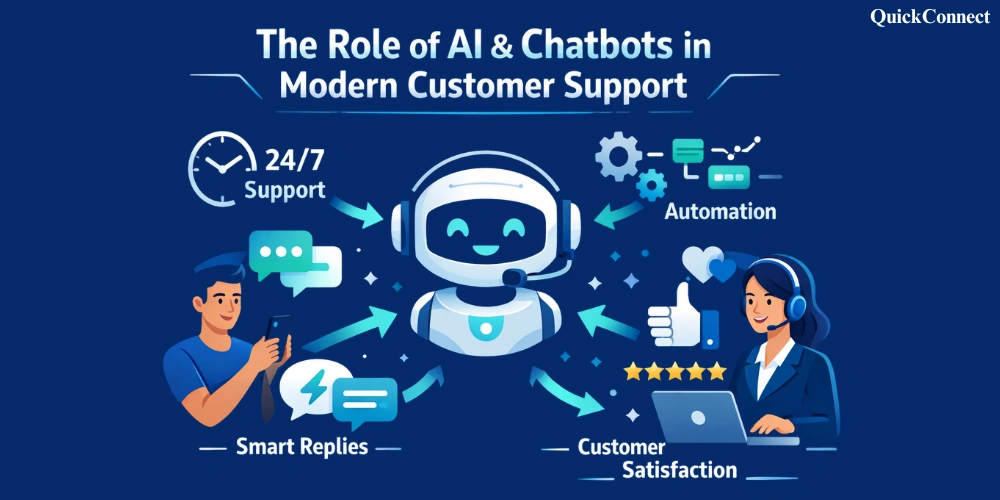
“AI in customer support” covers a lot of ground now. It ranges from a simple rule-based chatbot to a large language model that can read a customer’s order history and write a personalized reply. Here’s what that looks like in practice.
1. Instant, Always-On First Response
The single biggest shift is speed. A chatbot doesn’t sleep, doesn’t take lunch, and doesn’t have a queue. It can greet a customer the moment they land on a page, answer common questions instantly, and hand off to a human only when the issue genuinely needs one. For simple requests, like order status, return policy questions, password resets, and business hours, this alone removes most of the friction customers used to face.
2. Ticket Triage and Smart Routing
Before a human agent even sees a ticket, AI can read it, tag it by category and urgency, and detect the customer’s sentiment. It can then route it to the right team or specialist. A frustrated customer reporting a billing error gets flagged differently than someone asking about a shipping estimate. This alone cuts down the manual sorting that used to eat up hours of an agent’s day.
3. Self-Service That Actually Works
Older chatbots were glorified FAQ menus: click a button, get a canned answer, repeat. AI-powered assistants built on large language models can understand a question phrased a dozen different ways. They pull the right answer from a knowledge base and explain it in plain language. That’s the difference between a bot that frustrates people and one that actually resolves issues.
4. Personalization at Scale
Because AI tools can pull in account data, order history, and past conversations in real time, a chatbot’s response can feel tailored rather than generic. A returning customer asking about a delayed order doesn’t need to repeat their order number three times. The system already knows it.
5. Voice, Multilingual, and Omnichannel Support
AI has extended well beyond text chat. Voice bots now handle phone support using natural-sounding speech. Language models can translate and respond in dozens of languages in real time. Combined with an omnichannel support platform, a customer can start a conversation on WhatsApp, continue it by email, and finish it on a call. Full context carries through every step.
The Real Benefits, Beyond the Buzzwords
Strip away the marketing language. The practical benefits of AI-driven support come down to a handful of things businesses actually feel in their day-to-day operations:
- Faster response times. Customers get an answer in seconds instead of sitting in a queue, which is consistently one of the biggest drivers of customer satisfaction.
- Lower support costs. Automating repetitive, high-volume queries means teams don’t need to scale headcount at the same pace as ticket volume.
- Consistency. A well-trained AI assistant gives the same accurate answer every time, whereas human answers can vary agent to agent.
- More time for complex issues. When routine questions are handled automatically, human agents can spend their time on the conversations that need empathy, negotiation, or problem-solving.
- Better data and insight. Every AI conversation generates data on what customers are actually struggling with, which product teams can use to fix root causes instead of just answering symptoms.
- Scalability without burnout. Support volume can spike during a sale or an outage without agents drowning, because the AI layer absorbs the first wave.
AI vs. Human Agents: Where Each One Wins
The honest answer is that AI and human agents are good at different things. The best support strategies don’t try to make one replace the other.
| Situation | AI / Chatbot | Human Agent |
| Order status, FAQs, simple how-tos | Best fit: instant, consistent, 24/7 | Usually unnecessary |
| Emotionally charged or sensitive issues | Weak: lacks genuine empathy | Best fit: needs judgment and tone |
| High ticket volume / peak periods | Best fit: scales instantly | Limited by headcount |
| Complex, multi-step or unusual problems | Can gather info, but often needs handoff | Best fit: reasoning and flexibility |
| Retention-risk or high-value accounts | Can flag the risk | Best fit: relationship and trust-building |
Where AI Support Still Falls Short
It’s worth being honest about the limits. A business that treats AI as a total replacement for human support usually ends up frustrating customers instead of delighting them.
- Ambiguous or emotional issues. A frustrated customer often just wants to feel heard, and a bot, however well-written, can come across as dismissive if it isn’t paired with an easy path to a human.
- Edge cases outside its training. AI is only as good as the knowledge base and data it’s built on; if a situation is genuinely unusual, it can loop or give a confidently wrong answer.
- Over-automation. Hiding the “talk to a human” option, or making it hard to find, is one of the fastest ways to damage trust with customers.
- Data and privacy concerns. Any AI system handling account or payment information needs to be built with proper security and compliance in mind, not bolted on as an afterthought.
How to Implement AI in Customer Support the Right Way
Rolling out a chatbot badly is worse than not having one at all. Here’s a practical approach that tends to work well for businesses actually trying to improve customer experience, not just cut costs:
- Start with your highest-volume, lowest-complexity questions. Look at your support logs and automate the top 20% of queries that make up most of your volume: shipping, returns, and account basics.
- Always leave an obvious path to a human. A visible “talk to a person” option builds trust, even for customers who end up not needing it.
- Train it on your real data, not generic scripts. The more your AI assistant is grounded in your actual product, policies, and past support conversations, the more accurate and natural it will sound.
- Monitor conversations and iterate. Treat the first few months as a feedback loop: review where the bot struggled, where customers got frustrated, and refine it continuously.
- Measure what matters. Track resolution rate, handoff rate, and customer satisfaction, not just how many conversations the bot handled.
- Keep the tone human. The best-performing AI customer support chatbot sounds like your brand, not like a generic robot reading a manual.
This is exactly the gap QuickConnect was built to close. Instead of stitching together a chatbot, a helpdesk, and a routing system separately, QuickConnect brings AI-powered conversations, smart ticket routing, and human handoff into one connected workflow. Your team gets the speed and scale of automation without losing the personal touch customers still expect. You can explore QuickConnect’s AI chatbot features or book a live demo to see what a unified setup can do for your response times and your team’s workload.
What’s Next for AI in Customer Support
The next wave of change is already visible. Support tools are moving from reactive chatbots to proactive assistants. These assistants can flag a delayed shipment, warn about an upcoming renewal, or notice a customer stuck on a page and offer help, all before the customer has to ask. Voice AI is getting close enough to natural conversation that phone support is starting to feel less scripted. AI is also being used internally, quietly helping human agents draft replies, summarize long ticket histories, and suggest the next best action in real time.
None of this points toward support becoming fully automated. It points toward a model where AI handles the repetitive groundwork and humans handle the moments that genuinely need a person. Done well, that’s a better experience for everyone involved.
Final Thoughts
AI and chatbots haven’t replaced customer support. They’ve changed what “good support” actually looks like. Customers get faster answers and shorter wait times. Support teams get relief from repetitive tickets and more room to solve problems that matter. Businesses get a support operation that can scale without scaling costs at the same rate.
The companies getting this right aren’t the ones automating everything. They’re the ones using AI to handle the predictable and freeing up people to handle everything else.