If you’ve been using Pure Chat for a while, you may be reviewing whether it still meets your growing customer communication needs. Maybe it’s the pricing jump once you add a couple of extra agents. Maybe it’s the fact that your customers are messaging you on WhatsApp and Instagram, and none of that shows up in the same place as your website chats. Or maybe you just want to know what else is out there before you renew.
This isn’t a takedown of Pure Chat. It’s a genuinely useful, focused live chat tool, and plenty of small businesses are happy with it. If your support needs have grown beyond a website-focused live chat tool, it may be time to consider a broader platform.
Quick Answer: Is There a Better Pure Chat Alternative?
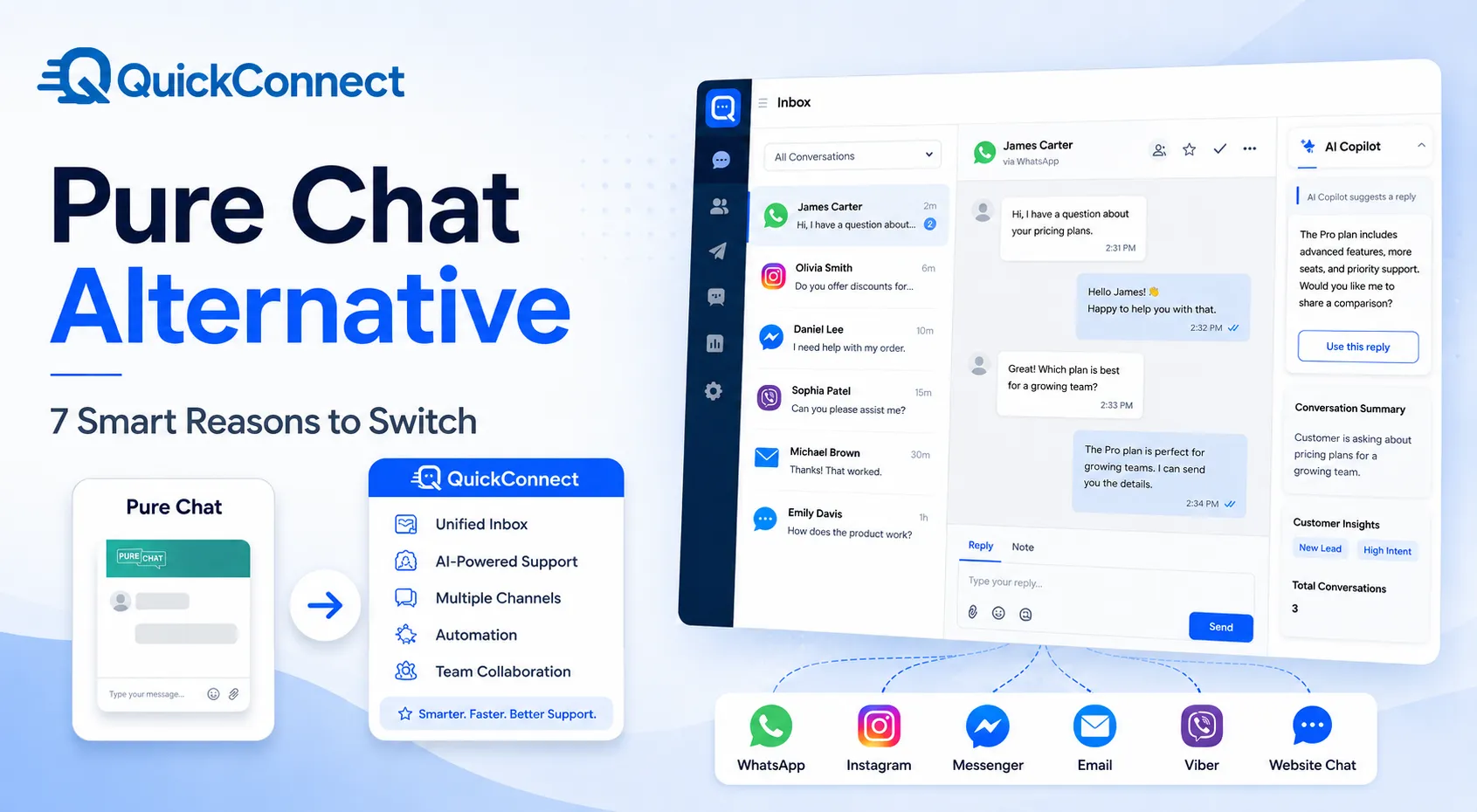
Pure Chat is still a solid, dedicated live chat tool for websites, and it’s worth keeping if that’s genuinely all you need. If you also want AI automation, social messaging channels, and one inbox for every conversation, QuickConnect is worth a look. Here’s how the two compare at a glance.
| Feature | Pure Chat | QuickConnect |
|---|---|---|
| Website live chat | Yes | Yes, free |
| Mobile agent access | iOS and Android apps | Android app confirmed; iOS availability unconfirmed, contact QuickConnect for the latest |
| AI support automation | No AI chatbot listed in current public features | Yes, AI Bot trained on your FAQs and knowledge base |
| Unified multichannel inbox | No native multichannel inbox listed | Yes, combines Viber, WhatsApp, Messenger, Instagram, email, and web chat |
| Social messaging (Instagram/Facebook) | Not natively listed | Yes, including comment and DM automation |
| SMS | Notification credits (100 to 1,000/month) | Available through Campaign feature, priced by package or volume |
| Pricing model | $49 to $99/month plus per-user fees | Core platform (AI Bot, automation, Unified Inbox, live chat) currently free; messaging packages or channel charges may apply |
| Best suited for | Focused website live chat for small teams | Broader customer communication across multiple channels |
Bring website chat, AI-powered support, and conversations from multiple customer channels into one unified inbox.
Try QuickConnect FreePrefer to talk to someone first? Book a Demo , a good option for larger teams that want a walkthrough before signing up.
What Is the Pure Chat App?
Pure Chat is a live chat software built for websites. It’s been around for years and, according to its own site, is used by over 14,000 users in more than 150 countries. The pitch is simple: add a chat widget to your website, let visitors message you in real time, and give your sales or support team a dashboard to manage those conversations.
It’s built for small and mid-sized businesses that want a straightforward way to talk to website visitors without a lot of setup. You install a JavaScript snippet (or use a WordPress or Weebly plugin), customize the widget to match your brand, and you’re chatting within minutes. There’s also a hosted chat page option for platforms like Etsy that don’t allow embedded widgets.
Pure Chat also has mobile apps for iOS and Android, so agents can reply to chats from their phones instead of being tied to a desktop dashboard. That’s a real advantage for small teams where one or two people are wearing the support hat alongside everything else.
Pure Chat’s current public product pages focus primarily on website live chat. They do not list native customer-conversation management for WhatsApp, Instagram, Facebook Messenger, or Viber. If a customer messages you on one of those channels, that’s a separate app, a separate login, and a separate workflow from your Pure Chat dashboard.
Pure Chat’s Main Features
Strip away the marketing language and Pure Chat’s feature set breaks down into a few solid categories:
- Live chat and unlimited chats. Both paid plans come with unlimited chat conversations, so you’re not capped on volume.
- Widget customization. You get a visual editor to control the widget’s colors, position, size, and text fields on desktop and mobile. It’s genuinely easy to make it look like part of your site rather than a bolted-on plugin.
- Chat transcripts and history. Every conversation is saved and searchable, which is handy for training new agents or looking back at how a past issue was resolved.
- Canned responses. You can save frequently used replies so your team isn’t retyping the same answers to the same questions all day.
- Visitor tracking. The dashboard shows you who’s on your site right now, what page they’re viewing, and how often they’ve visited before, which gives agents useful context before a chat even starts.
- Mobile apps. iOS and Android apps let your team respond on the go, with push notifications for new chats.
- Integrations. Pure Chat provides direct integrations with Google Analytics, HubSpot, and Infusionsoft, along with additional application connections through Zapier.
- Security roles. Admins, power users, and operators each get different permission levels, which matters once you have more than a couple of people on the account.
Pure Chat focuses on practical, dependable live chat features. If your main goal is to respond quickly to website visitors, it covers the core requirements well.
Pure Chat Pricing
Pure Chat keeps its pricing simple, with two paid tiers and a free trial of the higher one.
Pricing and feature information checked on August 5, 2026. Product details may change, so confirm current terms on each provider’s website.
| Plan | Monthly billing | Monthly rate with annual billing | Websites | Users Included | SMS Notifications |
|---|---|---|---|---|---|
| Growth | $49/month | $39/month | 1 | 4 | 100 |
| Pro | $99/month | $79/month | Unlimited | 10 | 1,000 |
| Free Trial | Free for 30 days | n/a | Unlimited during trial | 10 | 1,000 |
A few things worth knowing before you commit. The Growth plan only covers one website, while Pro supports unlimited websites under one account, so if you run multiple sites or brands, you’ll want Pro. Additional users cost extra, with the amount depending on the selected plan and billing cycle. The Pro plan supports unlimited websites, includes ten users, and allows you to remove Pure Chat branding from the widget.
The free trial gives you 30 days of the Pro plan with no credit card required, and Pure Chat backs its paid plans with a 30-day money-back guarantee. There’s no permanent free plan, and Pure Chat doesn’t currently offer live product demos, though it does have an introductory walkthrough video on its site.
7 Reasons to Consider Switching from Pure Chat
If you’ve outgrown a website-only chat widget, here’s what actually changes when you move to a platform built around every channel, not just one.
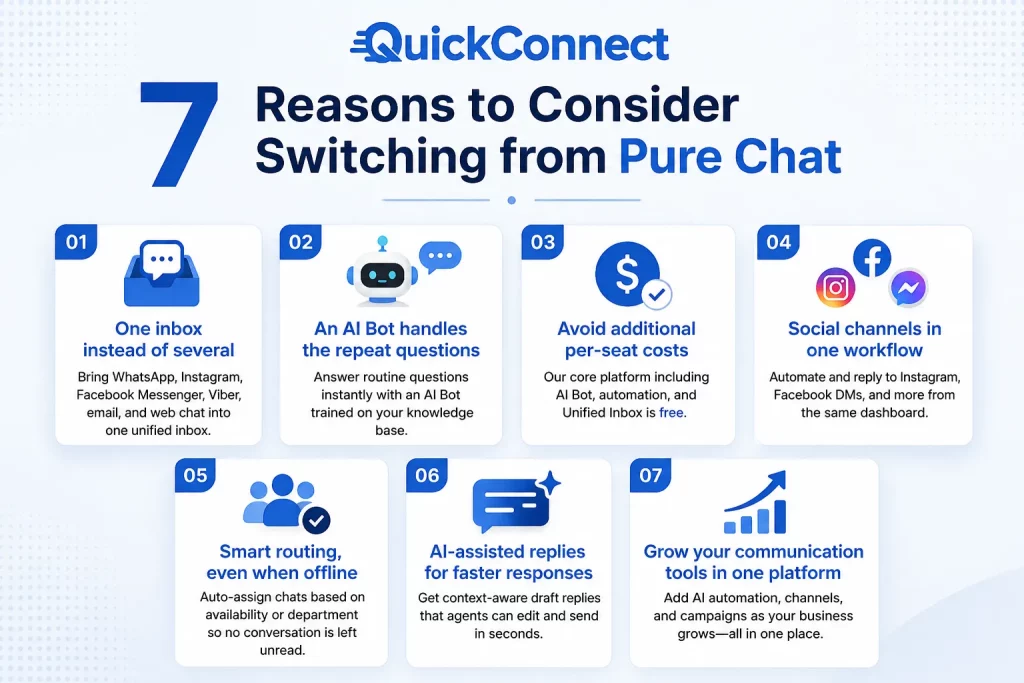
1. One inbox instead of several. Pure Chat’s current pages focus on website chat only. QuickConnect’s Unified Inbox brings WhatsApp, Instagram, Facebook Messenger, Viber, email, and web chat into a single dashboard, so your team isn’t logging into three or four apps to stay on top of one conversation.
2. An AI Bot handles the repeat questions. Pure Chat does not currently list an AI chatbot among its public features, so every chat needs a human on the other end. QuickConnect’s AI Bot, trained on your own FAQs and knowledge base, can answer routine questions instantly and hand off to a person only when needed.
3. Avoid additional per-seat costs for the core platform. Pure Chat charges extra when you add users beyond those included in your plan. QuickConnect currently advertises its core platform, including the AI Bot, automation, and Unified Inbox, as free. Messaging packages or channel-related charges may still apply.
4. Social channels are part of the same workflow. Instagram automation, story replies, and Facebook DMs can be automated and answered from the same dashboard as your website chat, instead of being managed separately in each platform’s native app.
5. Conversations get routed even when someone’s offline. QuickConnect can auto-assign chats based on agent availability or department, so a message doesn’t sit unread just because the usual person is out.
6. AI-assisted reply drafting speeds up human responses. Inside the Unified Inbox, the system can suggest context-aware draft replies that agents edit and send, rather than typing every response from scratch.
7. Expand your communication tools within one platform. Businesses that begin with website live chat can add AI automation, supported messaging channels, and campaigns within the same platform as their communication needs grow.
QuickConnect as a Pure Chat Alternative
While Pure Chat is primarily designed around website live chat, QuickConnect is structured around conversations taking place across multiple channels, and your team shouldn’t have to jump between apps to keep up.
At its core, QuickConnect combines a website live chat widget (similar in function to Pure Chat’s), an AI Bot that can answer customer questions automatically across channels, and a Unified Inbox that pulls in conversations from Viber, WhatsApp, Facebook Messenger, Instagram, email, and your website chat into one screen.
The AI Bot is trained on your own FAQs and knowledge base documents, so it can handle repetitive questions (order status, business hours, product details) without a human touching them, then hand the conversation to a live agent when it needs a human decision. Inside the Unified Inbox, there’s also AI-assisted reply drafting, where the system suggests context-aware responses your agents can edit and send rather than typing from scratch.
With appropriate customer consent, the same platform can also be used to send future promotions, reminders, or service updates through supported campaign channels, so support and marketing don’t need to live in two separate tools.
Who Should Choose Pure Chat?
Pure Chat is a solid pick if your business genuinely only needs website live chat and nothing more. If you’re a small team, your customers only ever contact you through your site, and you like the idea of a simple, no-frills tool with a visual widget editor and predictable monthly pricing, Pure Chat will serve you well. It’s been doing this one job for a long time and does it competently.
It also makes sense if you’re not ready for AI-assisted support and would rather keep every conversation handled by a human, or if you specifically need the mobile apps for on-the-go replies without wanting a bigger, more feature-heavy platform to learn.
The catch is that this fit doesn’t last forever. The moment your business picks up a second channel, whether that’s WhatsApp orders, Instagram DMs, or just enough chat volume that one person can’t keep up, Pure Chat’s current public feature set doesn’t offer a built-in way to manage that inside the same dashboard. Businesses that hit that point usually end up running a second tool alongside it, which defeats the “simple” part of the pitch in the first place.
Who Should Choose QuickConnect?
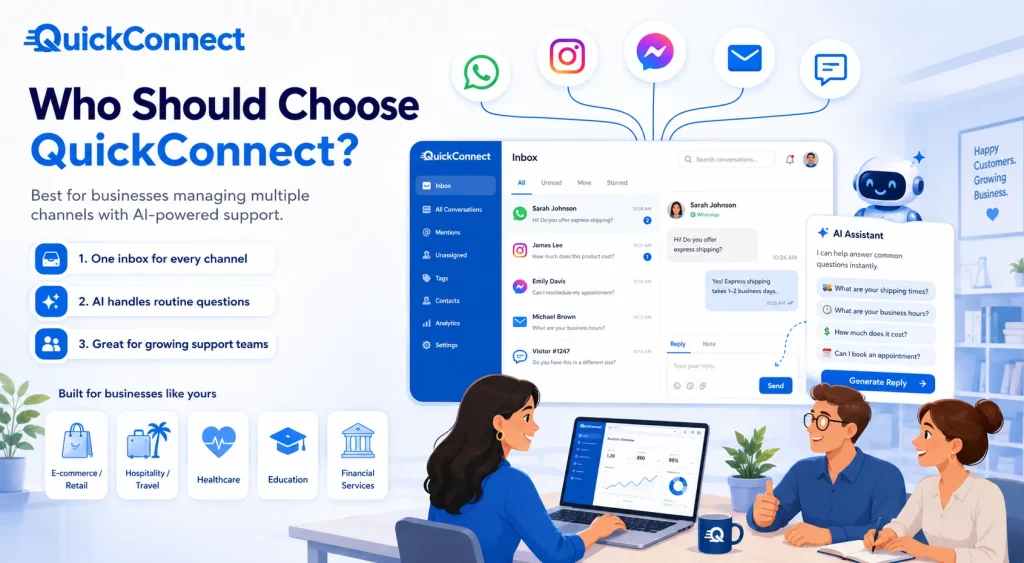
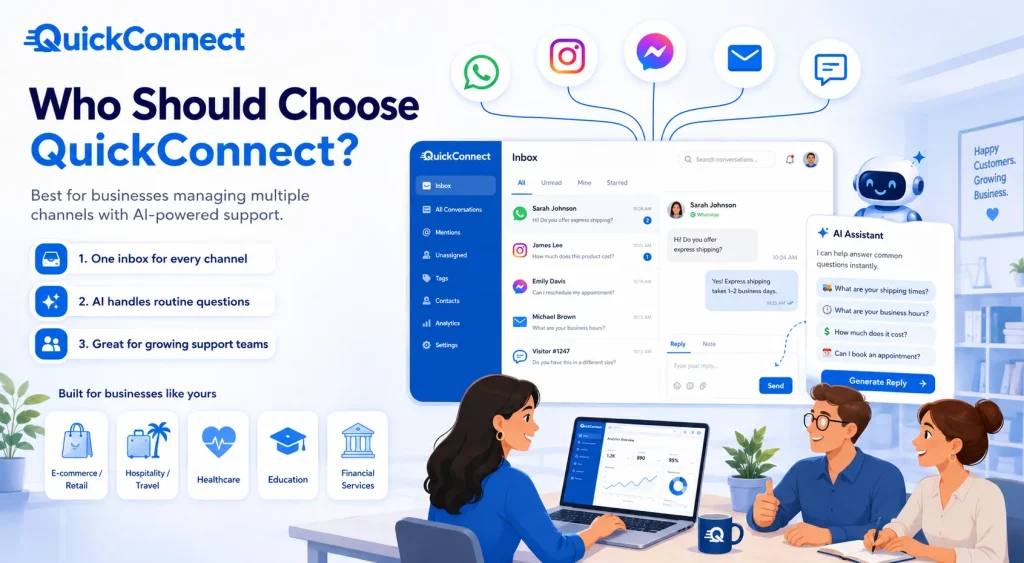
QuickConnect is the better fit for businesses juggling more than one messaging channel, especially if messages are starting to sit unread while you bounce between Instagram DMs, WhatsApp chats, and your website widget. It closes that gap by putting every channel in one inbox and letting an AI Bot handle repeat questions (shipping times, hours, pricing, appointment slots), so your team only steps in when it matters.
It’s a strong fit for e-commerce and retail (order and return questions), hospitality and travel (bookings and itinerary questions around the clock), and education or financial services (admissions and account questions). Anywhere routine questions run high, and a slow reply costs you a sale, QuickConnect can be especially useful.
Final Verdict
Although both platforms include website live chat, they now address different levels of customer communication. Pure Chat is a focused, dependable widget for websites. If that’s your entire support surface, it does the job without adding unnecessary complexity.
QuickConnect is built for businesses that need live chat, AI automation, and multiple customer channels, including WhatsApp, Viber, Instagram, Facebook Messenger, email, and website chat, in one inbox. If you’re spending more time switching between apps than talking to customers, that’s usually the clearest sign you’ve outgrown a single-channel tool.
Try QuickConnect free and see how a unified inbox with AI-powered support compares to what you’re using now.
Bring website chat, AI-powered support, and conversations from multiple customer channels into one unified inbox.
Try QuickConnect Free