Your customers are already switching between WhatsApp, Instagram, email, and live chat in a single conversation. You don’t need to have separate channels. What this means is that your team is switching tabs, losing context, and making customers repeat themselves while jumping between five tabs.
That’s where an omnichannel inbox helps it brings every conversation into a single screen. Every customer interaction merges into one continuous thread. Plus, native routing, AI responses, and analytics come built-in, saving you from paying for separate add-ons.
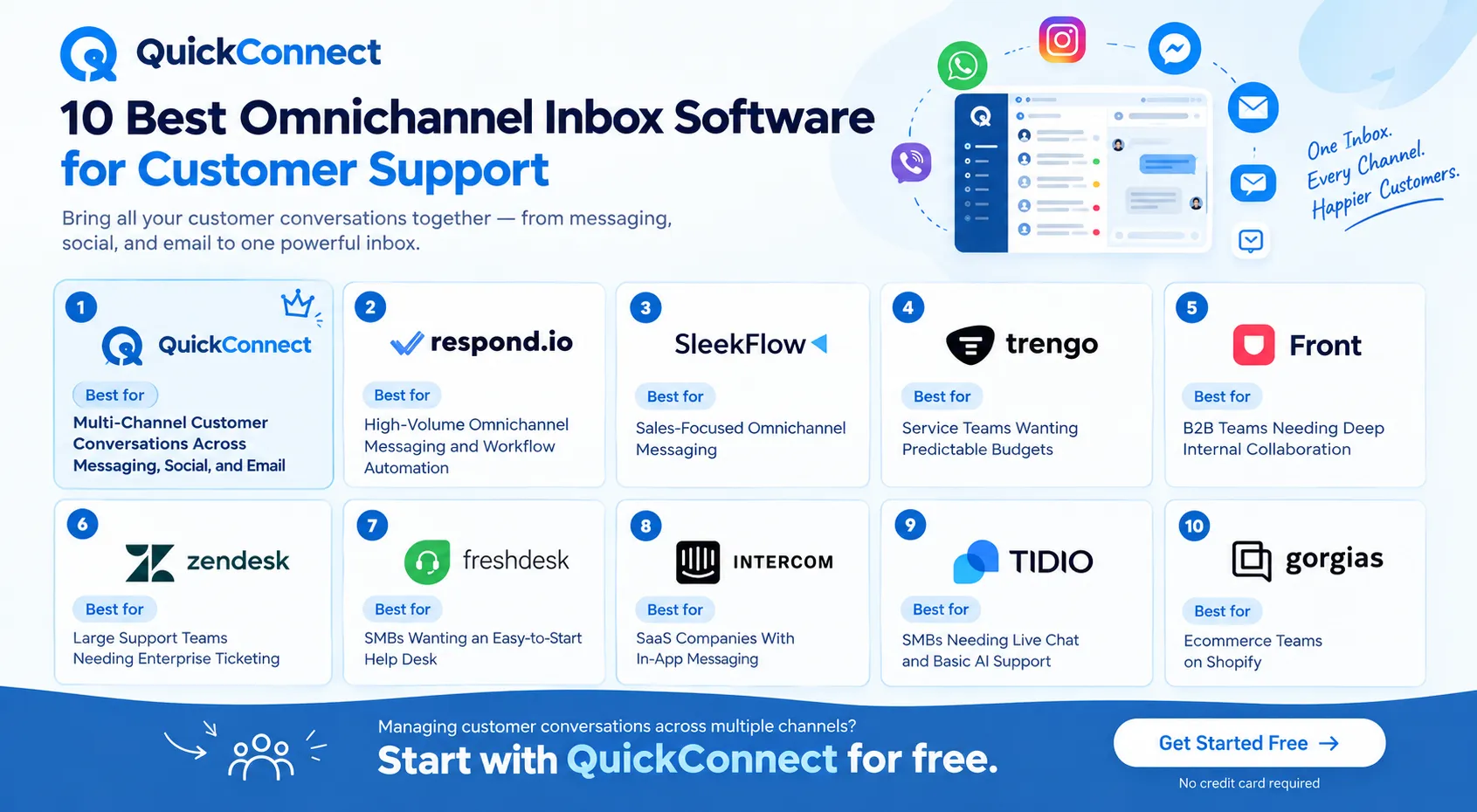
In this guide, you can find 10 omnichannel inbox platforms side by side. Each is ranked based on what it does best.
Quick Comparison Table
Use this to narrow your shortlist before reading the full breakdown. Every column reflects verified product capabilities and current pricing models.
| SN | Platform | Best For | Major Channels | AI / Automation | Pricing Model | Key Differentiator |
| 1 | QuickConnect | Multi-channel conversations across messaging, social, and email | WhatsApp, Instagram, Messenger, Viber, email, web chat | AI bot trained on your data; auto-assignment; canned responses; smart fallback | Completely free—all features, no paid plans | Unified inbox with smart fallback (WhatsApp/Viber to SMS) and free AI bot |
| 2 | respond.io | High-volume messaging and workflow automation | WhatsApp, Messenger, Instagram, Telegram, LINE, Viber, SMS, email, web chat | AI agents with role-based actions and workflow triggers | From $79/mo (starter, annual) | Deep workflow builder with MAC-based pricing |
| 3 | SleekFlow | Sales-focused omnichannel messaging | WhatsApp, Instagram, Messenger, LINE, Telegram, SMS, live chat | Agentic AI; in-chat payments | From ~$149/mo (Pro AI) | In-conversation payment links for social selling |
| 4 | Trengo | Customer service teams with predictable budgets | Email, WhatsApp, live chat, voice, Messenger, Instagram, SMS | AI HelpMate; Flowbots | From €299/mo (Boost, annual, 10 users) | Fixed user packages instead of per-seat pricing |
| 5 | Front | B2B teams needing deep collaboration on email and chat | Email, SMS, live chat, social (WhatsApp as add-on) | AI Copilot, Autopilot, Smart QA | From $25/seat/mo (starter, annual) | Best-in-class internal collaboration and shared drafting |
| 6 | Zendesk | Large support teams needing enterprise ticketing | Email, chat, voice, social, messaging | AI Agents; Copilot; intelligent triage | Suite Team from $55/agent/mo (annual) | Mature ticketing with deep enterprise integrations |
| 7 | Freshdesk | SMBs wanting an easy-to-start help desk | Email, web chat, SMS, WhatsApp, social, voice | Freddy AI Copilot; Freddy AI Agent | From $29/agent/mo (Omni) | Quick setup with modular product ecosystem |
| 8 | Intercom | SaaS companies with in-app messaging | Messenger, email, phone, WhatsApp, Instagram, SMS | Fin AI Agent; AI Copilot | From $29/seat/mo (Essential) | AI-first architecture with deep in-app messaging |
| 9 | Tidio | SMBs needing live chat and basic AI | Live chat, email, Messenger, Instagram, WhatsApp | Lyro AI Agent: visual flow builder | Free plan; from $29/mo (Starter) | Fast setup with AI trained on your knowledge base |
| 10 | Gorgias | Ecommerce teams on Shopify | Email, live chat, WhatsApp, Instagram, Facebook, TikTok Shop | AI agent for order queries and product recommendations | From ~$10/mo (usage-based) | Native Shopify/ecommerce integration with store context |
How to Choose Omnichannel Inbox Software
Every platform on this list connects multiple messaging channels, but they aren’t built the same. Focus on these six key criteria to narrow down your options to two or three top contenders before starting a free trial.
1. Channel Fit
Prioritize the channels your audience actually uses. Features don’t matter if the tool handles your primary communication channel poorly. Choose software that fits your actual channel mix, not just the longest list of integrations.
2. Conversation Routing and Assignment
Manual assignment breaks down as your team expands. Look for automatic routing based on agent availability, workload, topic, or language. Test to see if all the conversation history is passed from one agent to another during a handoff.
3. Customer Context
When a customer begins on Instagram and then follows up in email, the whole point of an omnichannel inbox is that the customer shouldn’t have to repeat themselves. Make sure the tool integrates interactions into a unified customer timeline, rather than individual tickets by channel.
4. AI and Automation
Modern AI support goes way beyond simple keyword triggers. Today’s AI agents look up order tracking, handle returns, and chat naturally in your brand’s tone. If you’re managing 200 daily messages, automated templates will save you hours, if you’re hitting 2,000, you need an AI agent doing the heavy lifting.
5. Pricing Model
Pricing models vary wildly across this category:
- Flat package (Trengo, QuickConnect) – simpler budgeting with bundled users and features
- Per seat (Front, Zendesk, Intercom) – predictable, but expensive as your team scales
- Per conversation or resolution (Gorgias, Intercom Fin) – cheap at low volume, unpredictable at high volume
- Per active contact (respond.io, SleekFlow) – costs climb with contact list growth
Map out your team size, monthly conversation volume, and channel usage before comparing prices. The sticker price is rarely the final bill.
6. Integrations
Inbox is not a standalone entity. Review CRM integrations (Salesforce, HubSpot), e-commerce integrations (Shopify, WooCommerce), and API for custom integration. No integration is a match for manual data entry.
10 Best Omnichannel Inbox Software for Customer Support
1. QuickConnect—Best for Multi-Channel Customer Conversations Across Messaging, Social, and Email
QuickConnect Unified Inbox is a feature that can help you manage conversations from six messaging channels and email on one screen. For any customer, whether they’re using one channel or the other, they receive only one thread, meaning that agents won’t make them repeat themselves for the same conversations they had on WhatsApp two hours ago.
The AI learns directly from your docs, FAQs, and product catalog. It handles basic questions on its own and hands off tougher cases to a human agent, passing along the full chat history so nothing gets lost. Agents also get smart, context-aware reply suggestions on the fly to help them respond faster.
One standout feature is smart fallback delivery. If a message fails on WhatsApp or Viber, the system automatically sends it as an SMS instead. This ensures your messages always get through, even in areas with spotty internet or lower app adoption.
Key Capabilities
- Unified inbox across WhatsApp, Instagram, Facebook Messenger, Viber, email, and web chat
- AI chatbot trained on your company knowledge base with NLP intent detection
- Auto-assignment and routing based on agent availability
- Smart fallback (WhatsApp/Viber to SMS auto-retry)
- Canned responses, internal notes, and message tagging
- Cross-channel campaign analytics (delivery rates, open rates, CTR)
- Mobile app with push notifications for on-the-go support
- Comment-to-DM automation on Instagram and Facebook
Pricing
- Completely free—all features, no paid plans
Limitations
- Mobile app is Android only (no iOS app listed)
2. Respond.io—Best for High-Volume Omnichannel Messaging and Workflow Automation
Respond.io has more messaging channels, such as LINE, WeChat, and TikTok, in addition to the standard set. The workflow builder supports multi-step automations for lead qualification, conversation routing, and follow-up sequences that do not require coding.
AI agents can initiate actions based on their role in the conversation, and a comprehensive summary of actions already taken by the AI is passed through the handoff to the human. It has a Monthly Active Contact (MAC) pricing model, which is beneficial at consistent volumes but may result in high costs if you have a rapidly expanding contact list.
Pricing
- Starter: $99/month
- Growth: $199/month
- Advanced: $349/month
- Enterprise: Custom
Limitations
- AI features and advanced automation locked behind the $199/mo Growth tier
- MAC pricing creates cost unpredictability during high-engagement campaigns
3. SleekFlowIntercom – Best for Sales-Focused Omnichannel Messaging
The core of SleekFlow is to convert conversations to transactions. The in-chat payment link feature allows agents to send payment requests directly within a WhatsApp or Messenger chat, making it easier for the customer to make a purchase. The Agentic AI accesses your knowledge base to reply to intricate product inquiries and can provide product cards with photos and checkout links.
Pricing
- Pro AI: $139/month
- Premium AI: $349/month
- Enterprise: Custom
Limitations
- Does not support email as a channel.
- Advanced analytics gated behind Premium and Enterprise plans.
- Minimum seat requirements push the entry cost higher than it looks.
4. Trengo – Best for Service Teams Wanting Predictable Budgets
Trengo shifted from per-seat pricing to user packages. Instead of per-seat pricing, Trengo switched to user packages. The Boost plan offers you 6,000 conversations per year and 10 users. This will make budgeting easier, particularly with a relatively small team. The platform features email, voice, and messaging capabilities, and the AI HelpMate is pre-trained with your company’s materials to respond to simple queries.
Pricing
- Boost: $398
- Pro: $683/month
- Enterprise: Custom
Limitations
- AI usage beyond the free allowance costs extra
- API access is restricted to Pro and Enterprise plans
- AI HelpMate and Flowbot automation run as separate tools, which can create workflow gaps
5. Front – Best for B2B Teams Needing Deep Internal Collaboration
You can use your shared inbox with Front as a collaboration space. Multiple people can work on the same customer thread without stepping on each other’s toes with internal comments, shared drafts, collision detection (when a teammate is already responding), and @mentions. The AI Copilot is able to summarize lengthy threads and provide suggestions for replies, while the AI Autopilot can be used to automate simple requests.
Pricing
- Starter: $35/seat/month
- Professional: $85/seat/month
- Enterprise: $105/seat/month (annual)
Limitations
- Most AI features (Copilot, Smart QA) are paid add-ons on Starter and Professional plans
- WhatsApp requires an additional fee
- The Starter plan limits you to one channel type
6. Zendesk – Best for Large Support Teams Needing Enterprise Ticketing
For a reason, Zendesk is the incumbent in this space. The ticketing system is battle-tested, as well as SLA management, skills-based routing, and a reporting engine. Through intelligent triage, AI Agents can be used to process common requests and pass context to Human Agents. This is the most extensive list of ecosystems of integrations.
In exchange for this comes complexity and cost. Copilot, workforce management, quality assurance, and voice are all features that can add to the total bill, and Zendesk can take weeks to set up correctly, with its price often well out of the mark once you’re finished.
Pricing (Annually)
- Support team: $19/agent/month
- Suite team: $55/agent/month
- Suite Professional: $115/agent/month
- Suite Enterprise + Copilot: Custom
Limitations
- Total cost of ownership often reaches 2-3x the base price with add-ons
- Advanced AI setup requires ongoing persona design and flow management
- Configuration overhead makes it a poor fit for small teams wanting a quick start
7. Freshdesk – Best for SMBs Wanting an Easy-to-Start Help Desk
Freshdesk is modular. Email ticketing can be used as the initial channel, and Chat, Phone, and Messaging channels can be added as they are needed. The Freddy AI Copilot provides agents with suggestions for their responses, while the Freddy AI Agent can manage common issues independently. It is quicker to set up than Zendesk, and it’s more user-friendly for an organization without an admin.
Pricing
- Growth: $23/agent/month
- Pro: $66/agent/month
- Enterprise: $107/agent/month
Limitations
- Freddy AI Copilot adds $29/agent/month on top of your plan, which doubles the cost for small teams
- Product segmentation (Freshdesk, Freshchat, Freshcaller) can lead to fragmented billing
- AI Agent usage is metered, not unlimited
8. Intercom – Best for SaaS Companies With In-App Messaging
At the heart of Intercom is the concept that the very best support is provided within your product. The Messenger widget seamlessly integrates into your app, and the Fin AI Agent answers questions with your knowledge base before handing them over to a human.
The AI Copilot can respond to messages for agents and provide a summary of lengthy threads. When your customers are within your web or mobile app, it’s simple to reach them where they are; Intercom does just that.
Pricing
- Essential: $29/seat/mo
- Advanced: $99/seat/mo
- Expert: $139/seat/mo
- Fin AI Agent costs $0.99 per successful resolution (on top of seat price)
Limitations
- Fin AI resolution fees add up fast at scale; a team resolving 5,000 conversations a month through Fin pays $4,950 in AI fees alone
- The combination of seat costs and per-resolution fees makes monthly budgets hard to predict
- Less suited for teams where most conversations happen outside the product (WhatsApp, social)
9. Tidio – Best for SMBs Needing Live Chat and Basic AI Support
Tidio installs in just minutes. The live chat widget is ready to use, and the Lyro AI Agent learns from your knowledge base to answer typical questions. The visual flow builder empowers non-technical users to build abandoned cart, lead capture, and support routing flows. When you’re looking for something that you can implement quickly and have up and running today, Tidio has got you covered.
Pricing
- Starter: $29/month
- Growth: $59/month
- Plus: $300/month
- Premium: Contact for pricing
Limitations
- AI usage is metered, and costs can climb without clear visibility at high volumes
- Optimized for website-first support – deeper CRM integrations for B2B routing are limited
- Channel coverage is narrower than messaging-first competitors
10. Gorgias – Best for Ecommerce Teams on Shopify
Gorgias is purpose-built for ecommerce. It pulls order history, tracking numbers, subscription status, and customer data from Shopify, BigCommerce, and Magento directly into the support sidebar. The AI Agent handles where-is-my-order queries, returns, and cancellations automatically. Agents see the full purchase history without leaving the inbox.
The pricing model is ticket-based rather than per-agent, which means you can add teammates without increasing your monthly bill.
Pricing
- Starter: $40/month
- Basic: $90/month
- Pro: $550/month
- Advanced: $1430/month
Limitations
- Double-metered AI pricing (base ticket fee plus automation fee) makes high-AI-usage months expensive
- Steep learning curve for setting up rules and macros effectively
- Built around ecommerce, not a strong fit for SaaS, B2B, or general customer service teams
Which Omnichannel Inbox Should You Choose?
The right tool depends on your team, your channels, and your budget. Here is how to match each platform to a specific situation:
- Managing customer conversations across WhatsApp, Instagram, email, and other channels? Start with QuickConnect for free.
- You handle high-volume messaging and need advanced workflow automation – respond.io
- You want to close sales inside WhatsApp conversations with payment links – SleekFlow
- You want predictable pricing with a fixed user package – Trengo
- You run a B2B operation and need advanced collaboration on email threads – Front
- You are an enterprise team with complex routing, SLAs, and compliance needs – Zendesk
- You want a simple help desk that grows with you – Freshdesk
- You are a SaaS company and need in-app messaging with AI – Intercom
- You want a fast, simple live chat widget with AI FAQ handling – Tidio
- You run a Shopify store and need order context inside every support ticket – Gorgias
Final Thoughts
Choosing omnichannel inbox software is not about finding the tool with the longest feature list. It is about matching the platform to how your team actually works, the channels your customers actually use, and the budget you can actually predict.
If your team handles conversations across WhatsApp, Instagram, Messenger, Viber, and email, and you want to start with a free plan that includes AI, QuickConnect Unified Inbox is a practical starting point. You can set up the inbox, connect your channels, and start replying to customers today.