Most people open WhatsApp many times a day, but things can get messy over time. Personal chats mix with work messages, customer questions sit unanswered, and essential replies slip through the cracks. Some people worry that they look unprofessional. Others feel stressed trying to keep up with every message. The app feels simple, yet managing conversations does not.
Here’s where the confusion begins. In 2026, WhatsApp is no longer just one app with one purpose. There are two versions, and each one is built for a very different need.
This guide clears everything up. You will learn the real difference between WhatsApp and WhatsApp Business. You will see how features work, who each app is for, and which one makes sense for you. By the end, choosing the right app will feel easy and clear.
What is WhatsApp?
WhatsApp is one of the most popular messaging apps globally. It initially started out as a service for texting messages via the internet, as an alternative to SMS. But with the passage of time, the platform expanded to be a complete communications service with voice communications, multimedia sharing, and group conversations. To this day, even in the year 2026, the primary purpose remains the same. Personal connection is the answer to the question of purpose because the application is designed for regular conversations, excluding business or sales conversations.
Key Features of WhatsApp
There are basic and very powerful tools offered by WhatsApp that most people require. These tools assist people in communicating differently without confusing them.
- One-on-one & Group Chats
- Voice and Video Calls
- Media sharing
- Status updates
- End-to-End Encryption
Best Use Cases
The optimal usage of the WhatsApp service is possible only when one makes use of it for simple and personal purposes.
- Personal chats
- Family & Friends
- Casual group communication
Pros and Cons of WhatsApp
WhatSAP is simple and practical, too, but not perfect either. It is great for small needs but has limitations when scaled up. Here is a candid observation on this popular messaging client.
Pros of WhatsApp
- Easy to use for anyone, including first-time users
- Making free messages and calls through the internet
- Powerful end-to-end encryption secures conversations
- It is good for personal and family communications
- Supports sharing of text, voice, video, and media
- Accessible on mobile and desktop devices
Cons of WhatsApp
- No tools are used for business purposes.
- No automatic messaging or quick responses
- Hard to manage multiple conversations at once
- No customer labels or chat organization
- Not appropriate for customer support.
- Mixing personal and work chats can feel messy, especially for users trying to handle several profiles many turn to solutions that explain how to manage multiple WhatsApp accounts efficiently and without bans
What is WhatsApp Business?
WhatsApp Business is designed for people who interact with customers, not only with friends and family. It was introduced to assist small business owners with communicating with customers on the WhatsApp platform, but with a more professional tone, unlike the normal way of chatting, which revolves around customer queries, orders, and customer service.
By using a WhatsApp Business integration, businesses can manage customer conversations more effectively and bring WhatsApp into a broader support workflow.
By the year 2026, the WhatsApp Business service will be developed into a simple way of handling business conversations without complexity. The main concept or theme behind the WhatsApp Business service is professional chatting. It is designed for business conversations, customer responses, and basic sales help, further enhanced by QuickConnect’s ability to streamline workflows and ensure no customer inquiry goes unanswered.
Key Features of WhatsApp Business
WhatsApp Business offers some additional functionality that assists in reducing the workload of the business and staying organized. These are designed for better customer message handling.
- Business profile with name, category, & contact details.
- Automated Greetings and Away Messages
- Easy Responses to Common Queries
- Product and service catalog
- Customer chat labels
Best Use Cases
WhatsApp Business is most effective in customer relationship dealings. It assists in faster response and improved business appearance.
- Small business communication
- Customer support and inquiries
- Online selling and order updates
Pros and Cons of WhatsApp Business
WhatsApp Business is helpful for growing communication needs, but it also has limits. It works well for small setups, not large systems.
Pros of WhatsApp Business
- Builds a professional business identity
- Automates the sending of messages
- Assists with organizing conversations using labels
- Enables the sharing of products via catalogs
- Enhances customer trust
- Suitable to be used by small businessmen
Cons of WhatsApp Business
- Less Automated Compared to the API Version
- Not so good for large teams
- Basic Analytics Only
- Requires manual configuration
- Still has limitations for large message volumes
- Requires effective planning for successful usage
If you need more than basic greetings, away messages, and quick replies, our WhatsApp automation guide explains how more advanced automation works.
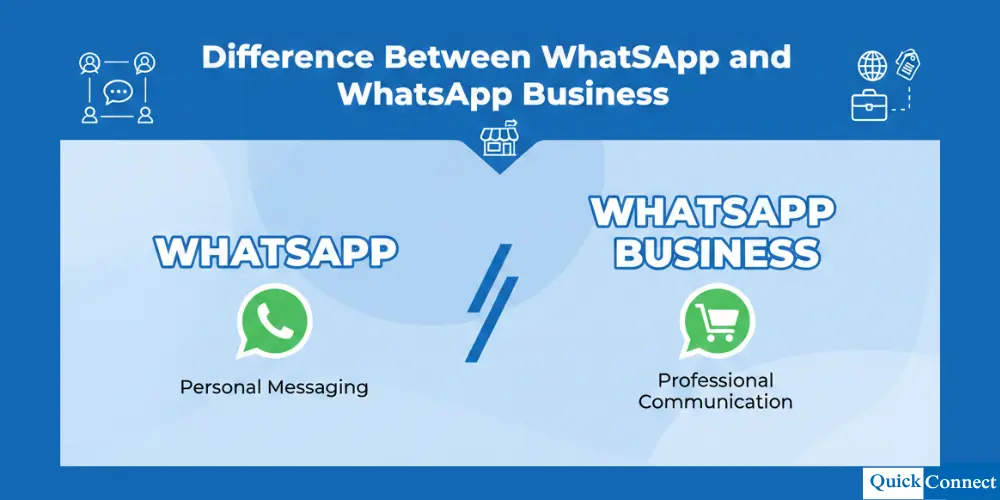
WhatsApp vs WhatsApp Business: Main Differences
At first glance, WhatsApp and WhatsApp Business may look almost the same. Both let you chat, call, and familiarly share files. The real difference shows up when the purpose changes from personal talks to customer communication. One is built for daily life, while the other is built to manage conversations that matter to a business.
Below is a detailed comparison that clearly shows how both apps differ in real use.
| Area | WhatsApp Business | |
| Main purpose | WhatsApp is designed for personal communication. It focuses on casual chats with people you know. | WhatsApp Business is designed for professional use. It helps businesses talk to customers in an organized way. |
| Target users | Regular users like friends, families, and small social groups use WhatsApp. | Small business owners, freelancers, and service providers use WhatsApp Business. |
| Profile type | WhatsApp uses a personal profile with a name and photo. There is no space for business details. | WhatsApp Business offers a business profile with name, category, address, email, and website. |
| Messaging style | Messages are sent and replied to manually. There are no tools to save time. | Messages can be automated using greetings, away messages, and quick replies. |
| Chat organization | All chats appear in one list. There is no way to group or label them. | Chats can be labeled to track new customers, orders, or follow-ups. |
| Automation support | WhatsApp does not support automation of any kind. | WhatsApp Business supports basic automation for faster responses. |
| Product sharing | You can only send photos or text about products manually. | You can create a product or service catalog that customers can browse. |
| Professional image | Using WhatsApp for work can feel informal and unstructured. | WhatsApp Business gives a more professional and trusted image to customers. |
| Customer management | Managing many conversations becomes confusing very fast. | Customer chats are easier to manage with labels and saved replies. |
| Best use case | Best for personal chats, family groups, and casual communication. | Best for customer support, order updates, and business inquiries. |
| Scalability | Not suitable when the message volume grows. | Works well for small businesses, but has limits for large teams. |
| Cost | Free to use for everyone. | Free for small businesses using the app version. |
In simple terms, WhatsApp is for talking, while WhatsApp Business is for handling conversations with a purpose. If messages affect customers, sales, or trust, WhatsApp Business clearly fits better.
Which One Should You Use?
Whether you should use the WhatsApp app or the WhatsApp Business app is based on your personal need for messaging communication services. Although both applications appear similar, their purposes differ greatly. It is easy to decide between the two apps once you understand who you communicate with and what you communicate about. Now, let’s understand this in the simplest form.
Use WhatsApp If:
- You just chat with friends or family members, and your chat is always personal in nature. You do not have to organize chats or responses in any formal manner. Everything is always informal and easy-going.
- There are no products or services that you offer or provide to anyone. As a consequence of having no customers, there are no needs whatsoever related to running a business or engaging in a conversation that has been organized in any way.
- You do not require any automation or rapid response. You are good enough responding at any time when you like, without any pressure or set response time.
Use WhatsApp Business if:
- You have a business or side hustle, and clients message you. Clients also expect you to be straightforward with the messages they send to you.
- You communicate with clients on a daily basis. You also get to handle several conversations simultaneously. Business applications help you organize the messages.
- You want to appear professional and establish credibility. Having a business profile means the customers realize that it is an honest and genuine business that they are communicating with.
- You would like to save time on responses to common questions. Messages and quick replies assist you in this area.
How to Switch from WhatsApp to WhatsApp Business (Step-by-Step)
Moving from WhatsApp to WhatsApp Business is quite smooth and requires little time. You can preserve the chats, contacts, and media you already have while organizing the tools for the business. This tutorial will help you understand how to switch with ease without losing a thing.
Steps to Switch:
- Back up your WhatsApp messages: Go to WhatsApp settings and back up your chats to Google Drive or iCloud so as to save all your chats before changing platforms.
- Download WhatsApp Business: Just search for WhatsApp Business on the App Store or the Google Play Store and download WhatsApp Business onto your phone.
- Verify your phone number: You need to open the app and enter your WhatsApp phone number. You shall receive a verification code to ensure that the phone number is yours.
- Restore your chat backup: The application will prompt you to restore the message backup. You need to select the restore option so that you preserve all your previous conversations and files.
- Create your business profile: You can now enter your business name, type, and contact details, as well as provide the website of your business. The profile will enable customers to know with whom they are communicating.
- Add automation and labels: Set up greetings, away messages, and quick replies. Messages can also be labeled in order to categorize conversations by new clients, sales, or follow-ups.
- For businesses that need multi-step workflows and more advanced automation, explore WhatsApp automation.
- Start using WhatsApp Business: Now that all necessary steps are completed, you can begin communicating and utilizing the business functions in WhatsApp.
Conclusion
Choosing between WhatsApp and WhatsApp Business depends on how you use messaging. If you communicate with loved ones, such as family and relatives, then using WhatsApp would be suitable for you as it helps to keep communication straightforward and easier to handle. However, if you have a business, communicate with consumers, and need to appear more professional, then using WhatsApp Business is a better option for you. It provides additional features such as automatic responses, business details, and message labels, making communication easier to manage.