Table of Contents
- What is Automated Behavior on Instagram?
- Types of Automated Behavior That Can Trigger Instagram Flags
- Why Instagram Flags Accounts for Automated Behavior
- What Happens When You Get Flagged?
- How to Fix When You See "We suspect automatic behavior on your account”
- How to Avoid Getting Flagged in the First Place
- What About the Numbers? Know Your Limits
- Conclusion
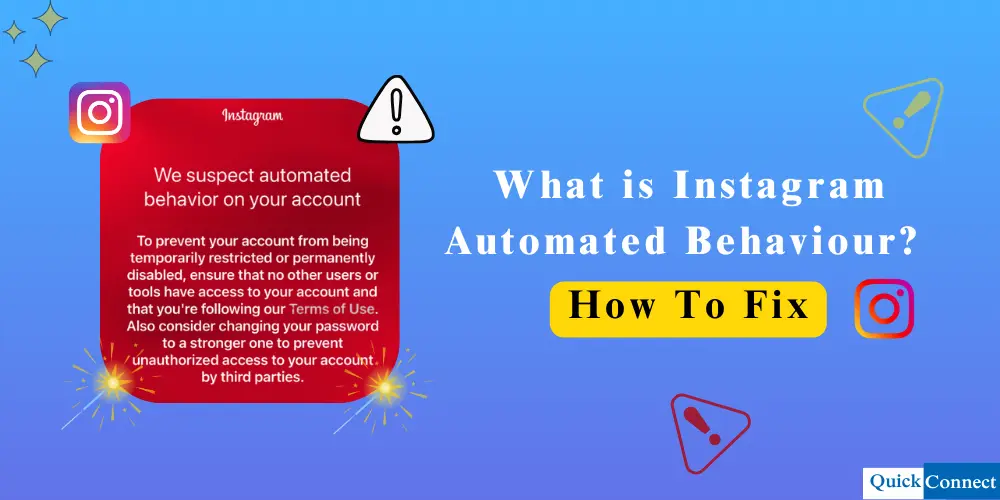
You are scrolling through Instagram, double-tapping the photos of your friend who when on vacation, when all of a sudden a message appears, “We have suspected automated activity on your account.” Your heart skips a beat. What did you do wrong? Are you about to be banned?
You are not alone, and this is not the end of the world. This warning appears every day for thousands of Instagram users, and many of them have never even heard about bots or tools that automate actions.
This guide will explore what Instagram automated behavior is and how you can fix it easily and efficiently.
What is Automated Behavior on Instagram?
Instagram automated behavior means that your account is behaving like a robot, and not a human. If you like 500 posts in 5 minutes, Instagram realizes something weird is happening. Nobody scrolls that fast in real life.
Instagram has implemented intelligent systems for monitoring user activity on the app. The systems observe patterns: as in how quickly you’re liking posts, how many accounts you’re following within a period of time, or, if you comment the same message from a similar profile over and over. Their flag includes all things that don’t seem natural.
Now here’s the interesting part: you do not even have to be using a bot to get flagged. Warnings can sometimes be triggered just by being an overly zealous user. Perhaps you found some neat accounts and ended up following them all. Perhaps you were doing a spring cleaning of your follow list and unfollowed 50 people in 10 minutes. To the systems of Instagram, this may seem of a suspicious nature.
Types of Automated Behavior That Can Trigger Instagram Flags
Instagram is especially adept at identifying unusual behavior. If actions occur too quickly, too frequently, or more repeatedly, the platform could assume that automation or bots were used.
Here are a few examples of the more frequent activities that can threaten your account:
1. Following or unfollowing too many accounts at one time
Following or unfollowing masses of people quickly can look off. These actions are not generally done in high speed by real users. Instagram may consider it an automated behavior.
2. Liking and commenting too quickly
Most importantly, liking or commenting on dozens of posts in a matter of minutes can be suspicious, particularly if comments are copy-and-pasted (the same handle commenting under the same few posts). Spamming short comments like “Nice: or “great post” on multiple accounts is usually a sign of bot activity.
3. Sending excessive direct messages
Another common trigger is when you send a huge amount of direct messages in short time. Automated DMs are easy for Instagram to recognize, and it only takes a few complaints to get you restricted.
4. Posting too frequently or too regularly
It’s fine to schedule posting, but don’t post too often, which may look fake. Instagram does not like the posting style of a batching process, so it considers it a sign that the post will be flagged.
5. Automatically viewing large numbers of stories
Suspiciously watching hundreds of Stories in one go with the help of bots can also create red flags. This behavior is not in line with the way real users navigate through content and is often associated with automated tools.
6 Interacting with bot or ghost accounts
Fake / Inactive Profiles: Many automated tools deal with fake or inactive profiles. If your account frequently interacts with such accounts, Instagram may believe automation is being utilized.
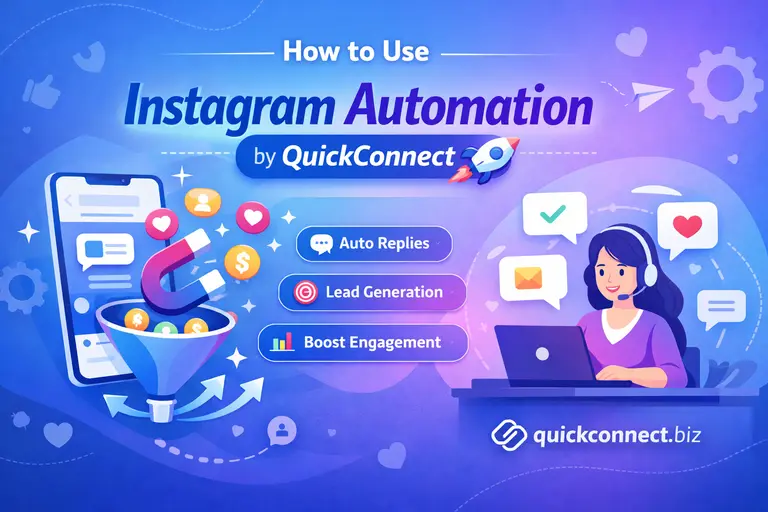
Stop worrying about account flags and action blocks. Manage your Instagram DMs, comments, and engagement safely with smart automation designed to respect Instagram’s limits — so you can grow consistently without risking your account.
Explore Instagram Automation
Why Instagram Flags Accounts for Automated Behavior
You may be asking, Why does it matter if I want to like a shitload of posts? Why Instagram have to be a buzzkill like that?” Fair question. But try put yourself in their shoes for just one second.
It’s like coming to a party, but half of the guests are robots programmed to just go around saying “Nice shirt” to everyone. Without these rules, this is what Instagram would turn into. The site would be overrun with bogus profiles, spammy comments, and worthless AI-generated interaction. Nobody wants that.
Instagram wants genuine humans having genuine interactions. What they want is real engagement, not all those bots that are just posing as if they care about your content. These limits and detection services are their method of maintaining the platform’s real and exciting for everyone.
There is also a business side to this. Brands shell out significant bucks to advertise on Instagram because they think the engagement is genuine. The entire ecosystem would fall over if half the platform were bots. Therefore, Instagram has every reason to be militant when it comes to automation.
What Happens When You Get Flagged?
Here’s the usual progression:
- The warning message: This is the first thing that most people receive. Essentially, Instagram’s method of giving you the edge of the shoulder is: “We are watching you. And you are on thin ice, basically, but your account still works normally.
- Temporary action blocks: This is when Instagram is preventing you from doing a few things. You can’t follow anyone for 24 hours; perhaps liking and commenting on posts would be turned off. These blocks usually last for 2 hours to 48 hours.
- Account restrictions: If you break the rules more seriously, Instagram can limit your account in worse ways. Hashtag feeds may not show your posts. Your reach could tank. What they refer to as a shadowban, you can still access your account, but no one sees your content.
- Permanent bans: If all else fails, Instagram will simply deactivate your account. This is typically the point after numerous violations, or if they suspect you are a bot farm.
How to Fix When You See “We suspect automatic behavior on your account”
Here is how you can fix it when your account is flagged:
- Stop everything immediately: So, stop whatever you were doing when you were flagged. Stop trying to show Instagram that it was wrong by pushing through. You’re just digging yourself deeper.
- Check your connected apps: In Instagram settings, check your third-party apps. Delete from your website any suspicious entries, anything that you do not recognise, or anything that you had promised to increase your engagement.
- Change your password: This accomplishes two things: it forces any bots or tools that may have connected to your account to get the boot, and signals Instagram that you value your security.
- Take a break: Give it at least 24-48 hours. Give Instagram systems a break and reset. Use this time to browse only. Do not like, do not follow, do not comment. Just look.
- Verify your account if prompted: At times, Instagram will ask you for verification that you are human. Follow their instructions. You may have to verify your email, input a code, or even provide your ID.
- Report the problem: If you feel like you were unfairly flagged, you can alert Instagram through the Help Center. If you want to report a problem, open the Menu, select Settings, then Help and Report a Problem. Provide a logical and calm explanation of what occurred. Sometimes they’ll review your case.
Read More: What Is Instagram Direct? A Beginner’s Guide to DMs
How to Avoid Getting Flagged in the First Place
It is better to prevent than cope with the limitations. We are going to give you the details on how to stay lowkey whilst having your account grow without Instagram taking notice:
Pace yourself
This is the golden rule. Disperse your behaviors over the course of the day. In the morning, follow 10 accounts, 15 in the afternoon, 10 in the evening. Same with likes and comments. Just consider how a real human being uses Instagram, in fits and starts, with white spaces of no activity.
Keep it random
Do not perform the same activity every day and at the same time. Mix up your activities. Spend a day on Stories, a day on posts, a day to clean your following. Bots are predictable. Humans aren’t.
Build up gradually
When you create a new account, Instagram gives you an extra eye for the first weeks. Start slow. Post some content. Engage a little bit. Wait for at least 1-2 months of growth before attempting any questionable growth methods.
Use Instagram’s own tools
If you need to schedule some posts, make sure to do it directly through Instagram, use their native scheduling system, or head to Facebook Creator Studio. Instagram approves these, and it will not ban you. Steer clear of shady third-party tools that dangle false hope.
Read more: How to Use Instagram Comment Automation to Save Time
What About the Numbers? Know Your Limits
While Instagram never specifically says what its limit is, the community has found through trial and error what the numbers are. Keep these in mind:
Following: Stay up to 100 follows a day, no more than 10 – 15 each hour for brand-new accounts. An established account can drive that to 150-200 per day. But spread it out!
Unfollowing: Similar limits apply. Maximum amount of 60 unfollows/hour, 200 unfollows/day for old accounts. Err on the side of conservatism with new accounts.
Likes: You can hit up to 1,000 posts per day technically, but that’s a stretch. For established accounts, the recommendation is typically to stay around 300–350. Under 200 for new accounts and no more than 20 in an hour for sure.
Commenting: Comment no more than 12 to 14 max comments an hour, spread out approximately 6 minutes apart. For spamming behavior, Instagram really monitors this one.
Direct Messages: You can send constant DMs as long as you stay under the threshold of 100 per day to followers, and no more than 30-40 non-followers. If you are communicating similar messages, exercise extra caution.
For posts and stories: The good news is that there are no really hard limits to posting your own content. But basic logic says, do not spam and post 50 times a day. It is annoying for your followers.
Conclusion
Instagram automated behavior warnings are like a cheerleader for not being a robot. They want to keep an area where real people are talking to one another, not where bots are pretending to care about what you had for lunch.
Going forward, behave like a regular human and use Instagram mindfully. Spread your activities throughout the day, engage genuinely, and focus on creating quality content. If you use automation, choose safe tools like QuickConnect, which helps to manage Instagram tasks responsibly without violating platform limits.
By respecting Instagram’s unspoken pace and limits, your growth may be slower but it will be organic, sustainable, and far less likely to result in sudden account restrictions or locked access.