Sitting around and waiting for a customer to speak first is a losing game. If you run an online shop or a service site, you already know that silent visitors are usually the ones who leave without buying. Most people browse quietly. If they hit a snag, they just close the tab and move on. This is exactly why proactive live chat has become a vital tool for staying competitive.
The secret to a great interaction lies in live chat triggers. These are simple rules that let your chat widget jump into action based on what a person is doing. Instead of a lonely chat box in the corner, a triggered message pops up right when someone needs a hand. This kind of proactive engagement helps build trust and pushes your conversion rate higher.
In this guide, we will look at ten different types of live chat triggers you can use right now to boost visitor engagement and cut down on your customer service costs.
What are Live Chat Triggers?
Live chat triggers are automatic pop-up messages that appear on your website based on what a visitor is doing.
Instead of waiting for someone to click the chat button, these triggers start the conversation for you at the right moment. Live chat triggers help you connect with visitors when they’re most likely to need help, which leads to more conversations, better customer service, and higher sales, all without visitors having to search for a way to contact you.
Simple examples:
- A visitor spends 30 seconds on your pricing page → A chat message automatically pops up asking if they need help
- Someone is about to close the tab → A chat appears offering assistance
- A user scrolls halfway down a product page → A message asks if they have questions
- Someone visits the checkout page → A chat offers support to complete their purchase
How Does Live Chat Triggers Work?
Live chat triggers are automated rules that start conversations with your website visitors based on what they’re doing. Think of them as a system that watches visitor behavior and reaches out at helpful moments.
Here’s how to set them up:
Step 1: Choose Your Trigger
Decide what action will start the chat. Common triggers include:
- Time on page (e.g., visitor stays for 30 seconds)
- Specific pages visited (pricing, checkout, help pages)
- Scrolling behavior (scrolled 50% down)
- Shopping cart actions (added item but didn’t buy)
- Location (visitor from a specific country)
- Returning visitors vs. first-time visitors
Step 2: Write Your Message
Create a message that matches the situation. For example:
- If someone’s on your pricing page → “Wondering which plan is right for you?”
- If they’re about to leave → “Before you go, can I help with anything?”
Step 3: Activate It
Once set up, your live chat software does the rest automatically. It watches visitors and launches the chat when your conditions are met.
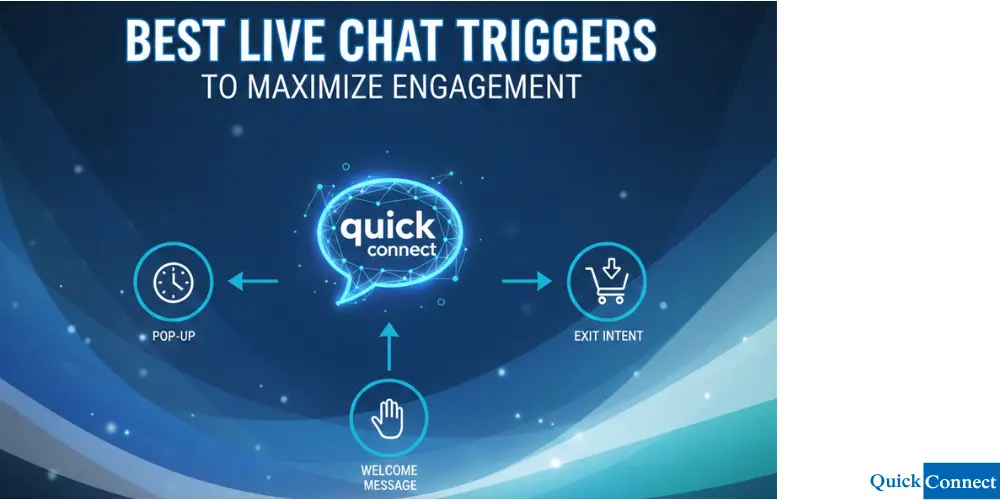
10 Best Live Chat Triggers to Maximize Engagement
1. The Time on Page Trigger
This is the most common chat trigger for a reason. It tracks the amount of time a website visitor stays on a single page. If someone hangs around for a long time without clicking anything, they might be stuck or just really interested but unsure about what to do next.
Picking a specific time for a proactive message to appear helps start a conversation. For instance, if a visitor spends more than a minute on a technical page, they probably need a bit of enhanced customer support to understand the details.
Message Examples:
- “I noticed you have been checking out this page for a bit. Do you have any questions I can answer?”
- “Hi! It looks like you are doing some deep reading. Need me to explain any of these points?”
This proactive chat method keeps you connected with people who are interested but maybe too shy to open the chat window themselves.
2. Stopping Cart Abandonment
It hurts to see a user abandons cart right at the finish line. Cart abandonment happens for all sorts of reasons, like surprise shipping costs or last-second doubts.
A trigger based on the checkout process can save these lost sales. If someone has items in their cart but stops moving on the checkout page, a triggered message can offer a quick answer or a small push to finish the order.
Message Examples:
- “Need a hand with your order? I am here if you have any questions about our shipping times!”
- “Wait! Finish your order in the next few minutes and use code SAVE5 for a small discount.”
Preventing cart abandonment is one of the fastest ways to increase revenue. You are talking to people who are already at the very end of your sales funnel.
3. The Exit Intent Trigger
Exit intent triggers catch people just before they leave. Your live chat software watches the mouse. If it moves toward the close button, the chat pops up.
This is your very last chance to engage customers before they go. A well-timed chat invitation can often turn a departure into a new lead.
Message Examples:
- “Before you go! Would you like our free guide on how to boost customer growth?”
- “Not finding what you need? Tell me what you are looking for, and I will help you find it.”
Using exit intent correctly keeps your bounce rate low and gives you a safety net for visitor engagement.
4. Recognizing a Returning Visitor
Treating a returning customer like a total stranger is a big mistake. Your website live chat widget should know when a returning visitor is back and offer a more personal hello.
This type of personalized messages makes people feel like you actually care. It shows you remember their past interactions. This visitor based logic is how you build a real connection online.
Message Examples:
- “Welcome back! Good to see you again. Are you still looking into our latest updates?”
- “Hi again! Since your last site visit, we have added some new tools. Want to see them?”
Saying hello to a returning customer goes a long way to increases customer satisfaction.
5. Targeting High-Value Pages
Not every page is the same. A visit to your pricing page is much more important than a visit to your homepage.
You should set live chat triggers for these high-stakes areas. When a website visitor hits the pricing section, your conversational AI should be ready to qualify leads.
Message Examples:
- “Hi! Our big plan is very popular for teams of your size. Want a quick demo of how it works?”
- “Confused about our plans? I can help you pick the right one for your budget!”
This proactive engagement helps people move through the sales funnel by giving them help right when they are making a money decision.
6. Scroll Depth Triggers
Sometimes, time is not the best way to measure interest. Someone might read very fast. In those cases, looking at visitor behavior, like how far they scroll, is much smarter.
If someone scrolls through 80% of a long blog post, they are clearly hooked. This is a perfect time for a chat message that offers product recommendations or more reading material.
Message Examples:
- “You have read a lot! Would you like a PDF version of this guide to save for later?”
- “Since you like this topic, you might also enjoy our latest case study on increased conversions.”
Boosting conversions this way ensures you only talk to people who actually care about your content.
7. Referral Sources and Links
You can change your chat message based on where the person came from. Using URL parameters, your live chat software sees if someone clicked a LinkedIn ad or came from a partner site.
Setting triggers on your website based on the source makes your messages feel very relevant.
Message Examples:
- “Hi! Saw you came from our LinkedIn post. Here is that special offer we mentioned!”
- “Welcome! Since you found us through [Partner Name], you get a special discount. Want the code?”
This visitor based plan makes your marketing feel like one smooth story.
8. Helping with Error Messages
Nothing annoys a customer more than an error. Whether it is a “Page Not Found” or a declined card, these moments usually end with the user leaving your site.
You can set live chat triggers to fire whenever an error pops up. Having an AI agent or a human show up to help can turn a bad moment into a great one.
Message Examples:
- “Oops! It looks like that page does not exist. Can I help you find what you were looking for?”
- “It looks like there was an issue with the checkout. I can help you finish your order right now.”
This kind of proactive engagement is vital for increased customer satisfaction.
9. On-Site Search Triggers
When someone uses your search bar, they are telling you exactly what they want. If they search for something and then hang around the results page, a chat trigger can offer a hand.
If the search finds nothing, the AI chatbots should step in right away to offer other options.
Message Examples:
- “I see you are looking for [Search Term]. We have a few things that might fit. Want to see them?”
- “Sorry we could not find a match! What exactly are you looking for? I might have an idea.”
This trigger based on search is a direct way to engage customers.
10. The New Visitor Welcome
You do not want to be pushy, but a nice welcome for firsttime visitors is always good. This trigger works best on the homepage after a short wait.
The goal is to provide information and show that you are there if they need anything.
Message Examples:
- “Welcome! I am your AI agent. I can help you find products or answer any questions.”
- “First time here? We are glad to have you! Here is a short video on how we help businesses like yours.”
A well-timed chat invitation for new users helps boost customer engagement without being annoying.
How to Set Up Triggers the Right Way
Using triggers to boost visitor interest takes a bit of balance. If every page has a chat box popping up every five seconds, people will just leave.
1. Use Smart Delays
Never fire a message the split second a page loads. Give the person a chance to look around. A delay of 30 to 45 seconds is usually the best spot.
2. Let AI Handle the Volume
If you have a lot of traffic, your team cannot talk to everyone. Using conversational AI lets you scale your proactive live chat without hiring more people. An AI agent can say hello and only bring in a human for complex issues.
3. Watch the Data
Do not just set your triggers and forget them. Look at your live chat software to see which ones people actually reply to. If a message has zero replies, change the words and try again.
4. Fix for Mobile
A chat window that looks fine on a laptop might cover the whole screen on a phone. Make sure your live chat widget works perfectly for mobile users.
Why Is Live Chat Triggers Important?
When you boost visitor engagement with triggers, you get more than just one sale.
- Higher Orders: Offering product recommendations can lead to people buying more.
- Lower Costs: Answering questions with AI chatbots means your team spends less time on easy tasks.
- Better Info: Every triggered message gives you data on user behavior. You learn what your customers like.
- Happy Customers: People love getting help before they even have to ask. It makes your brand look great.
The future of business is being proactive. By using live chat triggers to boost your presence, you are making life easier for your customers. Whether you want to drive conversions or just help people with the checkout process, triggers are your powerful tools.