Table of Contents
- What is an Instagram Chatbot?
- What can Instagram Chatbots do?
- How do Instagram Chatbots Work?
- 6 Reasons Why Your Business Should Implement an Instagram Chatbot
- Different Types of Instagram Chatbots You Can Use
- Step-by-Step Guide to Set Up Your Own Instagram Chatbot
- Best Practices for Instagram Chatbots That Actually Work
- Mistakes that You Must Avoid with Instagram Chatbots
- Conclusion
Got a bid of a flood of Instagram DMs coming in? You are not alone. Handling customer questions, order inquiries, and general messages can make an Instagram business account almost a full-time job in its own right.
This is where Instagram chatbots come into the picture. These automated assistants are a game-changer, taking control of conversations on Instagram so you can concentrate on building your business.
In this guide, we will discuss everything about Instagram chatbots and how you can build one for your business.
What is an Instagram Chatbot?
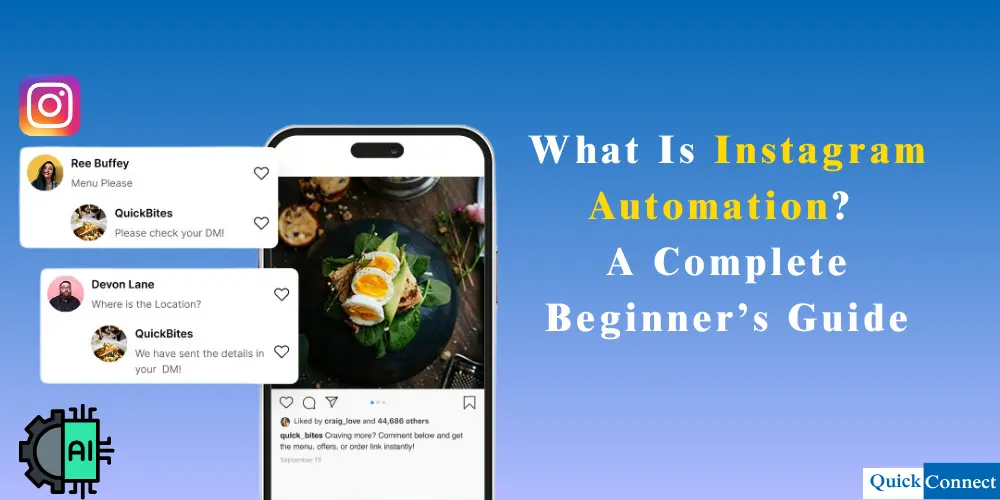
An Instagram chatbot is an AI powered automation tool that interacts with users through Instagram DM or comment. It helps businesses instantly answer questions, provide customer support, recommend products, book appointments, and share updates or promotions without human intervention while remaining available 24/7.
Here is how it works in simple terms: You receive an Instagram DM (direct message) from someone, the chatbot reads that message and sends back a reply, which you would have defined via some rules. It can respond to frequently asked questions, share product information, accept orders, or just greet your new followers.
You’re not typing out the responses yourself. These conversations are sent on autopilot through your Instagram chatbot (using the conversation flows you created). It is like a 24/7 script for your customer service department.
What can Instagram Chatbots do?
Instagram chatbot key functionality includes:
- DM & Comment Automation: Responds immediately to DMs, comments on posts, and story mentions or replies.
- Round-the-clock availability: Engagement and support at all times to ensure no lead or inquiry is ever missed, and irrespective of time zones and operating hours.
- For example, answering FAQs: Provide instant response to any commonly asked questions regarding a product, service, shipping policy, and pricing without needing human staff involvement.
- Auto Lead Generation & Qualification: Auto-gather information about users such as email id or contact information, qualify leads, segment audience, and send hot leads to agents.
- Order Processing & Sales Support: Identifying the purchase journey of the user, processing orders, recommending products, and even managing appointments, all done in the chat interface.
- Content Distribution: Sending relevant content, like product recommendations, discount codes or links to blogs as part of the conversation.
- Personalizing: Creating a more personalized, human-like experience tailored to the interests of each individual user through the use of an AI chatbot and natural language processing.
- Smooth Integration: Integrating with other business solutions, such as e-commerce solutions (like Shopify) or CRM systems to provide a seamless work process.
- Scale Efficiently: Manage hundreds or even thousands of conversations simultaneously, which is critical for high-traffic campaigns.
How do Instagram Chatbots Work?
Instagram chatbots function using conversation flows. All AI chatbots are built from three essential blocks:
- Triggers indicate to the chatbot when to begin conversing. It could be the first time someone messages them, uses a keyword like price, shipping or reacts to your Instagram story.
- Actions are what the chatbot does next. It could send a message, pose a question, display product choices, or refer the conversation to a live chat.
- Conditions are the if-this-then-that logic. For example, if someone types “return policy,” then send them information about returns. If they type “buy now,” then start the order process.
Instagram chatbot platforms have a visual editor for a chatbot, so you can just drag and drop these elements to create your flows. No coding or technical genius required. Once you get used to it, it is honestly quite simple.
Using the Instagram API, the chatbot links to your Instagram company account. This is basically Instagram allows the bot permission to read and answer your message. Your incoming DMs are seen by your chatbot and trigger a response based on your configurations.
6 Reasons Why Your Business Should Implement an Instagram Chatbot
Here are six reasons why your business should implement an Instagram chatbot:
Save Serious Time on Repetitive Questions
If you’re answering the same questions over and over, you’re wasting time you could spend on actually growing your business. “What are your hours?” “Do you ship internationally?” “What colors does this come in?” An Instagram chatbot handles all of these automatically. Set it up once, and it answers these questions forever.
Your Business Stays Open 24/7
Your customers are not only shopping from 9–5. They are scrolling through Instagram at midnight, on their lunch break, or early in the morning. An Instagram chatbot replies immediately to your customers who message you at 2 AM and does not let them wait until you wake up from your sleep.
Turn Conversations into Actual Leads
A chatbot on Instagram has a unique ability to proactively garner information from potential customers rather than just answering their questions. It can request email addresses, or phone numbers, or what products they are interested in, naturally, through conversation. It allows you to have a list of warm leads that are already interested in your business.
Boost Your Sales Directly Through DMs
This is where it gets really interesting. Instagram chatbots can actually process orders right in the conversation. Someone asks about a product, the bot shows them options, answers their questions, and then guides them through purchasing, all without leaving Instagram.
For e-commerce businesses, especially, this is huge. You’re meeting customers where they already are instead of making them click through to your website, create an account, and go through a whole checkout process.
Deliver Consistent Customer Service Every Time
We all have off days. We get tired, stressed, or distracted. Your Instagram chatbot doesn’t. It gives the same friendly, accurate response to the 100th person as it did to the first. No typos, no forgetting important details, no attitude problems.
This consistency builds trust with your customers. They know they can reach out anytime and get helpful information quickly.
Get Insights You Can Actually Use
Data is created from every conversation your Instagram chatbot holds. You are able to visualize the most frequently asked questions, what products interest them, what time of day you are receiving the most messages, and where the chats routinely drop off.
All this data will do wonders for your product, marketing, and general Instagram game. No more guessing what your customers want to know, you see what they are asking about.
Engage with Global Audiences in Their Language
Today, Instagram chatbots are capable of multiple languages. Your Instagram chatbot can automatically change languages if you are trying to target customers in different countries. While some platforms are capable of supporting 100+ languages.
Take a moment to consider that. You can have one person managing your English, Spanish, French, and Portuguese customers via your chatbot, all at the same time. You cannot do that with a human team unless you hire many people.
Retain More Customers Instead of Losing Them to the Competition
How many times have people asked about your product, you got busy, and you forgot to reply? And before you know it, they bought from other people. An Instagram bot that sends a follow-up message to people who show interest but have yet to take action.
It can remind them in a nice way about any items that they were asking about, offer assistance if they have any queries, or offer a limited-time discount for them to create the urgency to buy. This automated follow-up captures the sales that would otherwise have slipped through the cracks.
Different Types of Instagram Chatbots You Can Use
Instagram chatbots don’t all perform the same function. Here are some of the key ones you’ll use:
FAQ Bots
These are the easiest ones and the most common. They respond to common questions related to your company, goods, or services. The customer: “Don’t you have a return policy?” Then the bot shares them information. Questions about shipping times? The bot has that covered, too.
If you’re consistently asked about the same questions and you’d like to free up your time, FAQ bots are a good fit.
Story Response Bots
These are chatbots that do automated DMs to accounts that engage with your Instagram stories. This means that when someone reacts to your story with, for example, a fire emoji or by replying with a certain message, or your users can get an automatic text reply from your bot, or any link, or your bot can answer directly to the user that triggers the bot witha message.
It is a great way to get people who view your story to engage with you and convert them from a viewer to an actual lead or customer.
Order and Appointment Bots
They process transactions entirely via DMs. The conversation with your chatbot enables customers to browse products, place orders, get order status, or book appointments. This sort of bot is especially serviceable for restaurants, salons, or any service business, for that matter.
Product Recommendation Bots
Chatbots take it a step further by posing questions to customers to gauge what they want before recommending certain products to them based on their answers. Each customer is like having their own personal shopping assistant, helping find what they need when they need it.
For example, the bot from a clothing boutique might inquire about the type of style you are looking for, or what size you wear, or what your budget is, and then show you outfits accordingly.
Lead Qualification Bots
Yes, chatbots detect which leads are most likely to buy. They score leads based on how relevant their responses are, which then allows you to ask qualifying questions and capture contact details. Your sales team receives notifications of the hottest leads so that they can follow up personally while the bot continues to nurture the rest of the prospects.
Step-by-Step Guide to Set Up Your Own Instagram Chatbot
To slip your Instagram chatbot into action? Here’s how to do it.
Step 1: Ensure That You Have An Instagram Business Account
Instagram chatbots can only be used if you have an Instagram Business or Creator account, but not if you have a personal account. If you haven’t transitioned already, simply head to your Instagram settings, tap ‘Account’ and select ‘Switch to Professional Account’. Simply select the category that applies to your business, and you are ready to go.
It takes about two minutes to do, and it opens up a whole slew of other nifty features apart from chatbots.
Step 2: Pick Your Chatbot Framework
Instagram doesn’t provide its own chatbot builder; you’ll have to turn to third-party platforms. There are quite a few out there, with different features and price points. A few of the common ones are QuickConnect, ManyChat, Tidio, Chatfuel, MobileMonkey, etc.
All of these platforms have some sort of free plan or trial (in fact, a lot of them are free), so you can try them out before you actually get in. Find one that has a visual editor that is the most understandable to you, with features that are essential for your needs.
Step 3: Link your Instagram account to the platform
After selecting your platform, you will need to link it to your Instagram account. It does typically require you to log into your Instagram using your credentials and to allow that platform access to control your messages.
This platform will take you through this in a step-by-step approach. Just go through the following prompts and authorize the connection. Now your DM bot can watch and respond to your DMs on your Instagram Messenger.
Step 4: Create Chatbot Conversation Flows
This is where you actually construct your bots script, or what your chatbot replies and does. This is fairly intuitive, and most platforms provide you with a drag-and-drop editor.
Start simple. Write a greeting for new conversations. Next, you will have to add responses for your frequently asked questions. You can always build out and create more complicated flows later.
Consider what a typical customer journey looks like. What is the first thing people want to know? What data do they require in order to arrive at a conclusion? What do you want them to do next? Construct your conversational flows on top of these questions.
Step 5: Set Up Your Triggers
Decide what will activate your chatbot. This might be when someone sends their first message, uses certain keywords, or interacts with your stories in a specific way. Be strategic here. You want your chatbot to feel helpful, not annoying. Triggering on the first message is common for a welcome greeting. Keyword triggers work great for specific topics like “pricing” or “hours.”
Step 6: Test Everything Before Going Live
Before you let your Instagram chatbot loose on actual customers, test it thoroughly. Send yourself messages with different keywords. Try to break it by asking weird questions. See how it handles conversations that don’t follow your expected flow.
Get a friend or coworker to test it too. Fresh eyes often catch issues you missed. Fix any awkwardness in the conversation or gaps in the logic.
Step 7: Activate and Monitor
If everything is working smoothly, you can turn your chatbot on. But your job isn’t done. Listen in on the discussions it’s having, particularly in the initial days.
Identify the messages that the bot is handling well and those that the bot is failing. Be on the lookout for questions it’s unable to answer, and then where you can fill in with responses. Most platforms allow users to view full transcripts of conversations, and occasionally step into the conversation to take control it if necessary.
Best Practices for Instagram Chatbots That Actually Work
Getting started with an Instagram chatbot is one thing, and making it effective is another. Here’s what actually works:
Keep Responses Short and Natural
No one wants to see a DM wall of text. Keep your chatbot messages short and conversational. If you have a lot of information to share, rather than one long message, split it into several short messages.
You should write as if you are texting a friend, not writing a formal email. “Hey! It would be better to say, “I can assist you with that 😊” than “Thank you for your inquiry. I am happy to help you with your question.”
Always Provide the Option to Speak to a Human
Your Instagram chatbot should not complicate matters but trap a person in a frustrating automated loop. Always include an option to reach a real human. This can be as simple as ” Type HELP to be connected with someone from our team ” or a Speak to a person button.
People are more tolerant of the bot because they know they can get human help if needed. And at times, complex questions require a human element.
Make It Work With Quick Reply Buttons
Stop making people type; let them just click the question. If typing out messages creates the risk of unclear communication or both parties are misinterpreting what is being said due to typos, quick replies keep the conversations flowing in the right direction.
However, instead of “What can I do for you?” and keep them guessing about what you are going to type, give option: [Order Status] [Product Questions] [Speak Team]
Personalize the Experience
If you ever find out the names of the people that you are talking to, then use it. If your platform has the ability to track these things, reference previous conversations or purchases. As if it makes your Instagram chatbot less machine-sounding but more like customer service.
Even simple things like saying Thanks for coming back, [Name]! make a difference.
Don’t Spam People
Just because you can send automated messages doesn’t mean you should bombard people. Space out your follow-ups. If someone doesn’t respond to your chatbot, don’t keep messaging them daily. That’s a quick way to get unfollowed or blocked.
One follow-up message after a day or two is reasonable. After that, let it go unless they re-engage.
Update and Improve Regularly
Your Instagram chatbot is not a “set and forget” tool. Review your conversation data monthly. What questions do people want to ask that your bot simply cannot answer? What responses are falling flat? What new products or policies have to be included?
Your chatbot is a team member that needs to be trained and given feedback continuously.
Mistakes that You Must Avoid with Instagram Chatbots
These are mistakes we have witnessed companies making. Here are the mistakes that you must avoid with Instagram chatbots:
Making the Chatbot Too Complicated
You are not supposed to plan for every possible conversation route on day one. Use a gradual approach, begin with simple and slowly increase complexity. A too-many-features bot is more difficult to maintain, and usually less effective than a simple bot focused on one aspect. Doing a couple of things well always beats doing a lot of things poorly.
Forgetting to Test Edge Cases
What happens if someone just sends emojis? Or a string of random letters? Or asks a question completely outside your business scope? Your Instagram chatbot needs to gracefully handle these situations, usually with a catch-all response like “I didn’t quite understand that. Here’s what I can help with…” followed by options.
Ignoring the Data
Your chatbot platform is collecting valuable information about customer behavior and preferences. If you’re not looking at this data regularly, you’re missing huge opportunities to improve your business.
Not Updating Information
When people ask the bot a question, it is essential that the chatbot does not look worse than the chatbot providing incorrect info based on outdated info. If your hours change, your prices change, or you stop selling a product, pass that information to your bot as soon as possible. Integrate this into your business as a normal business practice.
Replacing All Human Interactions with It
Instagram chatbots are incredible, valuable tools, yet they do not offer the same human connection that a real person can provide. The optimal approach is to deploy bots to take care of tedious business, allowing you the time for enriching interpersonal communications with customers who require or desire that human element.
Learn More: What is Instagram Automated Behavior
Conclusion
Instagram chatbots have come a long way from being a mere “good to have” just-enough feature to a de facto necessity for businesses serious about their Instagram game. The best part is that they work for you while you sleep, saving you time, providing a great experience for your customers, boosting sales and collecting important customer data.
None of this requires large budgets and advanced technical skills. Choose a platform that includes a free trial, integrate your Instagram business account, and develop a quick bot that covers your frequently asked questions. From there, you can always grow.