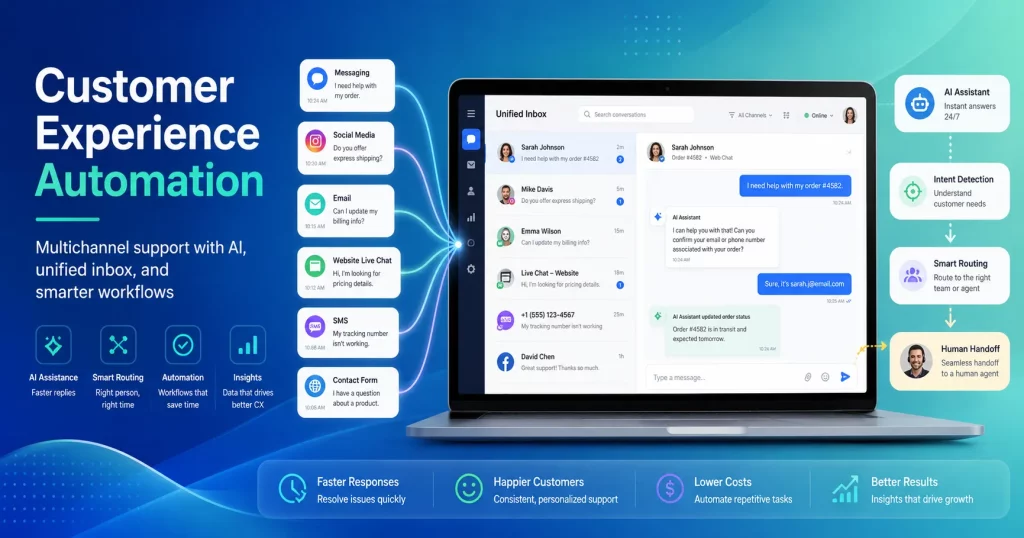
Think about how many apps you run through on a daily basis. Email, WhatsApp, Facebook, Instagram, and maybe a live chat on your site. It never ends, does it? Messages get lost, there is a delay in response, and customers feel ignored. This is where a unified inbox enters the picture. A unified inbox combines all your messages into one place. No more tab-switching or losing a chat. It keeps your team on track and your customers happy.
Imagine having a single screen and seeing all your customer requests on it. Simple, straightforward, and easy to work with. A unified inbox platform like QuickConnect enables you to do that for small or large businesses. You’ll get to experience faster response times, better collaboration, and make your customer happier than ever.
What Is Unified Inbox?
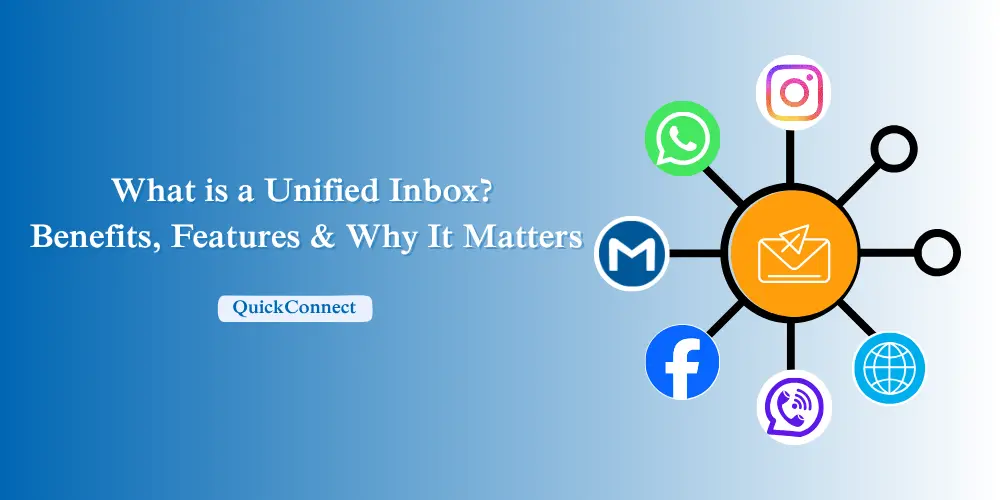
A unified inbox is a feature that brings together all your customer messages on one screen. Instead of jumping between WhatsApp, email, Facebook, and so on, it all comes to one place. It makes easier for you and your team to reply quickly. It also reduces stress because you won’t have to keep up with which app the message went to. One universal inbox saves time, remains minimal, and enables you to focus on the conversation, not the platform.
This is what usually comes into an omnichannel inbox:
- Emails from different accounts
- Social media app chats like Facebook, Instagram, or WhatsApp
- Your live chat messages on your website
- Even SMS or other types, based on your setup
All of them are coming into one place, no errors. No more wasting energy on searching, and customers don’t have to wait as long for answers.
In simple terms, one inbox is your personal message manager. It gathers everything, keeps it all neat and in order, and displays it in a quick-to-read format. You don’t need to remember ten different apps or switch tabs a hundred times. You just open the inbox, look at the new stuff, and reply. That is why various types of businesses are starting with it; it accelerates communication, makes it wiser, and more human.
Key Benefits of a Unified Inbox
The biggest benefit of a unified inbox is that it’s easy. You don’t have to deal with ten platforms or miss messages. It’s all in one place, so you can focus more on the customer. It is also simpler to collaborate because your whole team can see what is happening. Overall, a unified inbox saves time, reduces errors, and builds better relationships.
1. Better Customer Experience
If responses are given on time, customers feel valued. One all-in-one inbox helps you do so because you never misinterpret a message. It helps you reply with more context, too, because all chats and emails are in front of you. It is how your team can provide precise and clear responses every time. Customers value it when they do not have to repeat themselves. Over time, it gains their trust and loyalty.
2. Saving Time and Money
App switching is a huge time-waster. A single unified inbox shortens that by centralizing everything. Your team doesn’t have to lose energy jumping between tools, so they’re more productive. Fewer mistakes mean less money lost. You can also handle more conversations with fewer people. It’s affordable for small or big companies.
3. Better Team Collaboration
With a shared inbox, your team functions more smoothly. All share the same conversations, so there’s less misunderstanding. Messages can be directed to the right person effectively. If someone is out, another can take up the work without delay. This creates a seamless stream where customers don’t even know there was a lapse. Working is second nature, not forced.
4. Easy and Organized Tracking
A centralized omnichannel inbox is simple to monitor. You can see which messages are open, who is answering, and what needs attention. No two agents will answer one customer by mistake. You also have a clear sight of past chats and emails. The history helps you solve issues quickly. Organized monitoring makes your customer care appear professional and credible.
5. Beneficial Insights and Reports
Most unified inbox software also gives you report. You can see how quickly your team answers and what volume of messages you get daily. These pieces of information allow you to serve your customers better. You learn over time where the lag is and fix it. This turns your inbox into more than a chatting function, but a growth function. With good stats, you make sounder business decisions.
Must-Have Features of a Unified Inbox
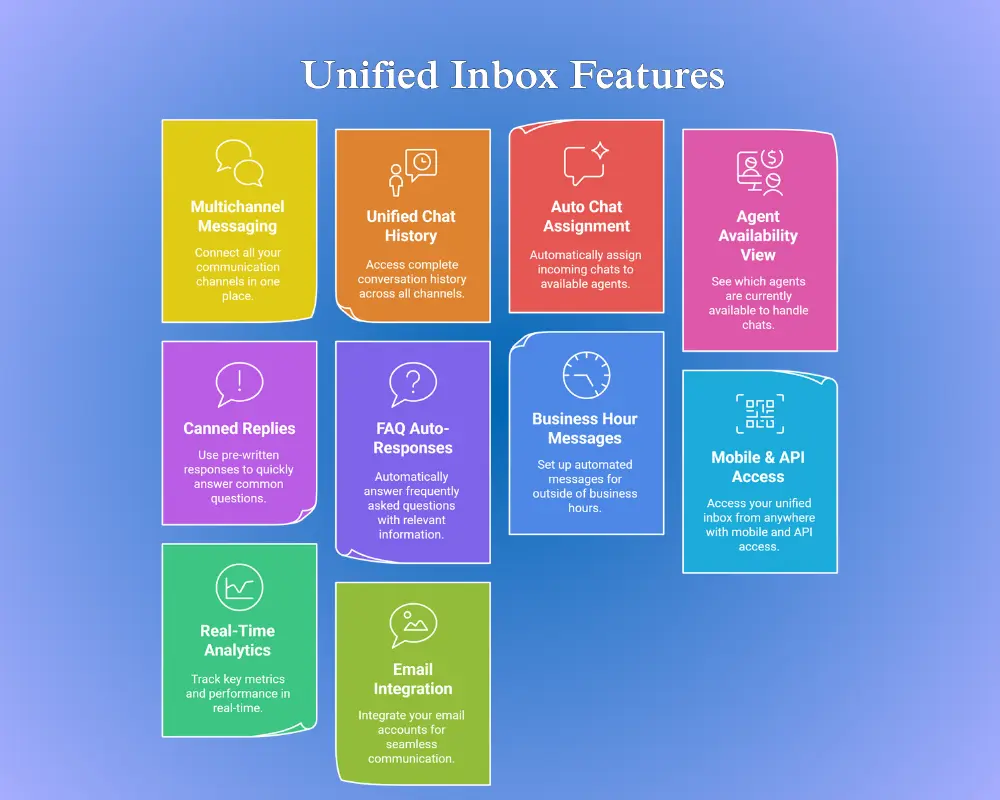
A unified inbox only serves a purpose if it has the appropriate features. The appropriate tools make your work simpler, faster, and more efficient. From handling multiple platforms to tracking all messages, these are the features that make a unified inbox robust. QuickConnect has all of them, and that’s why it works exceptionally well with businesses. Here’s what you should look for.
1. Multichannel Messaging
All the locations where your customers use to reach out to you need to be connected to one inbox. WhatsApp, Viber, Facebook, Instagram, email, and website chat should all be in one location.
If WhatsApp is one of your primary support channels, see how WhatsApp integration with QuickConnect brings those conversations into your customer support workflow.
It does not lose messages. You reply quickly, no matter where the customer initiated the message. All the conversations can be handled by your team in one location. It saves time and is organized.
2. Unified Chat History
All messages from all channels need to be available in one thread. You don’t have to open more than one app to see past conversations. Customers feel like they’re heard because you know their background. Key points are:
- History of all conversations across channels
- Easy reference for follow-up
- No repeated customer questions
- Smooth, unbroken interaction
Having a single chat history allows you to respond faster. It also reduces errors. Your team can focus on fixing issues instead of searching for messages.
3. Auto Chat Assignment
Auto assignment of chats simplifies teamwork. If there’s an incoming message, it’s directed to the responsible agent. No repetition of replies is seen. Workload gets naturally distributed. Agents can focus on the assigned chats. Customers see faster responses, and your team stays efficient.
4. Agent Availability View
You can see who is available online. It will help disseminate conversations at a fast pace. When one agent is busy, another can come in immediately. It maintains short response times. All people know who is handling what. Your customers are attended to at all times. Points of significance are:
- Live view of agent status
- Prevents overload
- Seamless conversation handover
- Reduces delays in response
5. Canned Replies
Quick responses save time. Prepared responses can respond to routine questions. One-click send, instead of typing the same response repeatedly. This makes the responses consistent. Agents stay productive, and clients get faster responses. Use bullets to standardize typical responses:
- Welcome and greeting messages
- Price or product info
- Scheduling or reminder messages
- Thank you, and goodbye messages
6. FAQ Auto-Responses
Develop answers to frequent questions. The system provides answers automatically without agent intervention. It is still effective during off-peak hours or peak hours. It keeps customers happy. Less workload on your agents. Important points are:
- Instant replies for general questions
- Less workload in peak hours
- Keeps customers busy
- Ensures no question goes unanswered
7. Business Hour Messages
You can schedule messages for when your team is offline. Customers are aware of when to expect a response. It is a matter of trust. Even if you’re not around, communication goes on smoothly. It assists in handling customer expectations, too. You can schedule messages for weekends, holidays, or night shifts.
8. Mobile & API Access
Reply on the go through a mobile app. Or integrate the inbox into your own apps via API. This offers flexibility. You can manage chats anywhere and anytime. Your team becomes connected even when out of the office. It makes business communication easier and faster.
9. Real-Time Analytics
Track response times, volume of messages, and agent performance. See where you can improve. Make decisions based on facts. Keeps your business continually improving. Insights help plan team schedules and training. You can spot bottlenecks and fix them. Analytics turn your inbox into a growth tool.
10. Email Integration
All the emails should arrive in the same inbox. This places all the conversations in one place. No need for extra apps. Your team can now have time to effectively solve customer issues. Emails are accompanied by other site chats. This ensures that nothing gets misplaced. It’s simple and organized in dealing with conversations.
How to Choose the Right Unified Inbox Software?
Choosing the right all-in-one inbox platform is important. The product you choose will impact your daily work and customer experience. You want something easy, reliable, and with lots of convenient features. The right software saves time, reduces errors, and makes your team more efficient. QuickConnect can do that for you, but it is helpful to know what to look for when choosing any unified inbox.
1. Easy Setup
A properly integrated inbox must be simple to install. You ought not need special technical expertise. Quick sign-up and easy-to-use instructions are a sign of user-friendly software.
- Straightforward account setup
- Easy platform linking instructions
- Less set-up minutes
- No coding
Quick and easy setup saves time. It allows your team to start managing messages effectively.
2. Complete Channel Coverage
The platform needs to have all the channels your customers have. Leaving out one single platform means you might still be missing messages.
- WhatsApp and Viber
- Facebook and Instagram
- Email addresses
- Website chat widget
Comprehensive coverage pulls all conversations into one inbox. You don’t have to switch apps, and nothing is lost.
3. Strong Automation
Automation simplifies handling messages. Good software includes auto-replies, canned responses, and business-hour responses.
- Auto-assign chats to agents
- Automatically send FAQ replies
- Schedule messages during off-peak hours
- Remove redundant work
Automation reduces time and accelerates response time. Your agents can spend time on the proper conversations, not on repetitive work.
Teams handling high WhatsApp message volumes can also use WhatsApp automation to build automated conversation flows and route customers based on their responses
4. Team Management Tools
If you have an agent team, you need features for collaboration. Chat assignment, agent availability, and common conversation history are essential.
- Auto-assignment of chats
- Live agent status view
- Shared conversation threads
- Smooth agent handover
These tools remove redundant responses and misunderstandings. Team can collaborate efficiently without errors.
5. Clear Analytics
Monitoring performance is key. The software should provide you with information on response times, volume of messages, and agent activity.
- Response time reports
- Chat volume tracking
- Agent performance metrics
- Customer satisfaction trends
Analytics help you identify weak spots. You can optimize with actual data and grow your business.
QuickConnect: Best Unified Inbox for Small Business
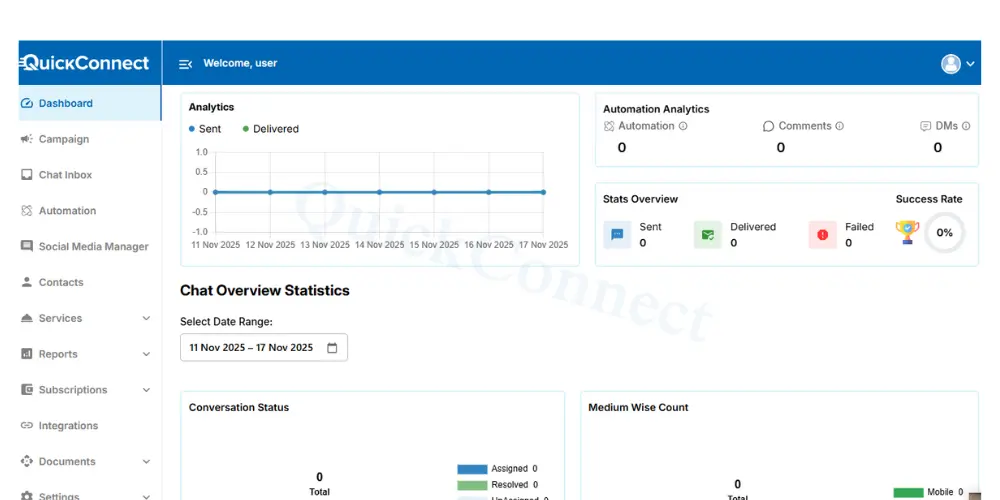
QuickConnect gives you a single place for all customer interactions. You don’t need to work with numerous apps or constantly toggle between them. Chats, emails, and messages all appear in a single dashboard. This speeds up responses and collaborations. The software is simple, yet powerful. It is designed specifically to meet every small and medium-scale business’s needs globally. Our unified messaging platform lets you manage all communications efficiently and professionally.
1. Introduction to QuickConnect Unified Inbox
QuickConnect integrates all channels. WhatsApp, Viber, Facebook, Instagram, email, and live chat are integrated into one screen. You can reply immediately from the same dashboard. The platform is simple and easy to use. Teams will not be perplexed. All the messages are shown in a systematic flow. It’s like having one smart inbox for your whole business.
2. Key Features
QuickConnect combines all the essential features your business needs. These enable communication to be conversational and seamless.
- Multichannel messaging on all devices
- Single window of chat history for end-to-end context
- Auto chat routing for uniform workload distribution
- Agent availability view for smooth collaboration
- Canned answers and FAQ auto-responses
- Business hour messages for time-out communication
- Mobile & API access for on-the-go responses
- Real-time analytics to track performance
- Email integration for end-to-end coverage
These error-reducing, time-saving features make your team more productive.
It’s a balance between simplicity and functionality. Compared with other tools, QuickConnect is quick, simple, and tailored to every business. And yes, we offer free sign up!!
How to Connect Multiple Platforms in QuickConnect Unified Inbox?
You can connect more than one platform in QuickConnect without any technical skills. The application guides you step by step. With the installation, all your WhatsApp messages, Viber messages, Instagram messages, Facebook messages, emails, and your website messages end up in one place. Time is conserved, and your team stays efficient. An all-in-one inbox makes it simpler to manage every conversation. Let us look at the steps in connecting your platforms in no time.
Step 1: Sign up and Verification
The first step is to open your QuickConnect account. You must also go through KYC verification for security purposes. This makes your company verified and ready to connect platforms. After verification, you can start linking apps right away.
- Open the QuickConnect app.
- Sign up for your account with the information.
- Upload documents for KYC verification.
Then, your account is available for use. Confirmation will not be long. After that, move to the next step without delay.
Step 2: Choose Your Plan
Then, choose a plan that fits your business requirements. QuickConnect offers packages in terms of features and capacity. Choose one that best fits your team size and projected chat volume.
- Compare plans on offer.
- Choose the one best for your business
- Confirm subscription and activate inbox features
Having a good plan ensures that you get all the features you need. It ensures that you do not pay for something you never use. This simplifies setup and makes it effective.
Note: We are giving free offers for now! Get Started For Free
Step 3: Open Inbox Setup
Once you have subscribed, proceed to the Unified Inbox setup. It is here that you start integrating your platforms. The dashboard shows options for each app that you want to integrate.
- Click on the “Inbox” section.
- Choose “Connect Platforms”
- Prepare accounts for linking
Following these steps keeps the setup organized. It also reduces mistakes during connection. You’ll know exactly what’s linked and what isn’t.
Step 4: Integrate Platforms
Now it’s time to add each platform to your inbox. This includes social apps, email, and website chat. QuickConnect supports all major platforms for seamless integration.
- Facebook and Instagram Business accounts
- WhatsApp and Viber numbers
- Website chat widget
- Email account integration
Linking all platforms places messages onto one dashboard. This is the heart of a unified inbox. You can now see and reply to all conversations without needing to leave an app.
Step 5: Grant Permissions
All platforms will ask to allow QuickConnect. This is typical and safe. Permissions allow QuickConnect to act on messages for you.
- Accept authorization requests
- Check settings for every platform
- Test connections to receive messages
There must be appropriate permissions for smooth operation. Without them, the inbox will not be capable of fetching messages. Always double-check to avoid lost chats.
Step 6: Create Preferences
Once platforms are connected, set up your rules and automation. This helps in handling chats effectively. You can forward messages automatically or send an auto-response.
- Enable automatic assignment of chats to agents.
- Add canned responses for FAQs.
- Configure business-hour messages for non-business hours
Preferences save time and increase customer satisfaction. Your team has more time to resolve issues instead of sorting the inbox manually.
Step 7: Start Using Your Unified Inbox
After you’ve installed it, all messages flow into QuickConnect’s dashboard. You can start responding immediately. Your team receives everything in one place.
- Manage all conversations from one screen.
- Track chat status and performance
- Respond faster to customers.
With everything networked together, your business is more efficient and agile. One inbox now really handles all conversations efficiently.
Conclusion
A unified inbox redefines how businesses manage conversations. Instead of needing to switch between multiple apps, all communications come to you in one place. It saves you time, reduces mistakes, and has your team respond faster. QuickConnect allows you to quickly connect to WhatsApp, Viber, email, Facebook, Instagram, and website chat. You get to see it all on one dashboard and control conversations easily.
With features like auto assignment of chats, canned replies, and real-time analytics, your team gets the work done, not more. Customers feel heard and appreciated because messages are never lost. QuickConnect’s omnichannel inbox also has mobile access so that replies can be sent anywhere at any time.